
How to sign a lease PDF and fax it to your landlord today
Sign every page that needs it, put the lease in one PDF, fax it from the browser, and hand the landlord a receipt with the time their machine accepted it.
 Merey Tleugazin, founder of Faxvio
Updated · 9 min read
Faxing a signed lease, in short
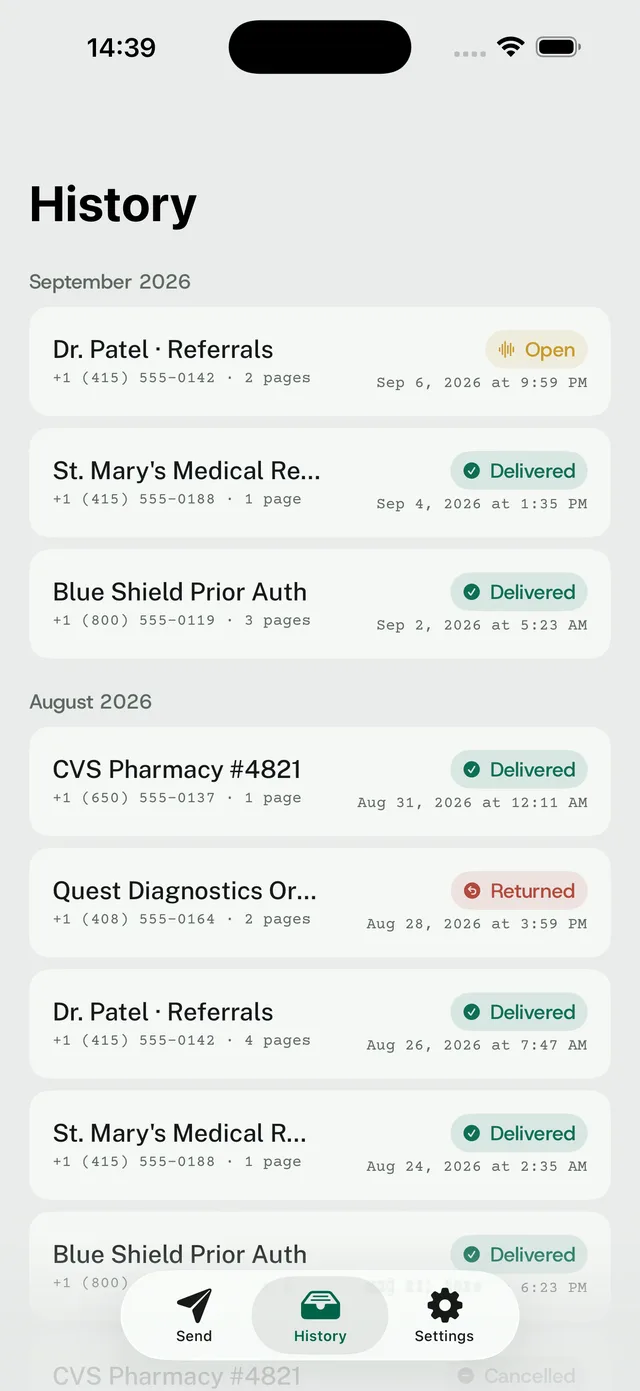
To fax a lease, sign the PDF in Preview, iPhone Markup or Adobe Acrobat, save it as one file, and send it from this page to the landlord’s fax number with a cover page titled “Lease documents”. A 12-page lease costs $3.98, reaches the office in about a minute, and the PDF receipt shows when their machine accepted it.
- 1Ask which pages the landlord wants back, and their fax number.
- 2Sign and initial the PDF in Preview, Markup or Acrobat.
- 3Send it here as one file, with the cover page titled “Lease documents”.
- 4Email the landlord the receipt once it says Delivered.
$3.98
for a 12-page lease
$16.00
the same at one UPS Store’s rate
receipt for the landlord
Send yours from here
The cover page goes out titled “Lease documents”, a subject you can change in the form, with your name on it. Add the signed lease and the landlord’s fax number.
- Pages
- Number
- Send
Ready to go.
Check your email
We sent a 6-digit code to . Type it here to go on.
By continuing you accept the Terms and Privacy policy.
Pages for this fax
One payment, nothing renews. Card, Apple Pay or Google Pay on the next screen.
Who do you fax the lease to, and which pages?
Send it to whoever gave you the lease: the landlord, the property manager or the leasing office of the building. Use the fax number they give you for signed documents, not one you found on a listing site; a large management company can have one number per building and another for applications. If the number is printed on the lease or the cover letter that came with it, copy it from there.
Before you sign anything, ask one question: which pages do they want back? Some offices want every page, initialled at the bottom, so that nobody can swap a page later. Others want only the pages with signatures, plus the addenda: a pet agreement, a parking or storage form, a lead-paint disclosure, house rules. A fax of three signature pages costs $1.09 and reads faster at the other end than a 30-page lease where the clerk has to hunt for your name.
Rental applications follow the same route. If the office asks for a pay stub, a photo ID or a bank letter with the application, send exactly what it lists, as one file, and nothing more. Leave out anything they did not ask for; a fax tray at a leasing office is shared, and the cover page is read by whoever picks it up first.
How do you sign a lease PDF?
Three tools that are already on most computers and phones, in their makers’ own words.
On a Mac, use Preview. Open the lease, show the Markup toolbar and click the signature button. Apple’s guide says: “To sign PDFs, you can capture your signature using your trackpad, the built-in camera on your Mac, or your iPhone or iPad.” Once the signature exists, “Click the signature you want to add to your PDF” and drag it into place, then use the handles to size it. With iCloud Drive on, the same signature is there on your other Macs.
On an iPhone, use Markup in the Files app or Preview. Apple’s guide: “Tap Add Signature, sign your name with your finger, then tap Done.” and then “Drag your signature where you want it to appear on the document.” The iPhone can keep more than one signature, so make a second one with just your initials for the bottom of each page.
In Adobe Acrobat, Adobe’s help page describes it as: “Select E-Sign and then select the Fill in form fields icon.” You can then type into a field or drag a signature or initials from the E-sign panel. Acrobat also handles leases sent as forms with fields to type into.
Whichever you use, save the signed file under a clear name, such as Lease_214-Bay-St_signed.pdf, and keep that copy. It is the version the landlord will compare with theirs.
| Tool | How to start | Initials on every page | Source |
|---|---|---|---|
| Preview on Mac | Markup toolbar, then the signature button; sign on the trackpad, with the camera, or on an iPhone or iPad | Save initials as a second signature | Apple Support |
| Markup on iPhone (Files, Preview) | Tap Markup, then Add Signature, and sign with your finger | Apple: you can create multiple signatures, “such as a nickname or initials” | Apple Support |
| Adobe Acrobat | E-Sign, then fill in form fields or drag a signature from the E-sign panel | Drag initials from the same panel | Adobe Help |
Put the whole lease in one PDF before you send it
A fax arrives as a stack of pages in the order you sent them, with nothing to say where one document ends and the next begins. So make one PDF in the order the landlord expects: the lease, then each addendum. In Preview on an iPhone, Apple’s guide to adding and deleting PDF pages explains how: touch and hold a thumbnail, then “Insert from File”, or “Scan Pages” to scan a paper page straight into the PDF.
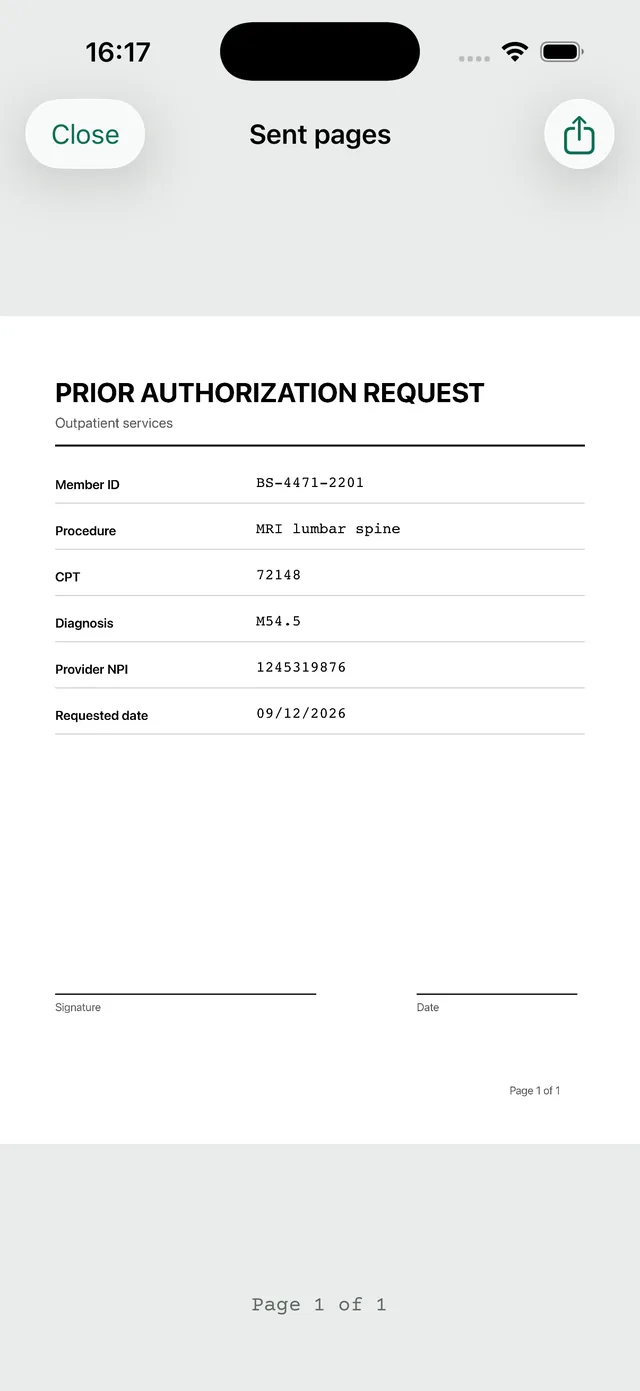
If part of the lease is on paper, photograph each page flat, in good light, and add the photos; Faxvio turns them into fax pages. Then look at every page at fax resolution in the fax quality preview. A fax prints in black and white only, and a light signature or a grey initial box is the part most likely to fade.
One fax from Faxvio takes up to 50 pages and 19 MB, which covers any residential lease. You can also add several files to the form; Faxvio joins them in the order listed, so check the order before you press Send.
How to fax the lease from this page
Five steps. The cover page is already titled “Lease documents”.
- 1Add the signed PDF to the form at the top of the page. Faxvio counts the pages and shows the price before anything is charged.
- 2Type the landlord’s fax number as it is printed. Faxvio adds the country code and shows the full number it will dial. A number starting 800, 833, 844, 855, 866, 877, 888, 900 is toll-free or premium and uses 2 pages per page.
- 3Type your name in From, as it appears on the lease. A fax to a US number carries the sender’s name on the cover page.
- 4Sign in and send. Google, Apple or an email code. Your first page is on us the first time you sign in on the web.
- 5Wait for Delivered, then download the receipt. Across real Faxvio faxes, September to November 2026, the median time from Send to Delivered was 66 seconds; a 12-page lease takes longer than a one-page form, because every page is a few seconds on the line.
From a Mac, the same form works in Safari or Chrome; how to fax from a Mac compares it with the other ways. From an iPhone, the iPhone guide goes screen by screen.
What does it cost to fax a lease?
A lease is long for a fax, which is where paying per page at a counter adds up. The chart prices three lengths four ways: Faxvio’s cheapest packs, and three places that publish a per-page rate: the Leominster Public Library in Massachusetts ($1.75 for the first page and an additional $1 for each remaining page), the New York State Library ($2.00 for the first page & cover sheet; $1.00 for each additional page), and one UPS Store’s own price sheet ($5.00 for the first domestic page, $1.00 for each additional). The UPS Store sets prices per store, so yours may differ.
On Faxvio a 12-page lease is $3.98: 7 + 7 pages, with 2 pages left on your balance, which never expire. A 20-page lease is $4.99. The cover page is never charged, and if the fax fails the pages return to your balance.
What should the cover page say?
The leasing office needs three things before it reads a word of the lease: whose it is, which unit, and whether every page arrived. The cover page Faxvio prints answers the first and the last on its own: From carries your name, and Pages says “12 plus this cover”, so the office can count. Put the unit and the move-in date in the note, and list the addenda you included so a missing one is obvious.
From this page the subject is already “Lease documents”, in the Subject field of the form, where you can change it. If the office has its own fax transmittal form, fill it in and make it the first page of your PDF instead; it then counts as a page, and to a US number Faxvio’s cover still goes in front of it. For a cover sheet with more fields, use the fax cover sheet tool.
How do you prove to the landlord that you sent it?
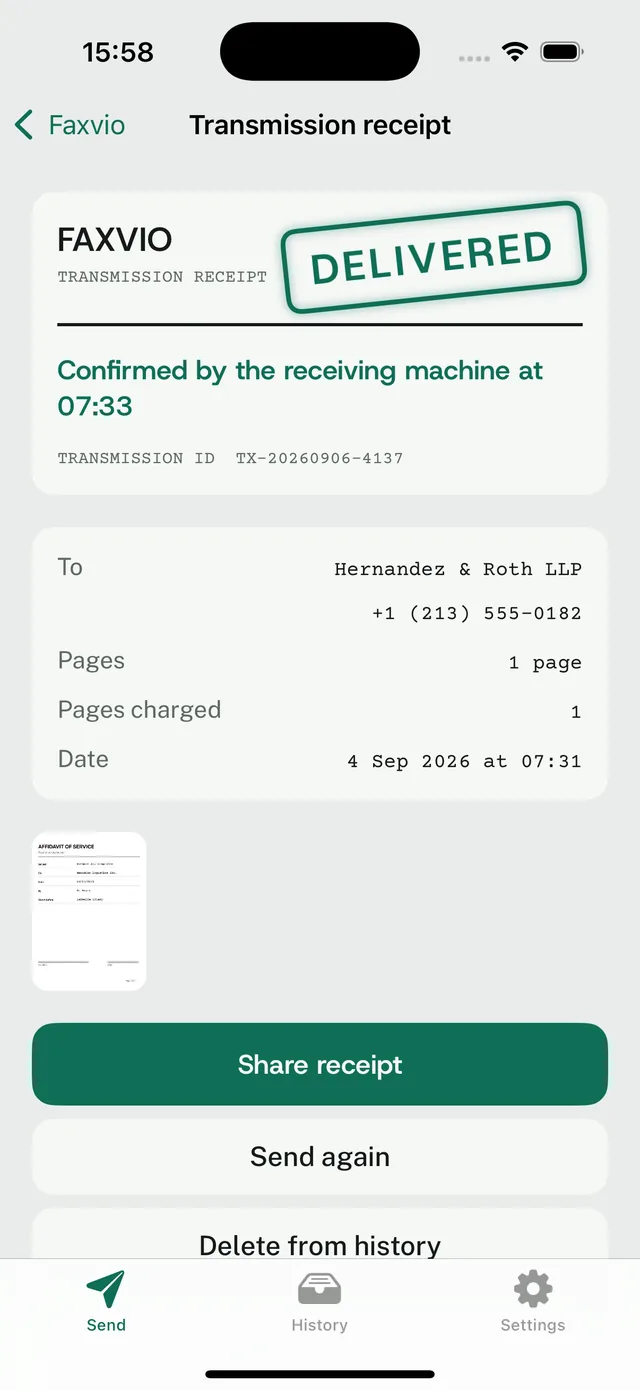
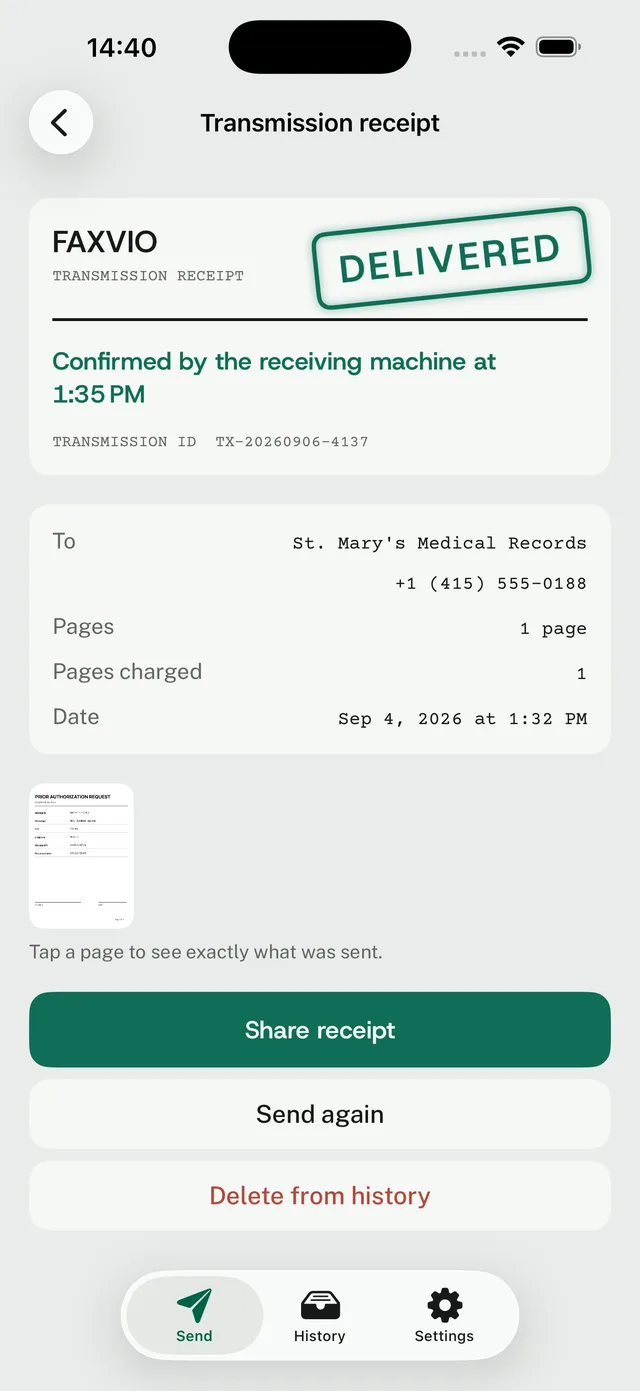
Send them the receipt. Every Faxvio fax comes with a one-page PDF that shows the landlord’s number in full, the date and time, the pages transmitted, the pages charged, a transmission ID and the moment the receiving machine confirmed the pages, stamped Delivered. Faxvio stamps Delivered only when the carrier reports the fax delivered, which happens after their machine has confirmed every page.
Download it from the form or your account and email it to the landlord with one line: “Signed lease for Apt 3B faxed today at 11:05, 12 pages; receipt attached.” That turns “did you get my fax?” into a fact they can check against their own fax log. Keep the receipt with your signed copy of the lease for as long as the lease runs; your Faxvio account keeps the record of the fax for 90 days.
The receipt proves that the landlord’s fax machine accepted the pages at that time. It does not show that anyone has countersigned the lease, so ask for the countersigned copy by email; Faxvio sends only and cannot receive it. What a confirmation does and does not prove is set out in fax confirmation, line by line.
After you send: the document, the deposit, the keys
Faxvio removes the lease from its server once the carrier has accepted the fax.
When you drop the lease into the form, it stays in your browser until you press Send. It is then uploaded, counted, handed to the fax carrier and removed from Faxvio’s server as soon as the carrier has accepted the fax. Your account keeps the record of the fax, not the pages; keep your own signed copy, because the landlord will compare theirs with it at move-out.
Questions about whether a faxed or electronically signed lease is enough, about the deposit or about the terms belong with the landlord, or with a lawyer or your local tenant resources if it matters; this page is only about getting the signed pages there. To compare what other ways of faxing cost, the fax prices research has stores, libraries and apps in one table.
Faxing a lease: the facts
| Send it to | The landlord or leasing office At the fax number they give for signed documents. |
|---|---|
| Sign with | Preview, Markup or Acrobat Preview on Mac; Markup or Preview on iPhone; Adobe Acrobat on any computer. |
| Format | One PDF Lease, then addenda, in order; up to 50 pages and 19 MB per fax. |
| Cover page | Lease documents Prefilled from this page; free, never charged. |
| Cost of 12 pages | $3.98 $1.99 for 6 pages, $4.99 for 20; one UPS Store’s rate: $16.00 for 12. |
| Time to deliver | About a minute Median 66 seconds per fax, about 35 seconds a page on average; 79 % of faxes under 2 minutes. |
| Proof for the landlord | A PDF receipt Number, date, pages, confirmation time, transmission ID. |
Questions people ask
Can I fax a signed lease?
Yes, if your landlord or property manager accepts it by fax; some leasing offices still list a fax number for applications and signed documents. Ask which pages they want back, sign them, and fax them as one PDF.
How do I sign a lease PDF on my phone?
On an iPhone, open the PDF in Files or Preview, tap Markup, then “Tap Add Signature, sign your name with your finger, then tap Done.” Drag your signature where you want it to appear on the document. Use initials for the pages that ask for them; the iPhone can keep a separate initials signature.
How do I sign a lease PDF on a Mac?
In Preview: open the PDF, show the Markup toolbar and click the signature button. Apple’s guide says: “To sign PDFs, you can capture your signature using your trackpad, the built-in camera on your Mac, or your iPhone or iPad.” Click the signature and drag it into place.
Do I fax the whole lease or just the signature pages?
Whatever the landlord asks for. Some want every page, initialled; some want only the pages with signatures and the addenda. Sending only what they need costs less and is easier for them to match to their copy.
How much does it cost to fax a lease?
On Faxvio, $3.98 for a 12-page lease and $4.99 for 20 pages; the cover page is free and your first page is on us. At a store or library you pay per page: one UPS Store’s own sheet works out to $16.00 for 12 pages.
How do I prove I sent the lease?
Keep the PDF receipt Faxvio makes for every fax: the landlord’s number, the date and time, the pages and the moment their machine confirmed them, stamped Delivered. Email it to the landlord with a line saying the lease is in their fax.
Is a faxed lease legally binding?
That is a question for your landlord, and for a lawyer if it matters to you; this page does not give legal advice. What a fax receipt shows is that the landlord’s fax machine accepted your pages at a given time.
Can the landlord fax the lease back to me with Faxvio?
No. Faxvio sends only and gives you no fax number. Ask the landlord to email you the countersigned copy or hand it to you at move-in.
Bottom line
To fax a lease, sign and initial the PDF in Preview, iPhone Markup or Adobe Acrobat, keep it as one file, and send it to the landlord’s fax number with a cover page titled “Lease documents”. On Faxvio a 12-page lease costs $3.98 against $16.00 at one UPS Store’s published rate; it reaches the office in about a minute, and the PDF receipt, stamped Delivered once their machine confirms, is the proof you send the landlord.
Make your fax better before you send it
Free tools that run in your browser. Nothing is uploaded.
See it in black and white
Drop a photo of a page and see what a fax machine will actually print.
Preview a page →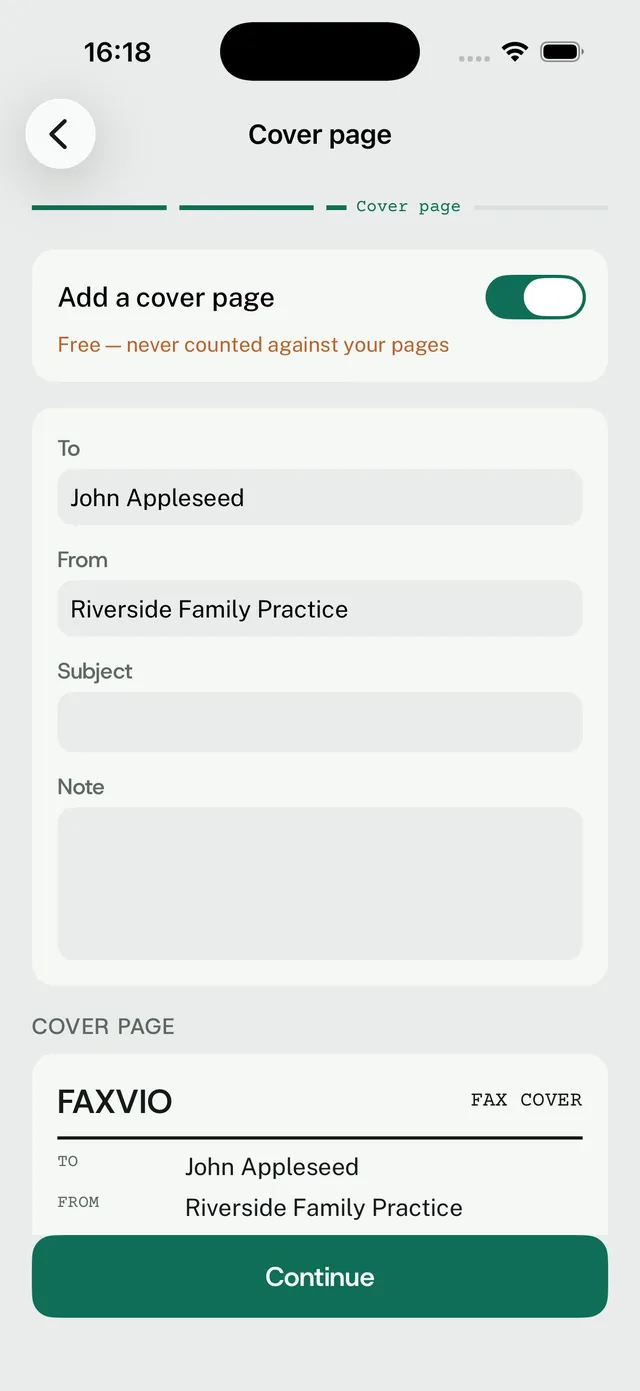
Add a cover sheet
Fill in To, From and a note. It becomes the first page and is never charged.
Make a cover sheet →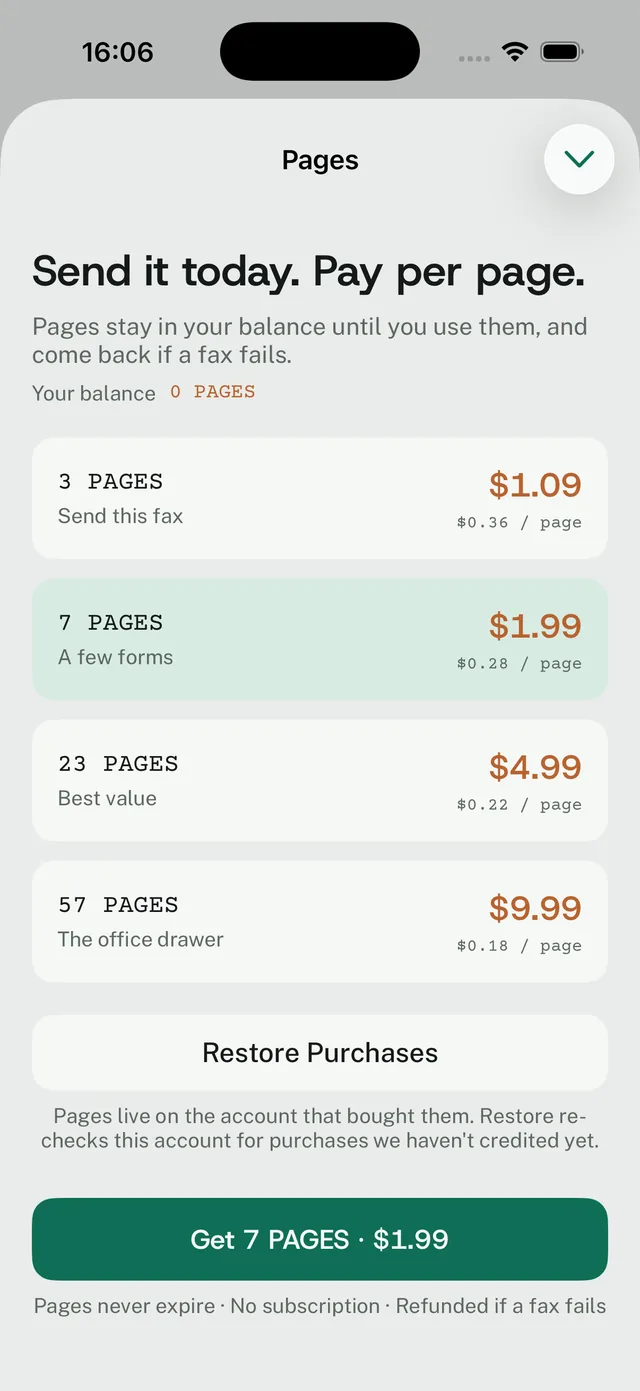
Price your fax
Pages and destination in, the exact price out, with toll-free numbers counted.
Work out the cost →