
Sending a fax from macOS: what Apple supports, and what works without a fax printer
Apple supports one way, through a fax printer on a phone line. Here it is, and every way that needs nothing but the Mac, each with its price.
 Merey Tleugazin, founder of Faxvio
Updated · 10 min read
How to fax from a Mac, in short
macOS can fax only through a multifunction printer that supports faxing, connected to the Mac and to a phone line: that is the one method in Apple’s Mac User Guide for macOS 27. Without one, use a fax website in Safari or Chrome, or a fax app. On Faxvio a fax of up to 3 pages costs $1.09.
- 1Open faxvio.com in Safari or Chrome, on any Mac.
- 2Drag the PDF onto the form, or Print → Save as PDF first.
- 3Type the fax number the way it is printed.
- 4Send and keep the receipt once every page is confirmed.
$1.09
for up to 3 pages
66 s
to Delivered, median of real sends
1
way macOS faxes on its own
Send yours from here
Drag a PDF onto the form. It works the same in Safari and Chrome on any Mac.
- Pages
- Number
- Send
Ready to go.
Check your email
We sent a 6-digit code to . Type it here to go on.
By continuing you accept the Terms and Privacy policy.
Pages for this fax
One payment, nothing renews. Card, Apple Pay or Google Pay on the next screen.
Can a Mac send a fax by itself?
Only through a fax printer. Apple’s Mac User Guide for macOS 27 describes one way to fax from macOS: a multifunction printer that supports faxing, connected to your Mac, sends the pages over its own phone line. Macs today have no built-in fax modem, so without such a printer macOS has nothing to dial with. Apple’s steps, from “Send a fax from your Mac using a multifunction printer”, read on 3 November 2026:
- 1On your Mac, open the document you want to fax, then choose File > Print.
- 2Click the Printer pop-up menu, then choose your multifunction printer under Faxes.
- 3Enter the fax number in the Recipients field.
- 4If your phone system requires you to dial a prefix for an outside line, enter it in the Dialing Prefix field.
- 5To add a cover page to be sent with the fax, click Use Cover Page, then enter a subject and message.
- 6Click Fax.
The printer has to be added as a fax printer first. In System Settings, open Printers & Scanners, click Add Printer, Scanner, or Fax if it is not listed, choose the printer software that supports faxing in the Use pop-up menu, then click Add Fax Printer (Apple’s setup steps). Apple also notes that the top of every page has a header that contains the date and time the fax was sent, a page number, and the fax number of the sender (from Printers & Scanners settings).
If you have that printer and its phone line, this is the cheapest route: no software to buy, only the call. Most Macs today sit next to a printer that prints and scans but has no fax line, or no printer at all, and for them the answer is a fax service that dials for you.
How to fax from a Mac in Safari or Chrome
This works on every Mac with a current browser, Intel or Apple silicon, MacBook or iMac, and nothing is installed. Open faxvio.com, or use the form on this page: it is the whole product on the web.
Drag the PDF from Finder onto the form, or click the form to choose the file. Faxvio reads it in the browser, counts the pages and shows each one in black and white, the way the receiving machine will print it. Type the fax number as it is printed on the letterhead and pick the country; the form adds the country code and shows the full number it will dial. Toll-free and premium numbers use 2 pages per page, and the form says so before you pay.
Press Send and sign in at that moment, with Google, Apple or a 6-digit code by email. Your first page is on us when you first sign in on the web, once per email address and once per browser. After that you buy a page pack, from $0.36 down to $0.18 a page, with nothing that renews. When the receiving machine confirms, the form shows Delivered and a Download receipt button.
Send yours now ↑How do you fax a document that is not a PDF yet?
Turn it into one with the Print dialog. Every Mac app that prints can do it.
A fax service needs the pages as a file, and a PDF keeps every page in order. Pages, Word, a web page in Safari, an email in Mail: if the app can print, it can save a PDF. Apple’s steps, from “Save a document as a PDF on Mac”:
- 1Open the document you want to fax.
- 2Choose File > Print. The Print dialog opens.
- 3Click the PDF button or its arrow to open the PDF pop-up menu, then choose Save as PDF.
- 4Drag the saved PDF onto the form on faxvio.com, or onto the Faxvio app’s window.
Faxvio does not appear as a printer in that dialog, so it is two steps rather than one: save the PDF, then drop it. A scan from your printer’s scanner or from Preview works the same way. A fax can carry up to 50 pages and 19 MB of files; for a closer look at how a page will print, preview it at fax resolution.
Every way to fax from a Mac, priced
Faxvio costs $1.09 for a 3-page fax, in the browser or in the Mac app. Of the other Mac fax apps compared here, Snapfax states the price per page clearly: its smallest pack, 4 credits at $1.99, covers 3 pages to the US at one credit a page. Simplefax costs $9.99 once and then allows up to 20 faxes a month. The rest sell page bundles, tokens or plans, and the table prints their price lists as the Mac App Store shows them rather than guessing a price per fax. Listings read on 3 November 2026.
FaxZero costs less for a short fax inside North America: it is free for up to 3 pages plus a cover, 5 free faxes a day, to the US and Canada, with FaxZero branding on the cover page. Faxvio fits when the fax goes to any of its 37 countries, when you want to see the pages in black and white first, or when the office wants a receipt. To price your own page count, work out the cost of your fax.
| Way | Runs on | Price as published | 3 pages to the US | Receives faxes |
|---|---|---|---|---|
 Faxvio, in the browser | Any Mac with Safari or Chrome | Page packs, $0.36 to $0.18 a page; first page on us once | $1.09 | No, sends only |
| Faxvio, the Mac app | Apple M1 or later, macOS 14 or later | The same four packs, through the App Store | $1.09 | No, sends only |
| macOS with a fax printer | Any Mac | No software to buy | The call | Yes, on the printer’s line |
 FaxZero | Any browser | Free: up to 3 pages plus a cover, 5 free faxes a day, to the US and Canada; $3.29 per fax (PayPal), up to 25 pages | $0.00 | No |
 Ease FaxSumit Paul | macOS 11 or later | One Page Fax $0.99 · 5 Pages Fax $3.99 · 10 Pages Fax $6.99 · 20 pages Fax $11.99 | Not stated | Not stated |
 Snapfax (Mac)Extracomm | macOS 10.15 or later | 4 credits $1.99 · 20 $7.99 · 60 $19.99 · 200 $49.99 · 1000 $199.99 | $1.99 | Not stated |
 WiseFaxVANAIA LLC | macOS 12.4 or later | Fax Token $0.99 · 2 Fax Tokens $1.99 · 3 Fax Tokens $2.99 … 10 Fax Tokens $9.99 | Not stated | Not stated |
 SimplefaxFurnace Creek | macOS 13.0 or later | $9.99 once | $9.99 | Not stated |
 iFax (Mac)Maplewoods Associates Ltd | macOS 12.0 or later | outbound fax $0.99 · $1.99 · outbound subscription $4.99 · $24.99 · Basic Monthly $24.99 · Plus Annual $169.99 · Fax Number $17.99 · Unlimited Fax Number $17.99 · 84 Credits $2.99 | Not stated | Yes, with a fax number |
 FAX from iPhone (Municorn) | macOS 12.0 or later and a Mac with Apple M1 chip or later | Unlimited Faxes (1 week) $3.99 · $5.99 · $7.99; other plans up to $29.99 | $3.99 | Yes, with a fax number |
 Fax.Plus | macOS 13.0 or later and a Mac with Apple M1 chip or later | App Store: Basic Monthly $8.99 · Basic Annual $83.99 · Premium Monthly $17.99 | Not stated | Yes, with a fax number |
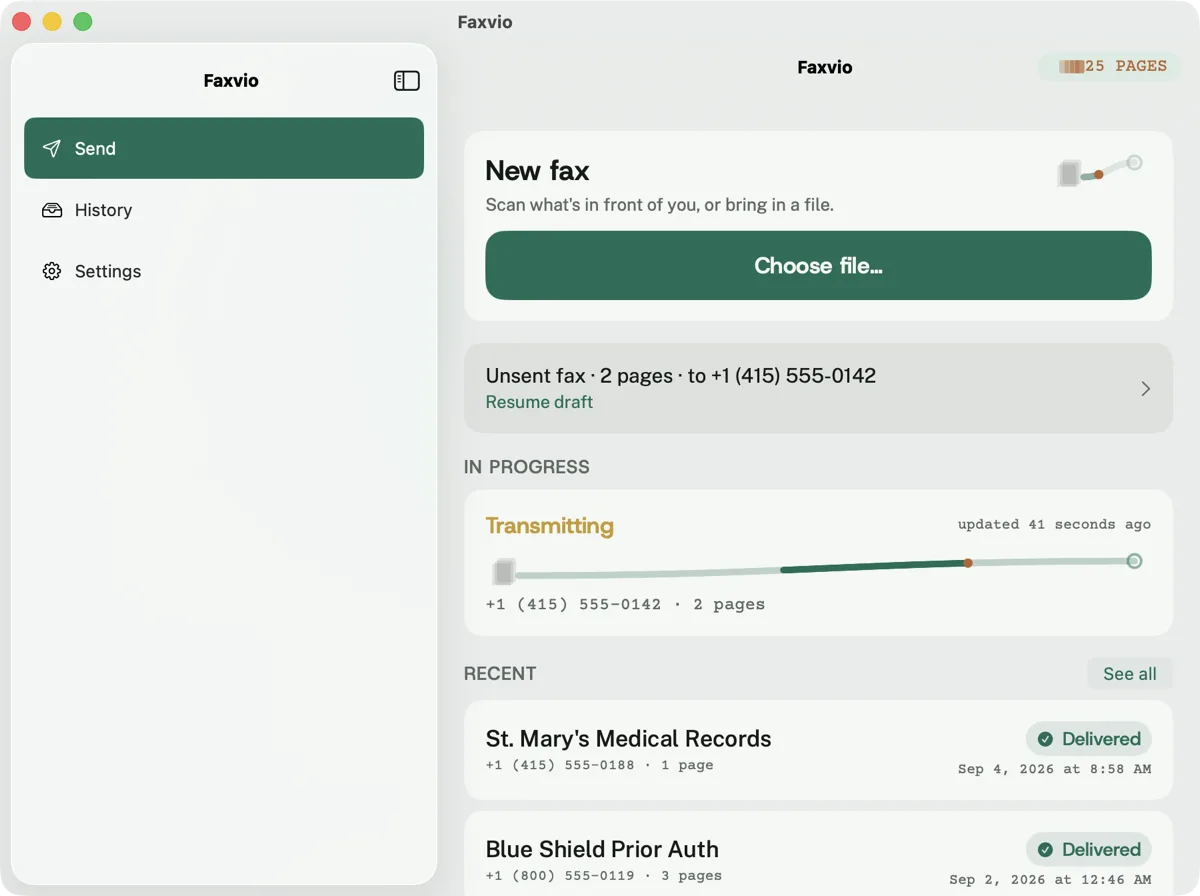
How to fax with the Faxvio app for Mac
On a Mac with Apple silicon the Faxvio app for Mac does the same job from its own window. The App Store listing says it exactly: “Requires macOS 14.0 or later and a Mac with Apple M1 chip or later.” That covers every MacBook Air, MacBook Pro, iMac, Mac mini and Mac Studio with an M-series chip; on an Intel Mac, use the browser route above.
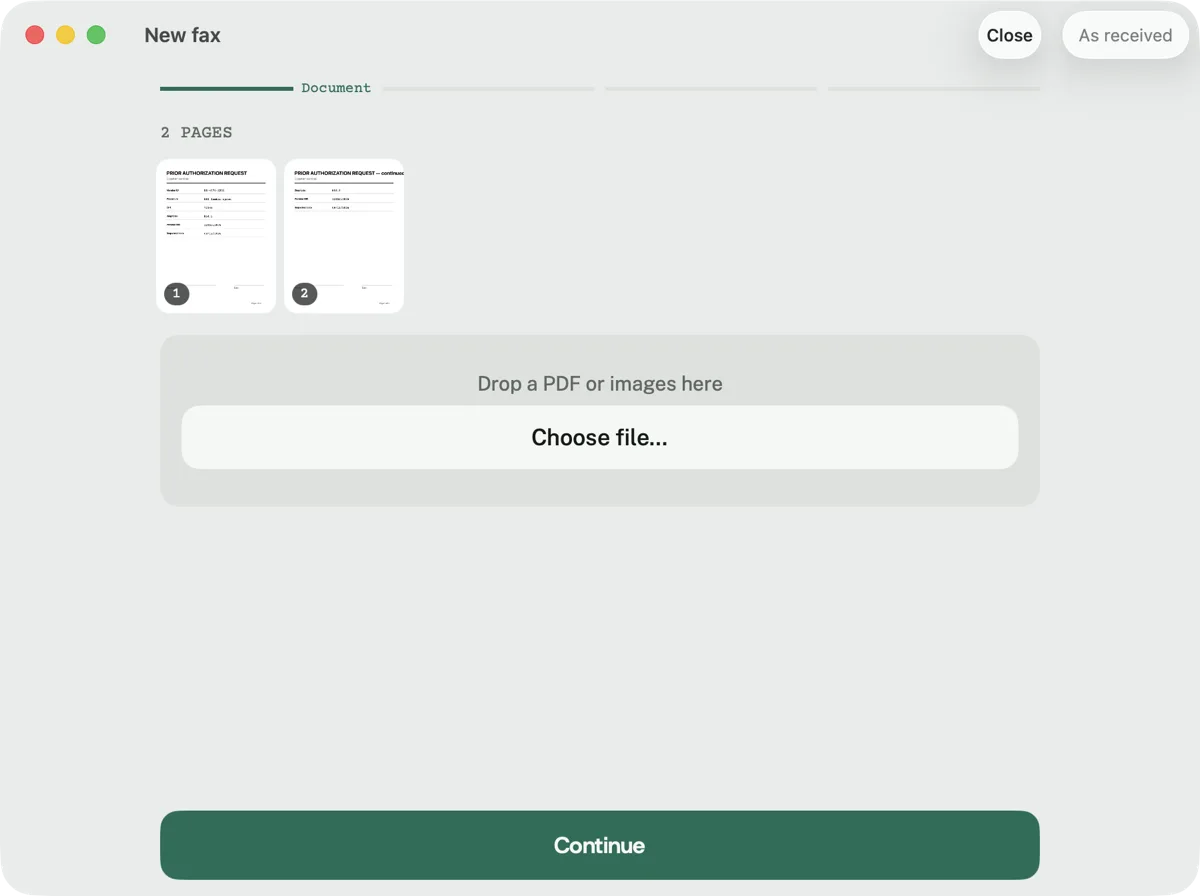
Start a fax from the Send tab. The whole tab takes a dropped file, so dragging a PDF or images from Finder onto it starts a new fax; or click Choose file…, or press ⌘O. Then type the number, add a cover page if you want one, which is free, and check the pages in black and white. The last screen shows the pages, what they cost from your balance and what is left, and the button reads Send fax with the page count.
While the fax is on its way, the Send tab shows it in progress with the time of the last update. When the receiving machine confirms, it moves to History as Delivered, with a PDF receipt you can share with ⇧⌘S. If it fails, the pages go back to your balance. The app needs no sign-up; whether its pages follow you to your iPhone depends on one setting, explained next.
Do iPhone and Mac share one balance?
In the Faxvio app, yes, when iCloud Keychain is on. Your iPhone, iPad and Mac then share one page balance, and a fax sent from one shows up in History on the others. You can scan a page with the iPhone camera and send it from the Mac, or the other way round.
With iCloud Keychain off, each device keeps its own pages. Restore in the app then answers in its own words: “Nothing to restore — pages live on the device they were bought on. Turn on iCloud Keychain to share them.” Turning on iCloud Keychain, in System Settings under your name and iCloud, is the fix.
On the web, your pages live in your faxvio.com account, the one you sign in to with Google, Apple or your email, whichever Mac or browser you use. See how to fax from an iPhone for the phone side of the same job.
| iCloud Keychain | Balance on iPhone and Mac |
|---|---|
| On | One balance and one History on every device |
| Off | Each device keeps its own pages |
| Keys | Does |
|---|---|
| ⌘N | New Fax |
| ⌘O | Open File…, to pick a PDF or images |
| ⌘1 | Send |
| ⌘2 | History |
| ⌘3 | Settings |
| ⇧⌘S | Share receipt, on a finished fax |
How long does a fax from a Mac take?
About a minute: a median of 66 seconds from Send to Delivered.
Across real Faxvio faxes sent between 4 September and 2 November 2026, the median time from pressing Send to Delivered was 66 seconds, and 79 % of faxes were confirmed in under 2 minutes; each page took 35 seconds on average. The Mac adds nothing to that: a fax from Safari, Chrome or the app goes through the same server and the same carrier.
A fax takes longer when the other end slows it down: the machine is busy, it is an older model that only takes the slower standard speed, or the document is long and full of dense scans. A fax printer on your own line is subject to the same; it also needs the line to be free while it sends.
Whichever way you send, keep the proof. The Print dialog route gives you whatever report the printer prints. Faxvio gives you a PDF receipt with the number dialled, the time the receiving machine confirmed, the pages and a transmission ID; what a fax confirmation proves goes through it line by line.
Can you receive faxes on a Mac?
Not with macOS alone, and not with Faxvio.
Receiving a fax needs a fax number that rings somewhere a machine can answer. A multifunction printer on its own phone line receives on that line and prints what arrives; the Mac is not involved. Without a fax line, you rent a fax number from a provider; among the Mac apps above, iFax sells one in the app, listed at $17.99 as “Unlimited Fax Number”.
Faxvio is built for sending. In the listing’s own words: “Faxvio sends faxes. It does not give you a fax number for receiving them.” It sends to 37 countries at one price per page, and the list of countries shows how each writes its fax numbers.
If the office would take the document another way, by email or through an upload portal, that is often simpler than any fax. When it asks for a fax, any of the ways on this page will do; faxing from a Windows PC or a Chromebook works through the same form.
Faxing from a Mac: the facts
| macOS by itself | Only with a fax printer A multifunction printer that faxes, connected to the Mac, on a phone line (Apple Mac User Guide, macOS 27). |
|---|---|
| Without a fax printer | A website or an app faxvio.com in Safari or Chrome on any Mac; the Faxvio app on Apple silicon. |
| Cost of one fax | $1.09 for up to 3 pages Down to $0.18 a page in bigger packs. No subscription; unused pages never expire. |
| Your first page | On us, on the web Once, when you first sign in on faxvio.com: one per email address and one per browser. |
| The Mac app needs | Apple M1 or later And macOS 14 or later. Intel Macs use the browser. |
| Time to deliver | About a minute Median 66 seconds from Send to Delivered; 79 % under 2 minutes (Sep–Nov 2026). |
| Proof of delivery | A PDF receipt Issued once the receiving machine confirms every page. |
| Receiving faxes | Sending only Receiving needs a fax number rented from a provider, or a fax printer on its own line. |
Questions people ask
Can I send a fax for free from my Mac?
For a short fax, yes. FaxZero sends up to 3 pages plus a cover, 5 free faxes a day, to the US and Canada, with FaxZero branding on the cover page, from any browser. On faxvio.com your first page is on us when you first sign in on the web, so a one-page fax to an ordinary number costs nothing. macOS itself charges nothing either, if you already have a fax printer on a phone line.
Does Apple have a free fax?
Apple has no fax service. macOS can send a fax through a multifunction printer that supports faxing and is connected to the Mac; that is the one method in Apple’s Mac User Guide for macOS 27. Without such a printer, you need a fax website or a fax app.
Can I send a fax from my Mac desktop?
Yes. An iMac, Mac mini or Mac Studio works exactly like a MacBook: faxvio.com in Safari or Chrome on any of them, the Faxvio app on those with Apple silicon, or the Print dialog if a fax printer is connected.
Can I use my Mac as a fax machine?
For sending, yes, with a fax website or app. A Mac today has no built-in fax modem, so it cannot answer a phone line and receive a fax by itself; receiving needs a fax printer on a line or a fax number rented from a provider.
How do I fax from a Mac without a phone line?
Use a fax website or app. It sends the pages over the internet to a carrier, which dials the fax machine for you; there is nothing to plug in. On Faxvio the median time from Send to Delivered is 66 seconds.
Can I fax from a MacBook Air?
Yes. In Safari or Chrome every MacBook Air can use faxvio.com. The Faxvio app runs on a MacBook Air with an Apple M1 chip or later and macOS 14 or later.
Can I send a fax through Gmail on a Mac?
Gmail has no fax feature. Some fax services turn an email into a fax, but only with an account at that service. Faxvio does not do email to fax; save the attachment and drop it onto the form instead. Every way to send a fax is compared on one page.
Will pages I bought on my iPhone work on my Mac?
In the Faxvio app, yes when iCloud Keychain is on: the iPhone, iPad and Mac then share one balance. With it off, each device keeps its own, and Restore says: “Nothing to restore — pages live on the device they were bought on. Turn on iCloud Keychain to share them.”
Bottom line
A Mac can fax by itself only through a multifunction printer that faxes and has its own phone line; that is the one way Apple’s guide describes. Without one, open faxvio.com in Safari or Chrome, drag the PDF onto the form, type the number and send: a fax of up to 3 pages costs $1.09, the median time to Delivered is 66 seconds, and you get a PDF receipt confirmed by the receiving machine. On an Apple-silicon Mac the Faxvio app does the same from its own window.
Make your fax better before you send it
Free tools that run in your browser. Nothing is uploaded.
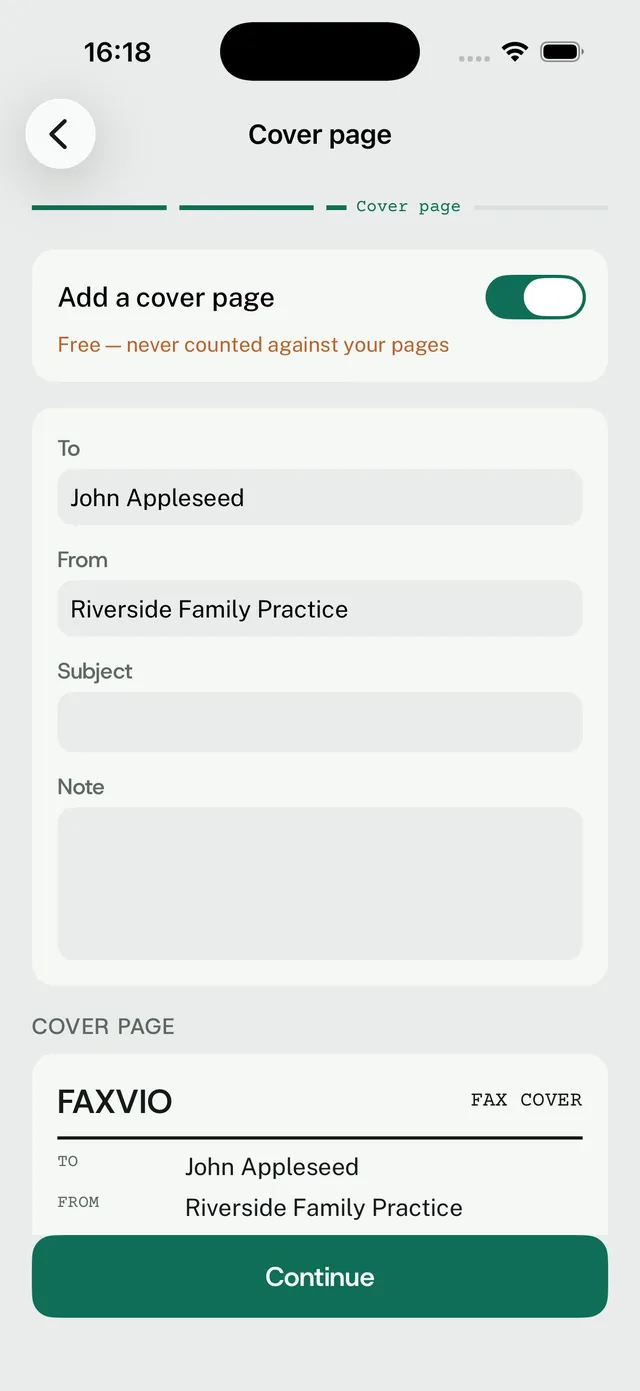
Add a cover sheet
Fill in To, From and a note. It becomes the first page and is never charged.
Make a cover sheet →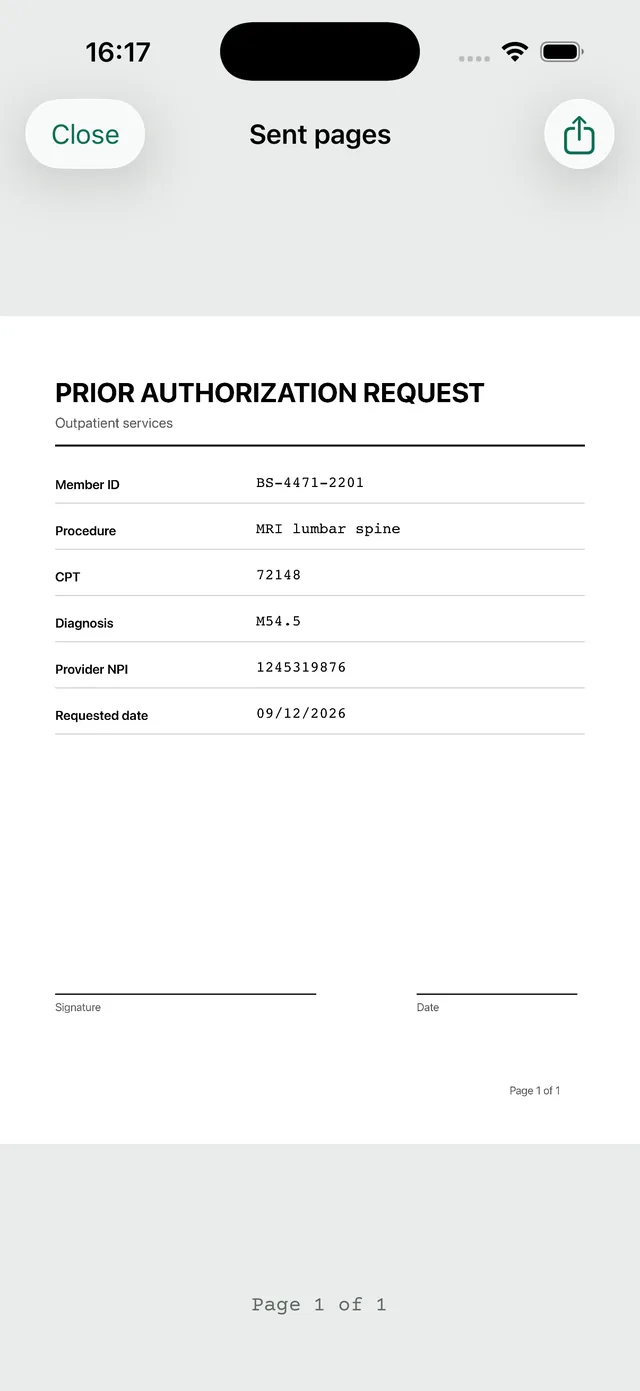
See it in black and white
Drop a photo of a page and see what a fax machine will actually print.
Preview a page →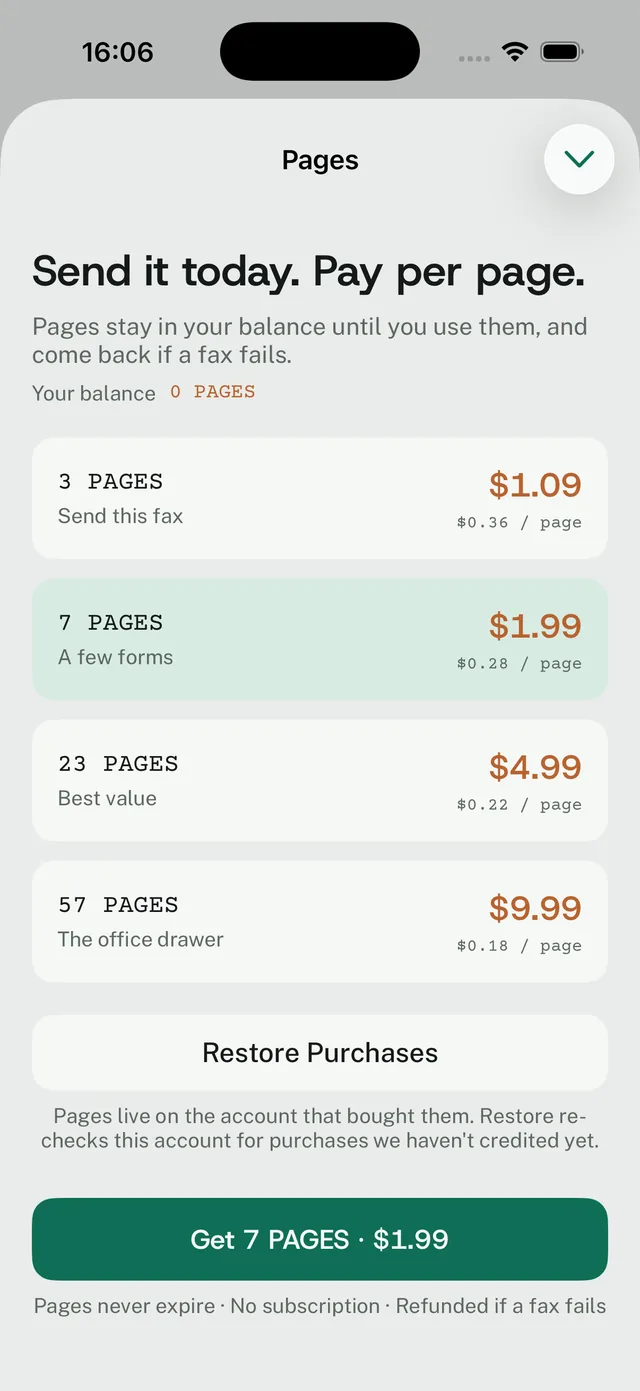
Price your fax
Pages and destination in, the exact price out, with toll-free numbers counted.
Work out the cost →