
How to send a fax from your iPhone or iPad — and keep the proof
No fax machine, no phone line, nothing to install. Add the pages, type the number, and pay only for a fax that arrives.
 Merey Tleugazin, founder of Faxvio
Updated · 12 min read
How to fax from an iPhone, in short
To fax from an iPhone, you need a fax website or a fax app: it sends your pages over the internet to a carrier, which dials the receiving fax machine. No fax machine or landline is needed on your side. Faxvio works in Safari with nothing to install, and a fax of up to 3 pages costs $1.09.
- 1Add the pages: a PDF, a photo or a scan from Notes.
- 2Type the fax number the way it is printed.
- 3Check the price and the black-and-white preview.
- 4Send and keep the receipt once every page is confirmed.
$1.09
for up to 3 pages
66 s
to Delivered, median of real sends
receipt as proof
Send yours from here
No app to install. Fill it in, it takes about a minute.
- Pages
- Number
- Send
Ready to go.
Check your email
We sent a 6-digit code to . Type it here to go on.
By continuing you accept the Terms and Privacy policy.
Pages for this fax
One payment, nothing renews. Card, Apple Pay or Google Pay on the next screen.
What does it cost to fax from an iPhone?
Faxvio is the cheapest of the four paid iPhone fax apps compared here: $1.09 for a 3-page fax, against $1.99 on Snapfax, $2.97 on Genius Fax and $3.99 for a week of FAX from iPhone, the largest app in the category. Prices are the US App Store’s in-app purchase lists, read on 3 November 2026.
You pay for the pages you send, once, and there is nothing to cancel afterwards. The pages you do not use stay on your balance and never expire. A bigger pack brings the price down to $0.18 a page; the four page packs and their prices are on one page.
Two free routes cost less for one short fax, and each fits a particular case. FaxZero sends up to 3 pages plus a cover, 5 free faxes a day, to the US and Canada, with FaxZero branding on the cover page. Dropbox Fax gives 5 free fax pages with an account, then charges $0.99 per fax for faxes up to 10 pages, then $0.20 for every page after. Faxvio fits when the fax goes outside North America, when you want to see the page in black and white first, or when the office wants a receipt.
1. Add the pages
Use a PDF, a photo of the page or a scan. On faxvio.com in Safari, tap the drop area: the iPhone offers your photo library, the camera and the Files app. In the Faxvio app the document camera finds the edges of the page and flattens it, and any app’s Share button can hand a file to Faxvio.
If the page is on paper and you do not want an app, scan it with Notes first: open a note, tap the attachment button, choose Scan Documents, then Keep Scan and Done, as Apple describes it. Share the scan to Files as a PDF and add that file to the form.
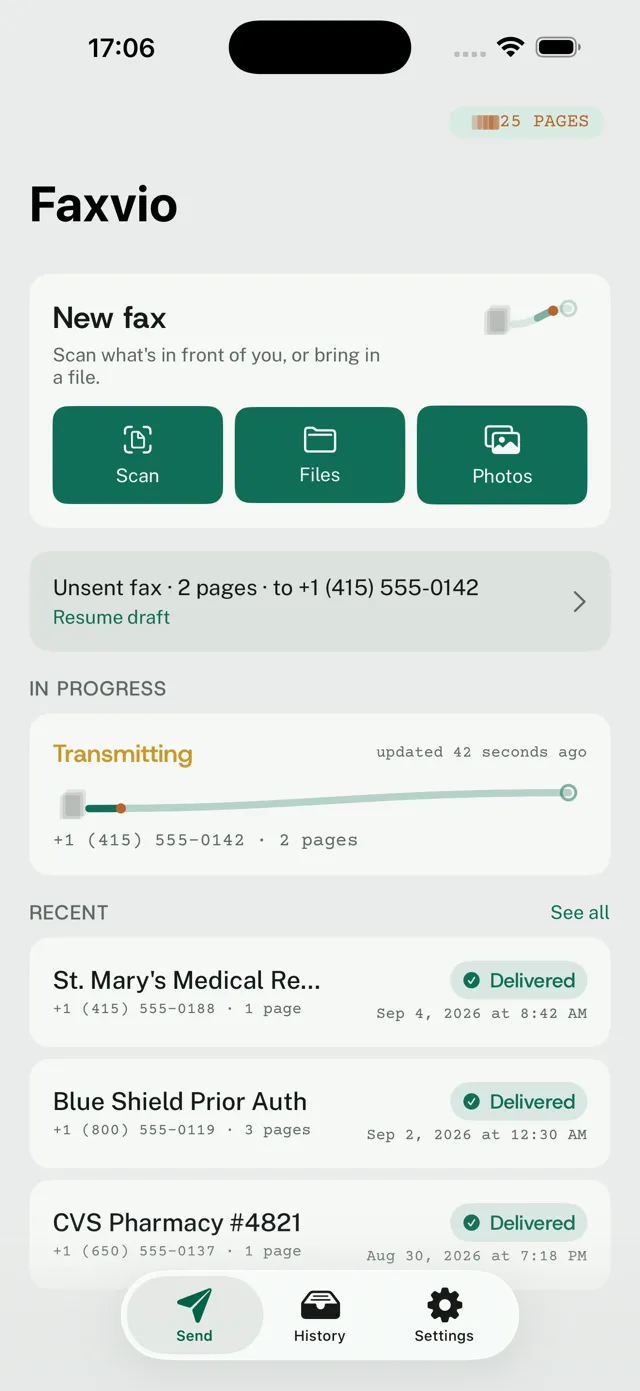
Faxvio counts the pages before anything is sent, so you see the price first. A cover page is free and never counts.
2. Type the number the way it is printed
Copy the fax number exactly as it appears on the letterhead or the form. Faxvio adds the country code, drops the leading zero where a country needs it and keeps it where it does not, like Italy, and shows the full number it will dial before you pay. If you are not sure how a number should look, check how a fax number should be written first.
Toll-free and premium numbers use 2 pages per page, and you see that before you send, never after. A fax to a US or Canadian number carries your name on the cover page: the rules there ask for the sender to be named, so the form asks for it.
3. Check how it will print
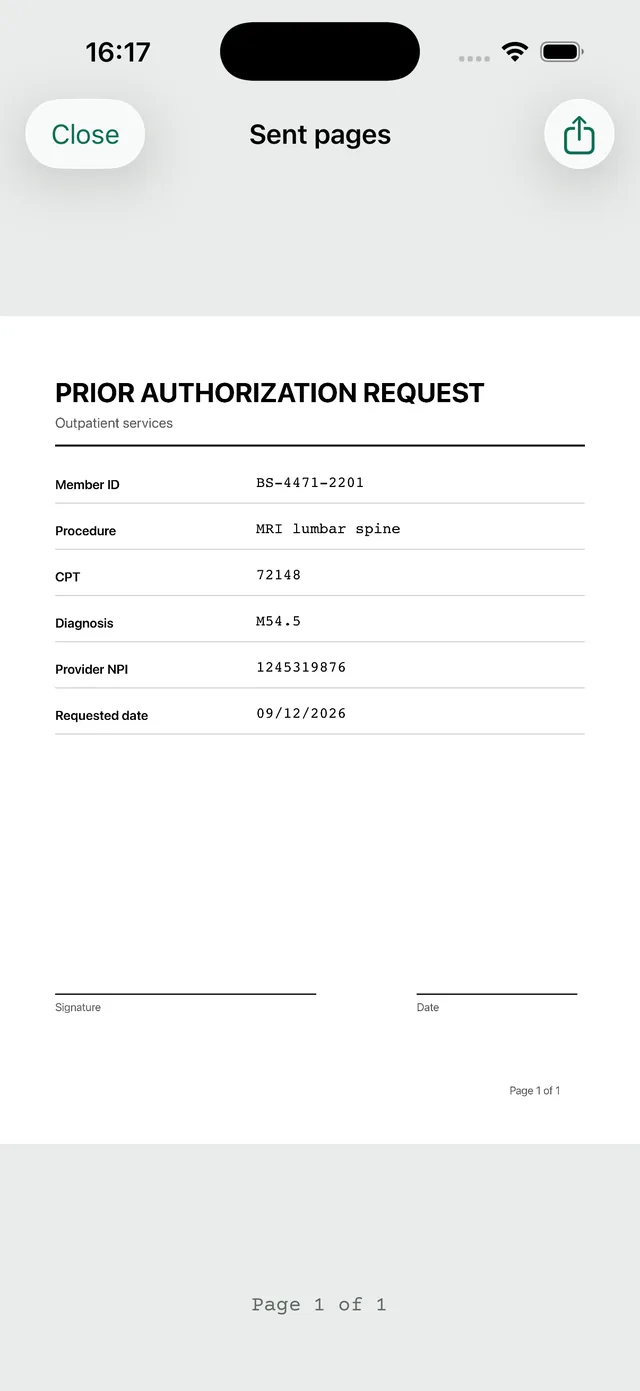
A fax machine prints in black and white only, one dot at a time, with no grey in between. A light signature or a grey stamp that looks fine on your screen can arrive as a smudge, and yellow highlighter over text turns into a black bar. So Faxvio shows every page the way the other machine will print it, before you pay.
If something is too faint, fix it now: sign in black or dark blue ink, photograph the page in even light without shadows, and send the PDF rather than a photo when you have both. It costs nothing to look. For a closer check of one page, open the fax preview tool, which renders it at standard and fine fax resolution.
4. Send it and keep the receipt
Press Send. On the web you sign in at this moment, not before, with Google, Apple or a 6-digit code by email, and buy a pack if your balance is short; card, Apple Pay and Google Pay all work. The fax then goes to the carrier, which dials the number and transmits the pages.
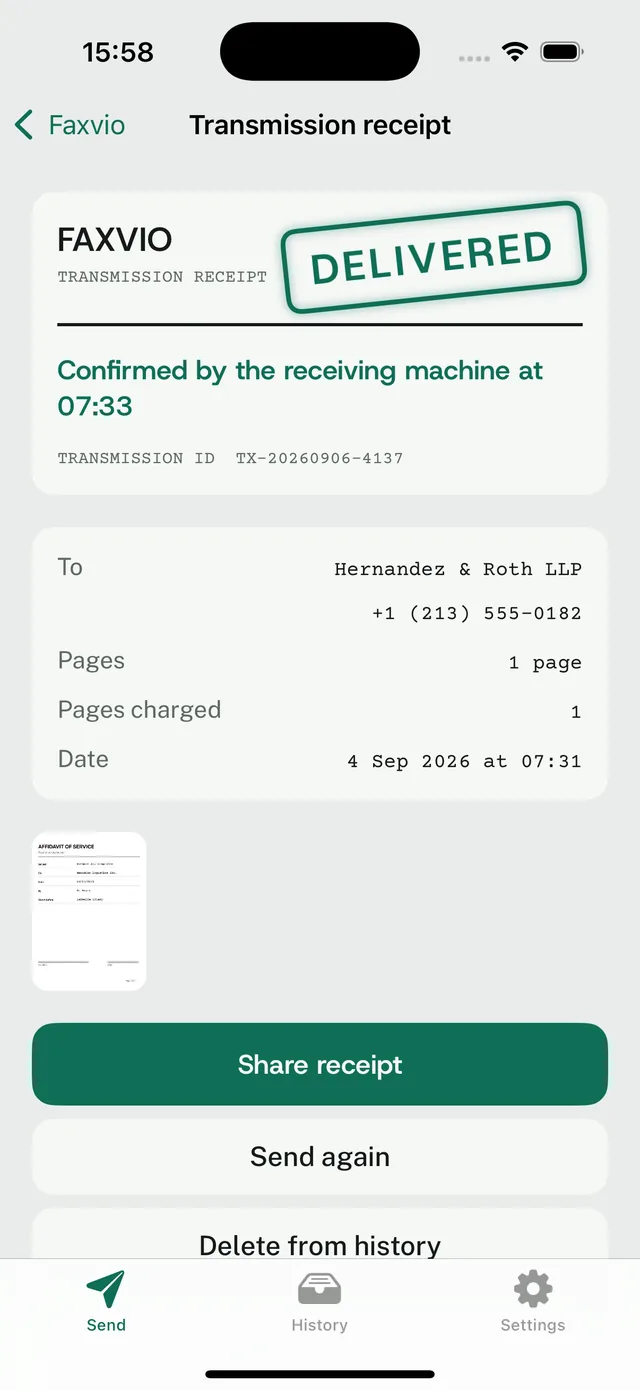
Faxvio says Delivered only when the other machine confirms the fax, and the PDF receipt is your proof for a tax office, an insurer or a court clerk. It shows the date, the time, the number, the pages and a transmission ID; what a fax confirmation proves is explained field by field on its own page.
If the line is busy or the number is wrong, the pages come back to your balance on their own, with the reason in plain words.
Send yours now ↑How long does it take to fax from an iPhone?
About a minute, measured rather than promised. Across real Faxvio faxes sent between 4 September and 2 November 2026, the median time from pressing Send to Delivered was 66 seconds, and 79 % of faxes were confirmed in under 2 minutes. Each page took 35 seconds on average, with a median of 29 seconds.
Some faxes take longer, for reasons on the other end of the line: the receiving machine is busy with another fax, it is an older machine that only accepts the slower standard speed, or a long document with dense scans takes more time per page. Until the machine confirms, the status reads Sending, then On the line. To see how page count and line speed add up, estimate a fax’s transmission time for your own document.
Can you fax from an iPhone without an app?
Yes. A fax website in Safari does the whole job; the app adds the document camera and the share sheet.
The iPhone has never had a fax feature of its own. What it has is a document scanner, in Notes and in the Files app, and a browser. That is enough: a fax website receives your pages and hands them to a carrier, which dials the receiving machine for you.
Send it from faxvio.com in Safari
The form on this page is the whole product. It works in Safari on an iPhone or an iPad the same way it works on a laptop: add the file, type the number, see the price, press Send. You sign in only at that moment. Your file stays in the browser until then, travels encrypted to our server and the carrier, and is removed from our server as soon as the carrier accepts the fax. The receipt waits in your account for 90 days.
Other fax websites
FaxZero is free for up to 3 pages plus a cover, 5 free faxes a day, to the US and Canada, and puts FaxZero branding on the cover page; its paid option is $3.29 per fax (PayPal), up to 25 pages. Dropbox Fax needs a Dropbox account and gives 5 free fax pages with an account, then $0.99 per fax for faxes up to 10 pages, then $0.20 for every page after. Both are good answers for one short fax inside North America. Neither shows the page as the machine will print it before you send, which is where a pale scan becomes a blank page.
Email to fax from the Mail app
Some fax services give you an email address that turns a message into a fax: you write to the fax number at the service’s domain and attach the PDF. It works from the iPhone’s Mail app, but only with an account at that service, and the address must be one you registered with it.
Gmail, Google Voice and AirPrint cannot fax by themselves
Gmail sends email; it reaches a fax machine only through a fax service’s email gateway. Google Voice has no fax feature. AirPrint prints to a printer: a home all-in-one can fax only over its own phone line, from its own keypad. If the office will take email, send email; if it insists on fax, use a fax service, and if the document came to you in Gmail, how to fax from Gmail shows the four ways. To choose an app instead, see the best fax app for iPhone, with 16 priced on one fax.
Faxing with the Faxvio app instead
If you fax more than once in a while, the fax app for iPhone adds three things the browser cannot. The document camera scans paper straight into the fax, finding the page edges and flattening the shot. The share sheet sends a PDF from Mail, Files or any other app into a new fax. And a notification tells you the moment the receiving machine confirms.
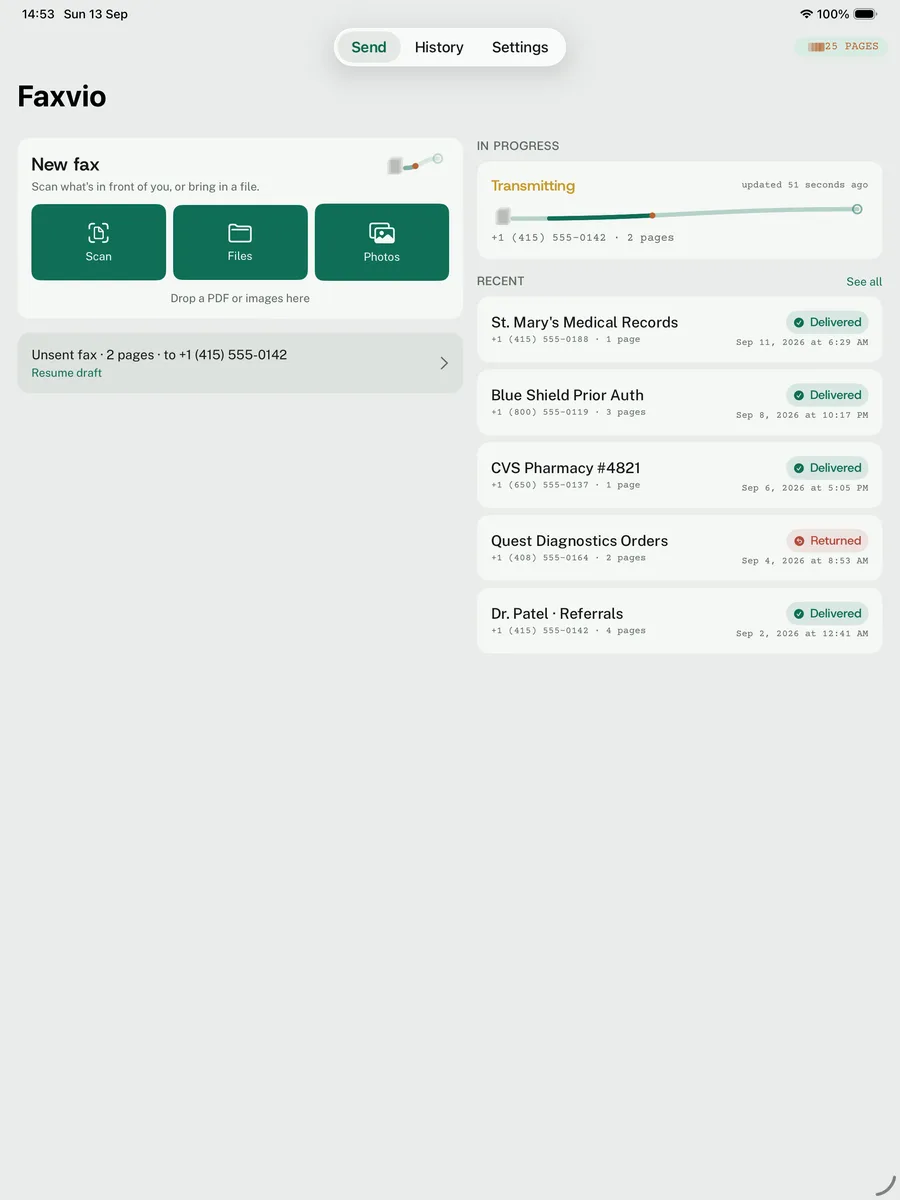
The app needs no account. It uses the same four page packs, from $1.09 for 3 pages to $9.99 for 57, bought through the App Store, and it keeps every receipt in History on the device.
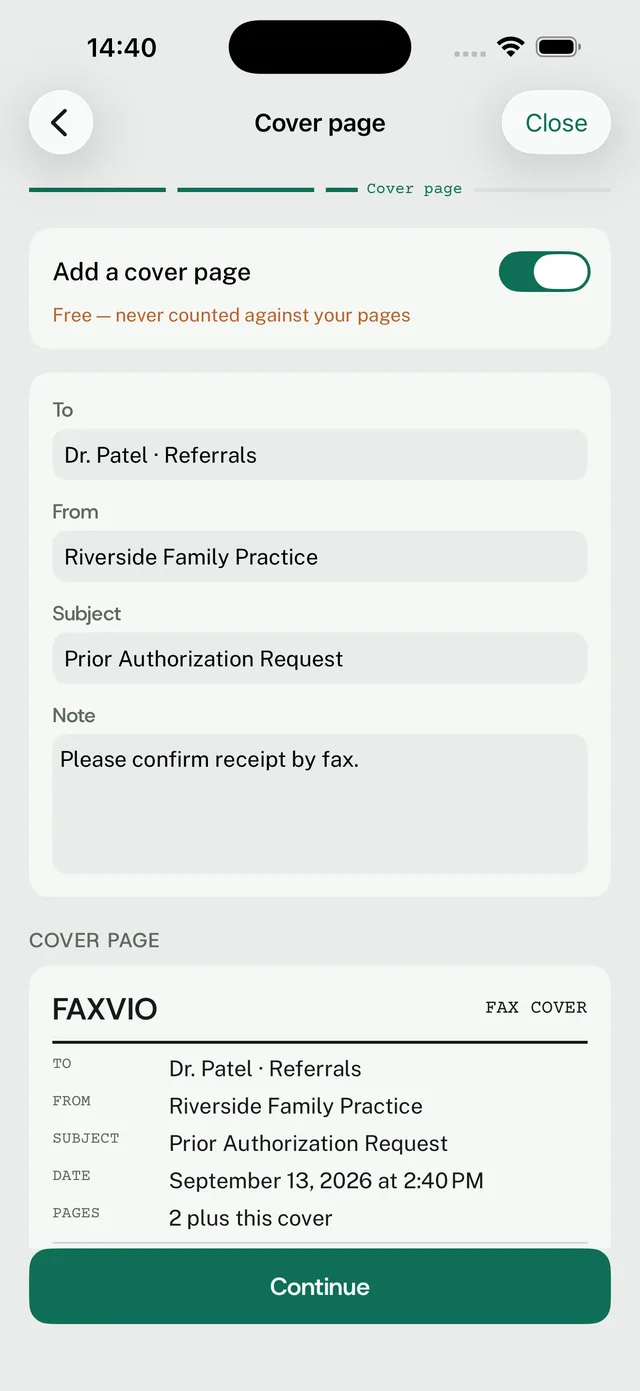
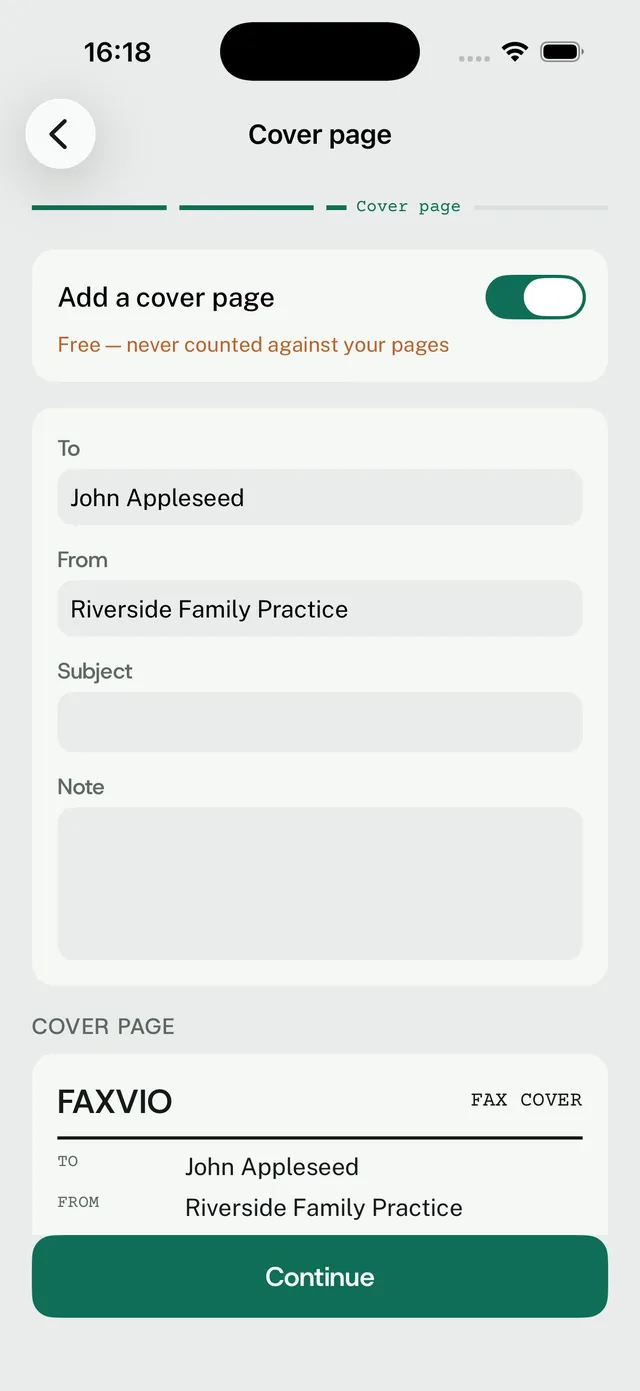
A free cover page with To, From, a subject and a note is one switch away. The receiving machine prints the carrier’s line at the top of each page, not your number, so the cover page is where your name reaches the recipient. To prepare one on the web, make a fax cover sheet and add it as the first page.
How to fax from an iPad
Exactly as on an iPhone, with more room to read the pages. Everything above works on an iPad. In Safari the form sits beside the text, and you can drag a PDF from the Files app straight onto the drop area in Split View. The Faxvio app runs on the iPad too, with the same scanner, the same black-and-white check and the same receipt. The free first page in the app is given once per device; on the web, once per email address and once per browser.
For a desk with no iPad, the same form works on a Mac or a Windows computer: the ways to send a fax without a fax machine are compared side by side, including the stores that still have one.
| Way | 3 pages to the US | How you pay | What it asks |
|---|---|---|---|
 Faxvio (web or app) | $1.09 | 3-page pack, pages never expire | Sign in when you send (web); none (app). 37 countries |
 Snapfax | $1.99 | 4 credits for $1.99, 1 credit per page to the US | Credits bought in the app |
 Genius Fax | $2.97 | 3 credits at $0.99 each, a credit per page | Credits bought in the app |
 FAX from iPhone (Municorn) | $3.99 | “Unlimited Faxes (1 week)”, the smallest of its plans | Renews every week until cancelled |
 FaxFree (BPMobile) | $4.99 | “Unlimited Faxes (1 week)” | Renews every week until cancelled |
 iFax | $9.99 | “Send Only Weekly” | Renews every week until cancelled |
 FaxZero (website) | $0.00 | Free tier; paid: $3.29 per fax (PayPal), up to 25 pages | FaxZero branding on the cover page; the US and Canada |
 Dropbox Fax (website) | $0.00 | 5 free fax pages with an account; then $0.99 per fax up to 10 pages | a Dropbox account |
Weekly plans are the reason a single fax from an iPhone can cost more than it should. An “unlimited faxes for a week” plan is good value in a week with ten faxes; for one fax, it is the price of one fax plus whatever renews if the plan is not cancelled. A page pack has nothing to cancel. To see the exact price for your page count and country, work out the cost of your fax; Faxvio charges the same for every one of its 37 countries.
If the fax does not go through
A fax is a phone call between two machines, and the one at the other end can be busy, switched off, out of paper or not a fax machine at all. Faxvio reports what the carrier reports, in plain words: the line stayed busy, no answer from the fax machine, the number answered as a voice line, the number could not be dialled, or the line failed part-way through. In every case the pages come back to your balance automatically, and you can send the same fax again.
Three habits prevent most failures. Check the number with the recipient, since a voice number cannot take a fax. Send long documents in parts if the office’s machine is old; one fax can carry up to 50 pages, but a shorter call is less exposed to a dropped line. And re-scan very dark photos, which take longer and fail more often. An account sends up to 10 faxes an hour and 60 a day.
Already started a weekly fax trial? How to cancel it
If you installed a subscription fax app to send one fax, cancel the plan before it renews. Apple’s steps, from its support page:
- 1Open Settings and tap your name.
- 2Tap Subscriptions, then the fax app’s subscription.
- 3Tap Cancel Subscription. You may need to scroll down to find it.
Cancel at least a day before the renewal date shown on that screen.
Faxing from an iPhone: the facts
| What you need | An iPhone and the pages No fax machine, landline or fax number of your own. Safari is enough. |
|---|---|
| Cost of one fax | $1.09 for up to 3 pages Down to $0.18 a page in bigger packs. No subscription; unused pages never expire. |
| Your first page | On us, once When you first sign in on the web: one per email address and one per browser. |
| Time to deliver | About a minute Median 66 seconds from Send to Delivered; 79 % under 2 minutes (Sep–Nov 2026). |
| Proof of delivery | A PDF receipt Issued once the receiving machine confirms every page. |
| If it fails | Pages come back To your balance, automatically, with the reason in plain words. |
| Countries | 37 One price per page in all of them; toll-free and premium numbers use 2 pages per page. |
| Receiving faxes | Sending only Receiving needs a fax number rented from a provider. |
Questions people ask
Can I send a fax from my iPhone for free?
Yes, within limits. Faxvio gives you your first page when you first sign in on the web, so a one-page fax to an ordinary number costs nothing. FaxZero sends up to 3 pages plus a cover, 5 free faxes a day, to the US and Canada, with its branding on your cover page, and Dropbox Fax gives 5 free fax pages with an account. After the free page, Faxvio costs $0.36 to $0.18 a page.
Does the iPhone have a built-in fax app?
No, and it never had one. An iPhone has a document scanner in Notes and Files, but no way to dial a fax machine. For that you need a fax service, either a website you open in Safari or an app.
Can you send a fax from an iPhone without an app?
Yes. Open faxvio.com in Safari, add the PDF or a photo of the page, type the fax number and send. Nothing is installed, and you sign in only when you press Send, with Google, Apple or a code sent to your email.
Can I send a PDF as a fax on iPhone?
Yes. In Safari, tap the drop area and choose the PDF from Files. In the Faxvio app, open it from Files or use Share → Faxvio from Mail or any other app. A fax can carry up to 50 pages and 19 MB of files.
How do you fax from Notes on an iPhone?
Scan the page in Notes (Attachment → Scan Documents → Keep Scan → Done), then share the scan as a PDF to Files. Add that file to the form on faxvio.com, or share it straight into the Faxvio app.
How do I fax something from my iPhone to a phone number?
You fax to a fax number, not to a mobile phone: a phone cannot receive a fax. Type the number the way it is printed on the letterhead; Faxvio adds the country code and tells you before you pay if it is a toll-free number, which uses 2 pages for every page.
How do I know my fax was delivered?
Faxvio shows Delivered only after the receiving fax machine confirms the pages, and gives you a PDF receipt with the date, the time, the number and a transmission ID. If you tick “Email me the result”, the news also arrives by email.
Can I send a fax from my iPad?
Yes, the same two ways: faxvio.com in Safari, or the Faxvio app for iPad. Everything on this page works the same on an iPad, with a bigger screen to check the pages.
Can I receive faxes on my iPhone with Faxvio?
No. Faxvio sends faxes only. It gives you no fax number of your own, so nothing can be faxed to you through it.
Bottom line
You can fax from an iPhone without a fax machine and without installing anything: open faxvio.com in Safari, add the pages, type the number and send. A fax of up to 3 pages costs $1.09, the median time to Delivered is 66 seconds, and every delivered fax comes with a PDF receipt confirmed by the receiving machine; if it fails, the pages come back.
Make your fax better before you send it
Free tools that run in your browser. Nothing is uploaded.
Add a cover sheet
Fill in To, From and a note. It becomes the first page and is never charged.
Make a cover sheet →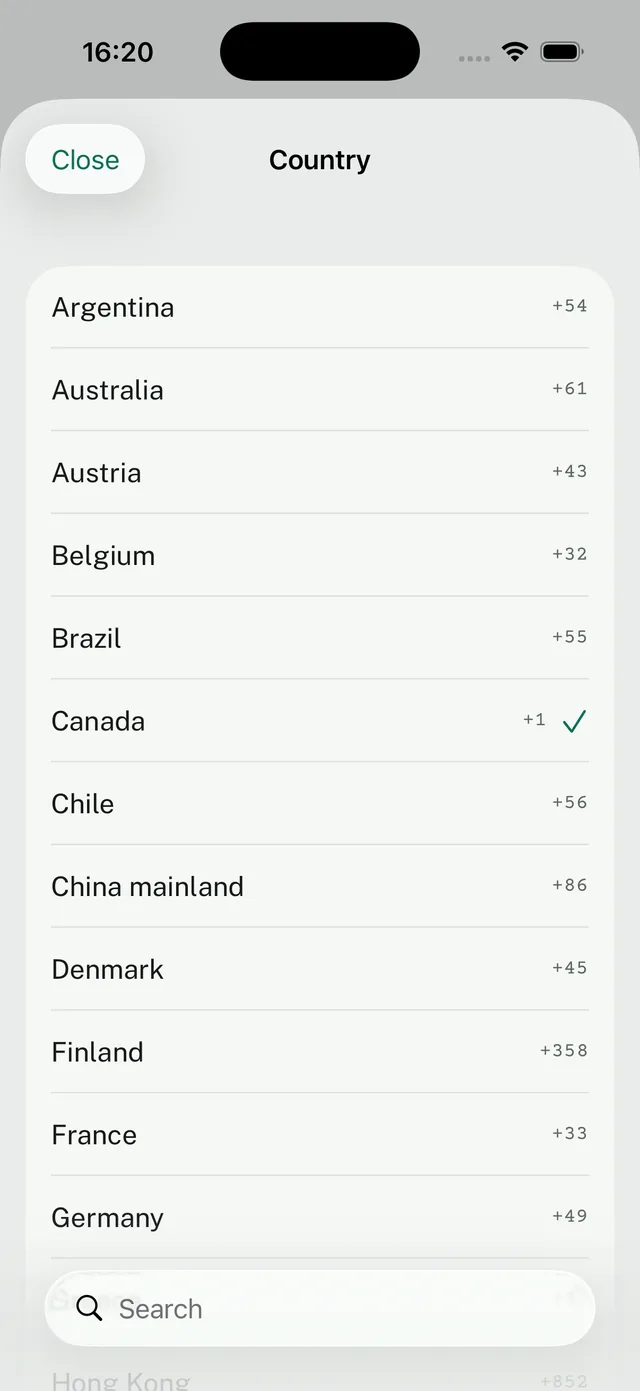
Check the number first
See the exact number Faxvio will dial, and whether it costs extra, before you pay.
Check a number →See it in black and white
Drop a photo of a page and see what a fax machine will actually print.
Preview a page →