
Gmail can’t send a fax on its own — here’s how to fax a Gmail attachment
Download the attachment, drop it on the form below, type the number. No add-on, no email-to-fax plan, no access to your mailbox.
 Merey Tleugazin, founder of Faxvio
Updated · 11 min read
Faxing from Gmail, in short
Gmail cannot send a fax by itself: it sends email, and a fax machine only answers a phone call. To fax a Gmail attachment, download it and drop it on a fax website, share it to a fax app, or use a fax service’s email address or add-on. On Faxvio a fax of up to 3 pages costs $1.09.
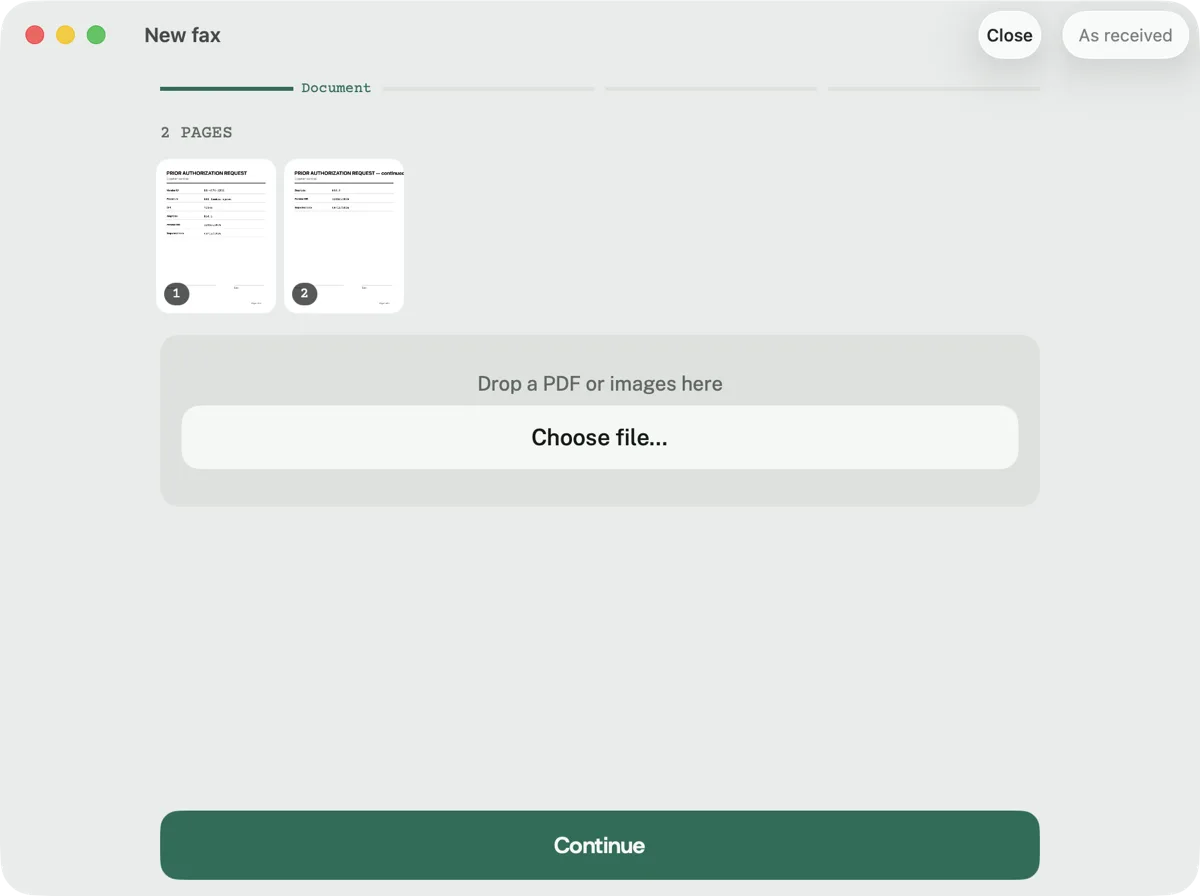
- 1Download the attachment from the email, as a PDF.
- 2Drop it on the form and check each page in black and white.
- 3Type the fax number the way it is printed.
- 4Send and keep the receipt once the receiving machine confirms.
4
ways compared, prices dated
$1.09
for up to 3 pages, no plan
None
access to your mailbox needed
Send yours from here
No app to install. Fill it in, it takes about a minute.
- Pages
- Number
- Send
Ready to go.
Check your email
We sent a 6-digit code to . Type it here to go on.
By continuing you accept the Terms and Privacy policy.
Pages for this fax
One payment, nothing renews. Card, Apple Pay or Google Pay on the next screen.
Can you fax from Gmail?
Not by itself. Gmail sends email over the internet, and a fax machine waits for a phone call, so there is no button in Gmail that reaches one and no setting that adds it. Google has no fax service of its own either: in its own help forums, volunteers answer that Google Drive “does not support faxing” and that Google Voice “doesn’t support fax”.
So “faxing from Gmail” always means passing the document to a fax service, which dials the receiving machine for you. There are four ways to do that, and they differ in what they ask of you: a plan, an account, access to your mailbox, or nothing at all. The table below sets them side by side, priced for one 3-page fax, with every figure read at its source on 3 November 2026.
The four ways to fax a Gmail attachment, compared
For one fax, or a fax now and then, the first way is the shortest: there is nothing to sign up for until you press Send, and nothing is connected to your Gmail. For a fax every week sent straight from the inbox, an email-to-fax plan at a fax service may suit better, and the price of that plan is in the table.
| Way | What it needs | Access to your Gmail | One 3-page fax | Proof |
|---|---|---|---|---|
 1. Download it, drop it on a fax website | A browser, on a computer or phone | None | $1.09 on Faxvio | PDF receipt once the receiving machine confirms |
| 2. Share it to a fax app on the phone | The Faxvio app on iPhone or iPad | None | $1.09 | PDF receipt |
| 3. Email it to a fax service’s address | An account and a plan at that service | None, but you send through the service | From a plan: Fax.Plus Basic, $6.99 a month | As the service provides |
| 4. A Gmail add-on | The add-on and an account at its service | Manage drafts and send emails, and more | Fax.Plus: 10 free pages once, then a plan | As the service provides |
Way 1: download the attachment and drop it on a fax website
This works on any computer and any phone, and it is the one the form on this page does. Gmail is only where the document came from; the fax goes out from the browser.
- 1Download the attachment. In Gmail on the web, point at the attachment at the bottom of the email and click the download arrow. On a Chromebook it lands in Files › Downloads; on Windows and a Mac, in Downloads.
- 2Drop it on the form at the top of this page, or click to choose it. A PDF, a JPEG, a PNG or an iPhone photo all work, and several files go out as one fax.
- 3Check the pages. Each page is shown in black and white, the way the receiving machine will print it, before anything is uploaded.
- 4Type the number and send. Type the fax number as it is printed; Faxvio adds the country code. For a US or Canadian number, type your name in From for the cover page. You sign in at this moment, and your first page is on us.
The attachment never passes through any add-on, and Faxvio asks for no access to your mailbox. Signing in, with Google, Apple or an email code, identifies your account by its email address so your balance and receipts are kept; it gives Faxvio no access to your mailbox. The file is removed from our server as soon as the fax carrier accepts it. For the same steps on Windows, a Mac or a Chromebook in more detail, see how to fax from a computer.
Another fax website works the same way. FaxZero sends up to 3 pages plus a cover, 5 free faxes a day, to the US and Canada, with FaxZero branding on the cover page, which is enough for a short fax inside North America; beyond that it charges $3.29 per fax (PayPal), up to 25 pages. Faxvio fits when the fax goes to one of the other 35 countries it reaches at one price per page, and when the office wants a receipt.
Send yours now ↑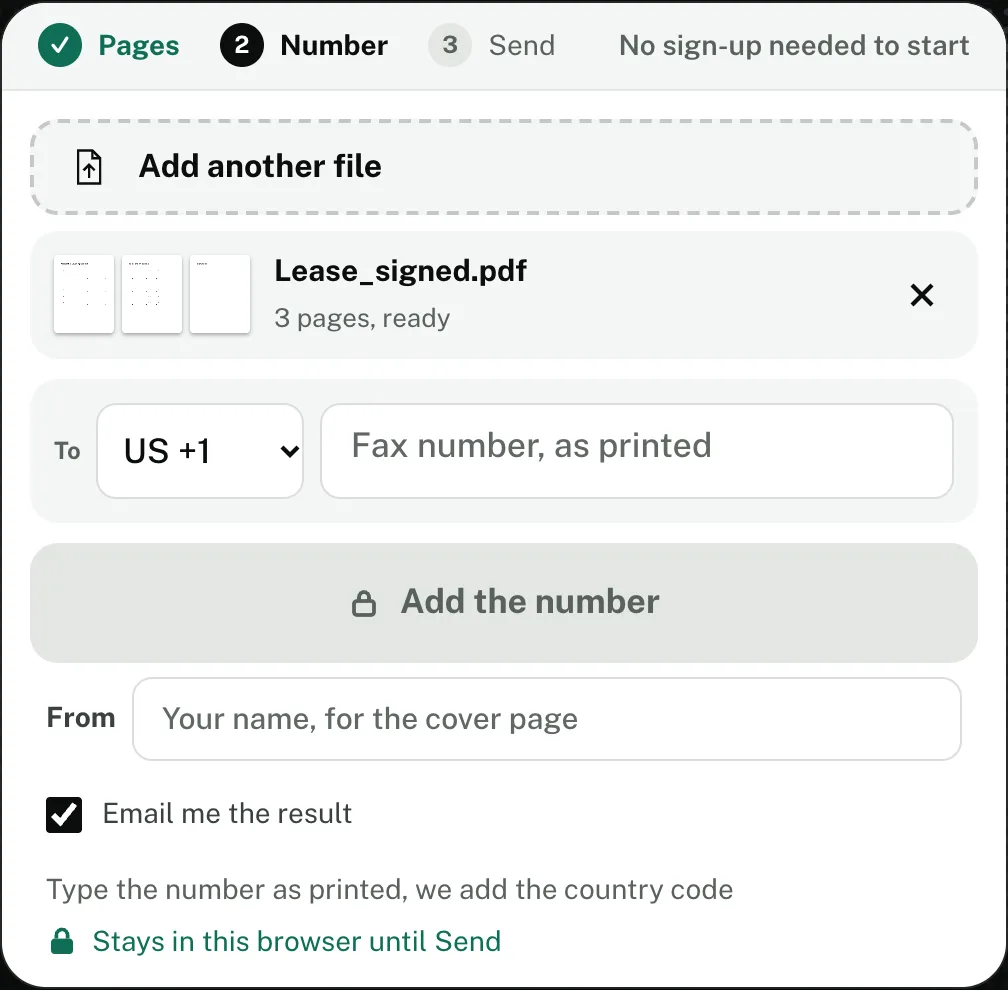
Way 2: from the Gmail app on your iPhone, iPad or Android phone
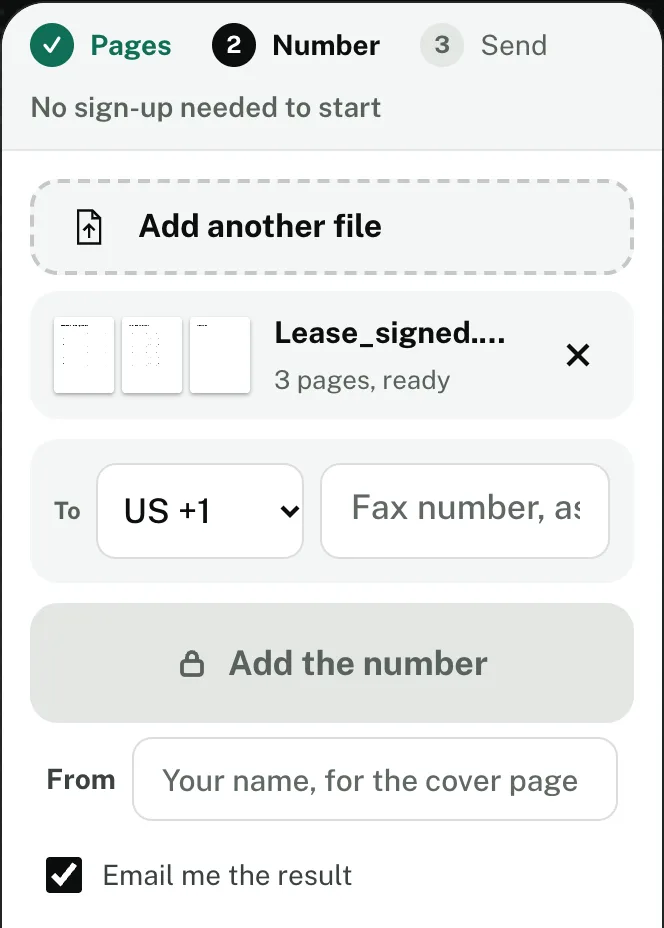
On a phone there are two short paths. In the Gmail app, open the email and tap the attachment. On an iPhone or iPad, tap Share and choose Faxvio: the app’s share extension takes files and photos, up to 20 at a time, and opens a new fax with them. Then type the number, check the pages and send. Or save the attachment to Files, open faxvio.com in Safari, and add it to the same form as on a computer; how to fax from an iPhone walks through both with screenshots.
On an Android phone, download the attachment from the Gmail app, open faxvio.com in Chrome and tap the drop area to choose the file from Downloads. There is nothing to install. The form is the same at phone width, with the price on the Send button before you sign in.
Either way the result is the same: Delivered only when the receiving fax machine confirms the pages, and a PDF receipt you can download, keep and forward. In real Faxvio faxes, the median time from Send to Delivered was 66 seconds, September to November 2026, and 79 % arrived in under 2 minutes.
How do you fax the email itself, not just the attachment?
Sometimes the office wants the message, not a file attached to it: a confirmation, a letter typed into the body, a thread. Turn the email into a PDF first. In Gmail on the web, open the message, click the printer icon (Print all), and in the print dialog choose Save as PDF as the destination. Gmail prints the sender, the date and the message, and the PDF is now an ordinary file to drop on the form.
Check the result in the black-and-white view before you send. Gmail’s print layout uses grey type for headers and quoted text, which can fade on a fax. If it does, preview the page at fax resolution and darken it, or copy the text into a document and export that instead.
Way 3: email the attachment to a fax service’s address
Many fax services give you an email address format for faxing: you write to the fax number at the service’s domain, attach the document and press Send in Gmail. The service turns the email into a fax, dials the number and reports back. It is the closest thing to faxing from Gmail, and it is useful if you fax every week straight from the inbox.
It works only with an account at that service, and sending from the email address you registered with it. Writing to one of these addresses without an account sends nothing. It is also usually a paid feature: Fax.Plus lists email to fax from its Basic plan, $6.99 a month for the Basic plan billed yearly, 200 pages a month, and its Gmail page says: “There is no fully free way to fax from Gmail this way.” A typo in the number goes out under your account, and what becomes the cover page (the subject, the body, or nothing) is each service’s own rule.
| Service | Address format |
|---|---|
 Fax.Plus | [email protected]its own example; email to fax from the Basic plan |
 Dropbox Fax | [email protected]its own example, on the pricing page |
| iFax | [number]@ifaxapp.comas written on its blog |
| mFax | [email protected]its own example |
Way 4: a Gmail add-on
An add-on puts a fax panel inside Gmail. It needs an account at the service behind it, and access to your mailbox.
A Gmail add-on, installed from the Google Workspace Marketplace, adds a fax panel next to an open email so you can send its attachment without leaving Gmail. The fax itself still goes through the add-on maker’s service, under an account there. As mFax’s own Gmail guide puts it: “The add-on is just the interface — the fax network access comes from your plan.”
Before installing one, read the permissions its listing shows. The Fax.Plus add-on, shown as 257K+ on its listing, offers “Send 10 free pages”; after that it is a Fax.Plus plan; email to fax from Basic, $6.99 a month. eFaxing, shown as 10K+, describes itself as “Pay per fax — no forced subscription or signup”. Both ask, among other things, to “Manage drafts and send emails when you interact with the add-on”. The share and download ways above ask for no access to your mailbox at all.
| Add-on | Permissions it asks for | To start |
|---|---|---|
| Fax.Plus |
| “Send 10 free pages” |
| eFaxing – Pay as you go fax |
| “Free of charge with paid features” |
| Faxvio (download or share) | None: Faxvio is not an add-on and never opens your mailbox | Your first page is on us |
Can you fax from Gmail for free?
Not on an ongoing basis, and the fax services that sell Gmail routes say so themselves. What exists is a free start. FaxZero’s website sends up to 3 pages plus a cover, 5 free faxes a day, to the US and Canada, with FaxZero branding on the cover page. The Fax.Plus add-on offers 10 free pages once. Dropbox Fax gives 5 free fax pages. On Faxvio your first page is on us the first time you sign in on the web, so a one-page fax to an ordinary number costs nothing; after that, pages cost $0.36 to $0.18 each, with no plan.
One old answer still ranks for this question. In Google’s Gmail forum, a reply from 5 May 2019 says: “I used Hellofax, which worked great. 5 free pages, and after that it’s $0.99 per fax, with the free account.” HelloFax is now Dropbox Fax, and its terms have barely moved: 5 free fax pages, then $0.99 per fax for faxes up to 10 pages and $0.20 for every page after. The figure puts the two side by side.
How do you fax a file from Google Drive?
Drive cannot fax either. Download the file, then send it like an attachment.
Google Drive stores files but does not dial fax machines; a reply in Google’s Drive forum from 15 September 2019 says simply: “No, Google Drive does not support faxing.” On a computer, open the file and choose File › Download; for a Google Doc, Sheet or Slides file, choose PDF document. Then drop the downloaded PDF on the form, as in Way 1.
On an iPhone or iPad, open the file in the Drive app, tap the three-dot menu and choose Open in or Send a copy, then pick Faxvio or save it to Files and add it in Safari. On Android, download it from the Drive app and add it in Chrome. Before sending a form someone else filled in, check how the fax number should be written and make a fax cover sheet if the office asks for one.
Does Google have a fax service?
No. Google offers no fax service of its own, and Google Voice does not send faxes; a volunteer answer in its forum (28 November 2024) reads: “Google Voice doesn’t support fax, regardless if it happened to work in the past.” What turns up for “Google fax” are other companies’ add-ons and services built on Gmail and Drive.
What does the recipient get?
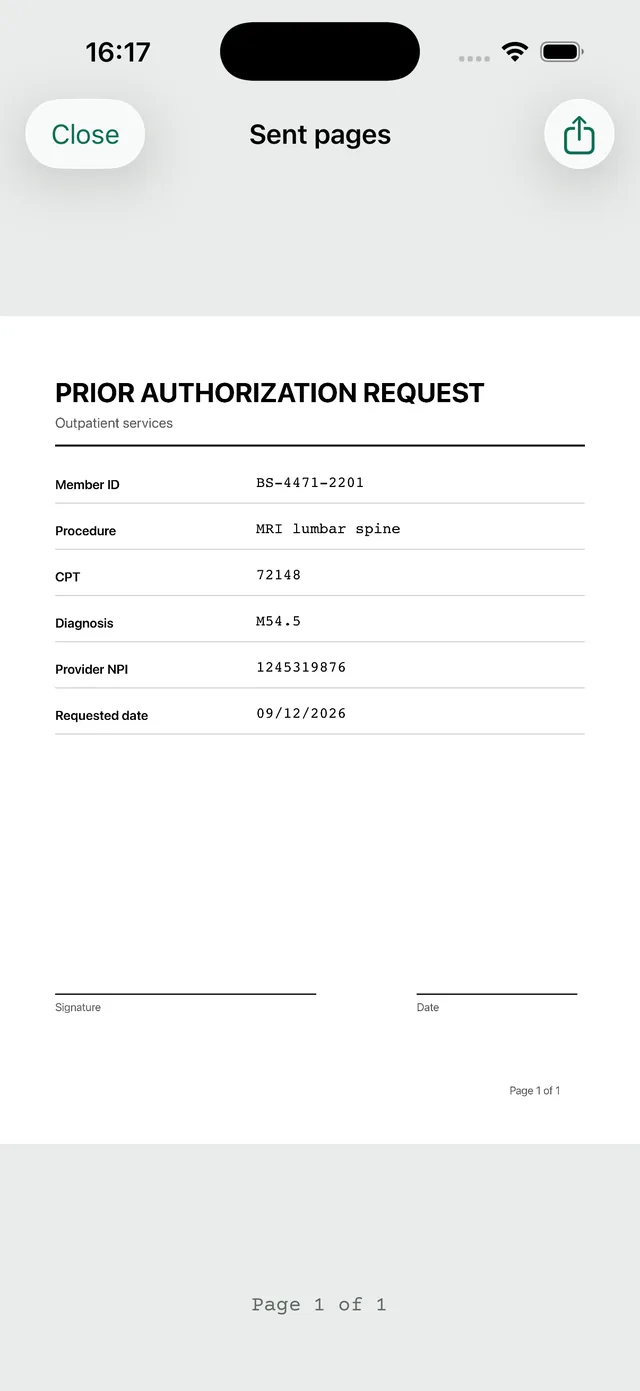
The receiving machine prints your pages in black and white at fax resolution, with a header line along the top of every page: the date, the time, the page number and the sender’s header, which on faxes sent from the web reads “Faxvio”. It never shows your Gmail address. Your name, and who the fax is for, go on the cover page, which Faxvio adds free and never charges.
On your side you get the state Delivered, which Faxvio shows only after the receiving machine has confirmed the pages, and a PDF receipt with the date, time, number, pages and transmission ID. What that confirmation proves is explained field by field. If the fax cannot be delivered, the pages go back to your balance on their own, and the reason is given in plain words.
Faxvio is built for one job, sending. It has no email-to-fax address, no Gmail add-on and no browser extension, and it does not receive faxes or give you a fax number. What it adds to Gmail is the shortest route from an attachment to a fax machine: download, drop, send. Page packs and prices are on the four page packs, and the same price applies to all 37 countries Faxvio sends to.
Faxing from Gmail: the facts
| Gmail’s own fax | None Gmail sends email; a fax needs a phone call to a fax machine. |
|---|---|
| Simplest way | Download and drop Save the attachment, add it to a fax website in any browser, send. |
| Cost on Faxvio | $1.09 for up to 3 pages $0.36 to $0.18 a page; first page on us; no plan. |
| Email to fax | Needs a plan Fax.Plus: from Basic, $6.99 a month. |
| Add-ons | Mailbox access “Manage drafts and send emails when you interact with the add-on”, among others. |
| Time | About a minute Median 66 seconds from Send to Delivered on Faxvio. |
| Proof | A PDF receipt Issued once the receiving machine confirms the pages. |
Questions people ask
Does Gmail allow faxing?
No. Gmail sends email, and a fax machine answers only a phone call, so Gmail has no fax button and no fax setting. Every way of “faxing from Gmail” passes the document to a fax service: a website you drop the attachment on, an email-to-fax address you have an account with, or an add-on that connects Gmail to such a service.
Can I send a fax from Gmail for free?
Not on an ongoing basis. Fax.Plus’s own Gmail page says: “There is no fully free way to fax from Gmail this way.” One-off free options exist: the Fax.Plus add-on lists Send 10 free pages once, FaxZero’s website sends up to 3 pages plus a cover, 5 free faxes a day, to the US and Canada, and on Faxvio your first page is on us when you first sign in on the web.
Can I fax via email for free?
Email to fax needs an account at a fax service, and the free tiers are one-off. Fax.Plus offers email to fax from its Basic plan, $6.99 a month for the Basic plan billed yearly, 200 pages a month. Writing to a fax address without an account at that service sends nothing.
Does Google have a free fax?
No. Google has no fax service of its own; iFax’s blog puts it as “Google does not directly provide a fax service.” In Google’s own forums, a volunteer answer from 28 November 2024 says Google Voice does not support fax either. Results for “Google fax” are other companies’ services and add-ons.
Can I send a PDF as a fax?
Yes, and a PDF is the best input: the layout is kept and each page of the file is one page of the fax. Download the PDF from Gmail, drop it on the form at faxvio.com, type the number and send. One fax carries up to 50 pages.
Can I send a fax from Gmail to a phone number?
Only to a fax machine’s number. A mobile phone or an ordinary phone line cannot receive a fax: the fax carrier dials the number and waits for a fax machine to answer. If a person or voicemail picks up, the fax fails, and on Faxvio the pages come back to your balance.
Will the recipient see my Gmail address?
Not when you download the attachment and send it from a fax website or app: the receiving machine prints the sender’s header line and your cover page, not your email. With email to fax, what the cover page shows depends on the service.
How do I fax a Google Doc?
Open it, choose File › Download › PDF document, then add the PDF to the fax form. The same works for Sheets and Slides. From the Drive app on a phone, open the file’s menu and use Send a copy or Open in to save it to Files first.
Can I receive faxes in Gmail with Faxvio?
No. Faxvio sends faxes only and gives you no fax number, so nothing can be faxed to you through it, in Gmail or anywhere else. Receiving needs a service that rents you a fax number.
Bottom line
Gmail cannot fax by itself, so every way of faxing from Gmail hands the document to a fax service. The simplest needs no add-on and no plan: download the attachment, drop it on the form at faxvio.com, type the number and send. A fax of up to 3 pages costs $1.09, the median time to Delivered on real faxes is 66 seconds, and a PDF receipt follows once the receiving machine confirms. Email-to-fax addresses and Gmail add-ons work too, through an account at the service behind them.
Make your fax better before you send it
Free tools that run in your browser. Nothing is uploaded.
See it in black and white
Drop a photo of a page and see what a fax machine will actually print.
Preview a page →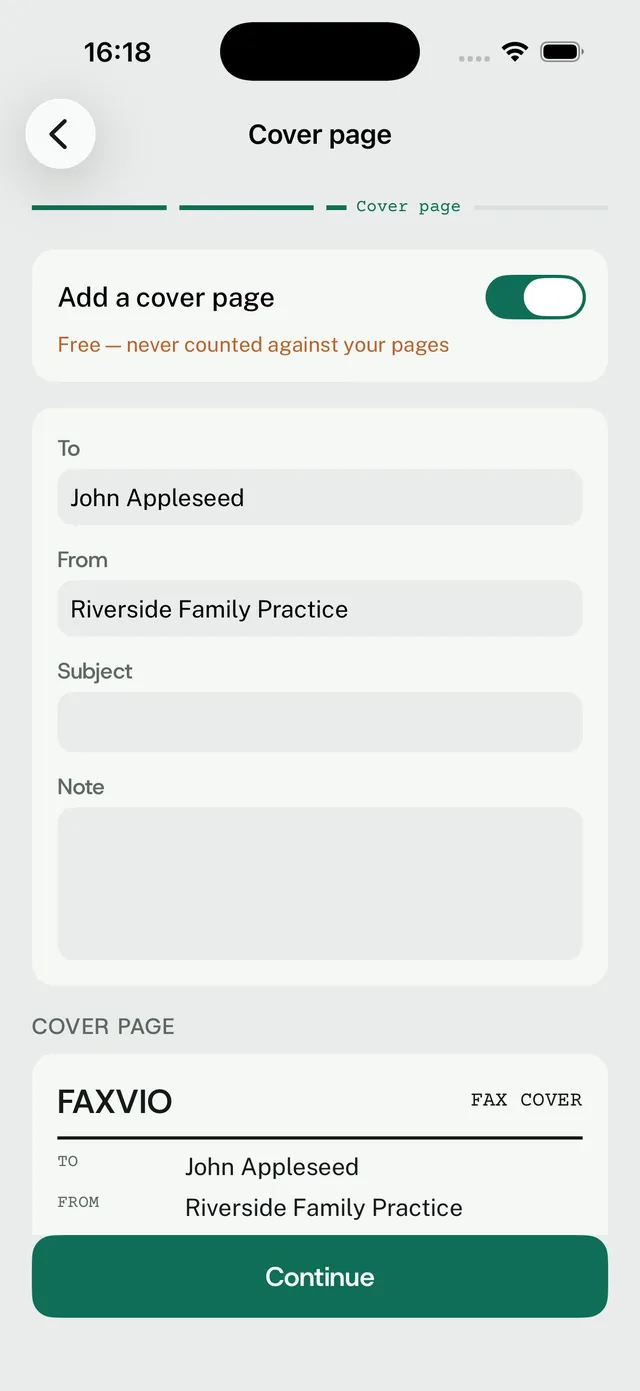
Add a cover sheet
Fill in To, From and a note. It becomes the first page and is never charged.
Make a cover sheet →
Check the number first
See the exact number Faxvio will dial, and whether it costs extra, before you pay.
Check a number →