
Fax transmission report explained: every field, and what it proves
What the report says, where to get one, and what it can and cannot prove, with a real Faxvio receipt read line by line.
 Merey Tleugazin, founder of Faxvio
Updated · 11 min read
Fax confirmation, in short
A fax confirmation, also called a transmission report or a Transmission Verification Report, is the record the sending side keeps after the receiving fax machine has accepted the pages: the date and time, the number dialled, the page count and the result. It proves the machine accepted the pages at that time; it does not prove that a person read them.
- 1Read the result: OK or Delivered, or an error word.
- 2Compare the page count with the document you sent.
- 3Check the number and the time against what the office expects.
- 4Keep it with the document until the matter is closed.
1 page
a confirmation is a single sheet
66 s
to Delivered on Faxvio, median
receipt with every fax
Send yours from here
Every fax sent from here comes with a PDF receipt like the one on this page.
- Pages
- Number
- Send
Ready to go.
Check your email
We sent a 6-digit code to . Type it here to go on.
By continuing you accept the Terms and Privacy policy.
Pages for this fax
One payment, nothing renews. Card, Apple Pay or Google Pay on the next screen.
What does a fax confirmation show?
Every fax confirmation answers the same four questions: when, to which number, how many pages, and with what result. The names differ by maker. HP calls it a fax confirmation, Brother and Ricoh a Transmission Verification Report, online services a confirmation email or a fax log, and Faxvio a transmission receipt. Brother’s help page (help.brother-usa.com, read 3 November 2026) describes its report as one that “lists the sender’s name or fax number, the time and date of the transmission”, and adds: “You can use the Transmission Verification Report as proof that you sent a fax.”
What a machine prints beyond that varies by model, so the table below claims only what the field means and what Faxvio’s receipt carries.
| Field | What it tells you | On a Faxvio receipt |
|---|---|---|
| Date and time | When the fax finished | DATE, in your time zone, plus a UTC line |
| Number | Which machine was called | DESTINATION, with the country code |
| Pages | How much was sent | PAGES TRANSMITTED, “+ 1” for a cover page |
| Result | Whether the receiving machine accepted the pages | The stamp, and the line under it |
| Reason | Why a fax did not go through | The reason sentence, in place of the confirmation line |
| Job or transmission number | How to find the fax in a log | TRANSMISSION ID, the carrier’s identifier |
| Cost | What the fax used | PAGES CHARGED |
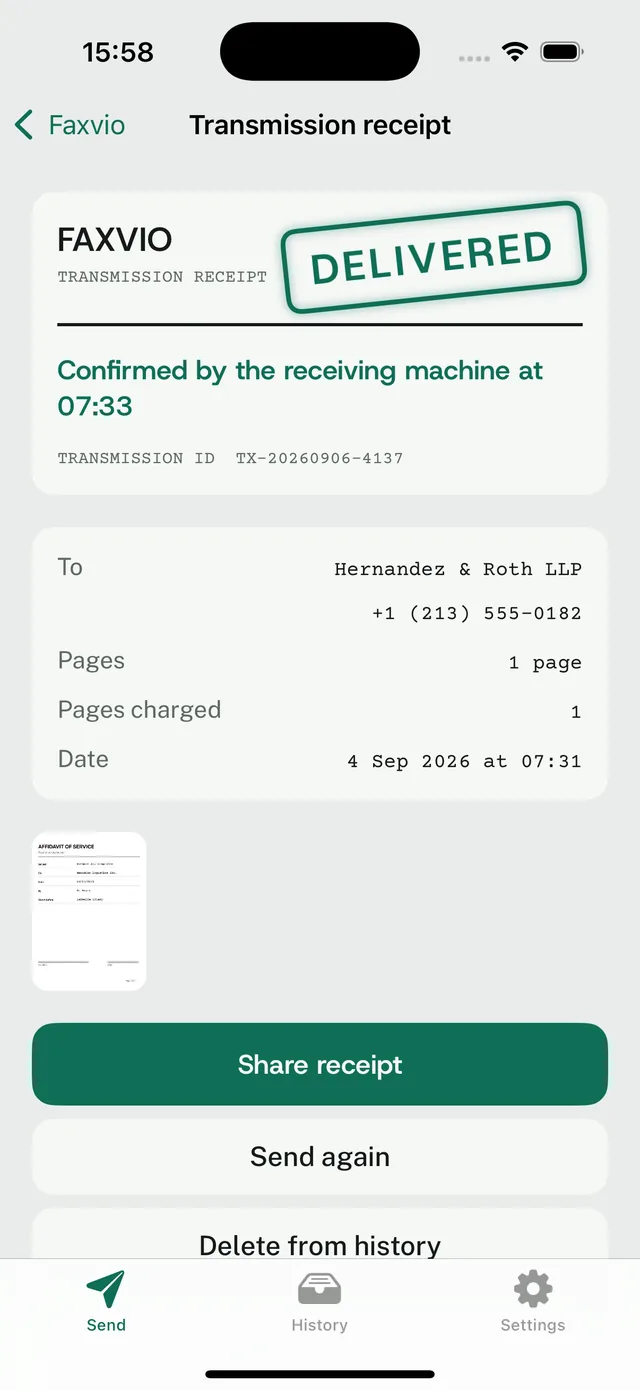
A real Faxvio receipt, line by line
- FAXVIO · TRANSMISSION RECEIPT
Who issued the record. The receipt is built from the fax’s own record when you ask for it, in your time zone, and is not stored as a file.
- Stamp: DELIVERED, RETURNED or CANCELLED
The final result. DELIVERED only when the carrier reports the fax delivered, which it does after the receiving machine has confirmed the pages; RETURNED when it could not be delivered; CANCELLED when you stopped it before the call began.
- Confirmed by the receiving machine at …
The time of that confirmation. On a fax that failed, this line gives the reason instead, in the same words the status used.
- DESTINATION
The number that was dialled, written in full with its country code. Compare it with the number the office gave you.
- DATE
The date and time of the result, in your time zone.
- PAGES TRANSMITTED
The pages of your document, then “+ 1” when a cover page went with them.
- PAGES CHARGED
What came off your balance. The cover page is never charged; a toll-free or premium number uses 2 pages per page.
- TRANSMISSION ID
The carrier’s identifier for the call. An office that keeps a fax log can find your fax by it and by the time.
- SENDER HEADER
The text printed at the top of every page the recipient receives, beside the date, the time and the page number. Faxes sent from the web carry “Faxvio”; your name is on the cover page.
- UTC …
The same moment in UTC, for a reader in another time zone. On a failed or cancelled fax, a line above it says how many pages were returned to your balance.
The receipt is built from the fax’s record each time you ask for it, in your own time zone, and the document itself is not on it: the pages were removed from our server as soon as the carrier accepted the fax, which is what the line at the foot of the page says. The app draws the same page on the phone, with the contact name you saved and its own footer. A receipt downloaded from the web and one shared from an iPhone read the same to the office that receives them.
What does “Delivered” mean, and what doesn’t it prove?
A fax is a phone call between two machines that follow the ITU-T T.30 procedure: they agree on a speed, the sending side transmits a page, and the receiving machine answers that it has received it before the next page goes. A sender’s report says OK because the machine at the other end said so, page by page.
Faxvio shows Delivered only when the carrier reports the fax as delivered, which happens after that confirmation, never while it is still sending. That is a strong record of one thing: a fax machine at that number accepted those pages at that time. What happens next, inside the recipient’s office, is outside any confirmation.
| It proves | It does not prove |
|---|---|
| A fax machine at this number answered | That the number belongs to who you think |
| It accepted this many pages | That the pages were printed, not held in memory or a fax server |
| At this date and time | That the right person or department got them |
| The call ran to the last page | That anyone has read them |
How to get a fax confirmation
On a fax machine or all-in-one printer
Most machines print a report only when the setting is on. Look in the fax menu for Fax Reports, Report Setting or Transmission Report, and choose to print it after every fax, or only after errors. Menu names vary by model, so check your manual. Machines that keep an activity log or journal can usually print a list of recent faxes, which is the fallback when the single report was not switched on.
From an online fax service
Online services confirm in their own way: a line in a fax log and an email with the result. Dropbox Fax’s help page (“How do I know my fax has been sent?”, read 3 November 2026), for example, points you to the fax log in your account and to its confirmation email. Keep the email; it is the record.
From Faxvio, on the web or in the app
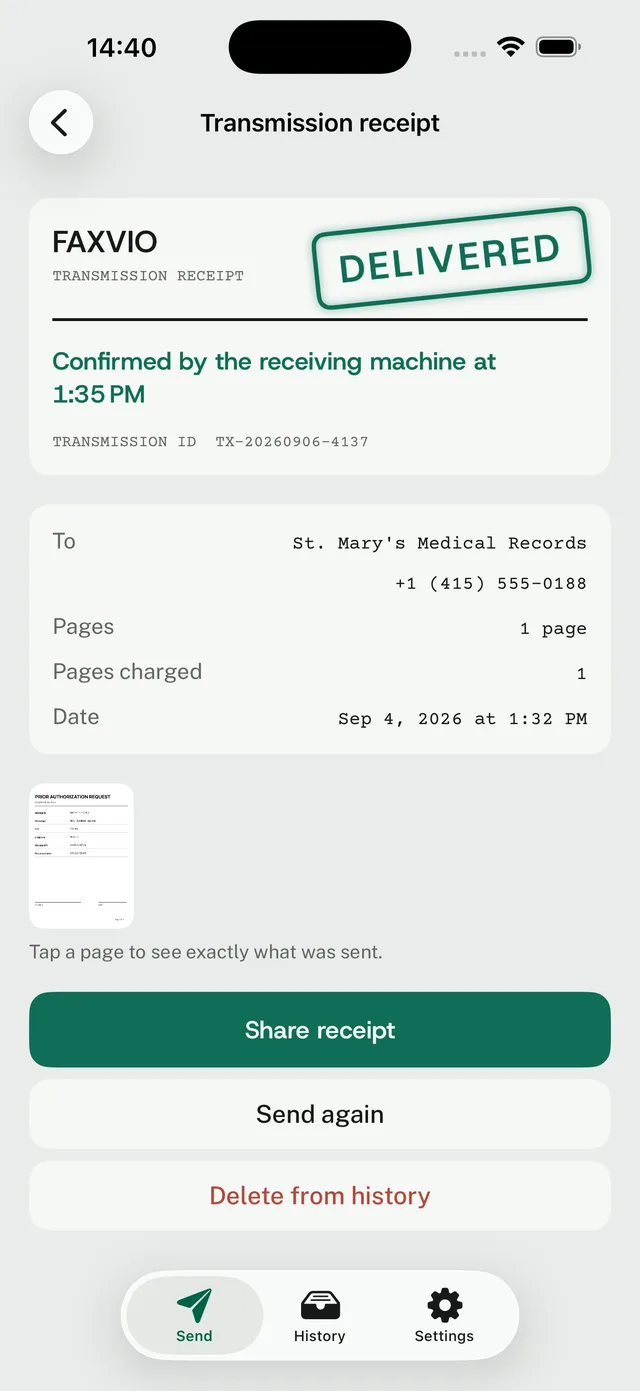
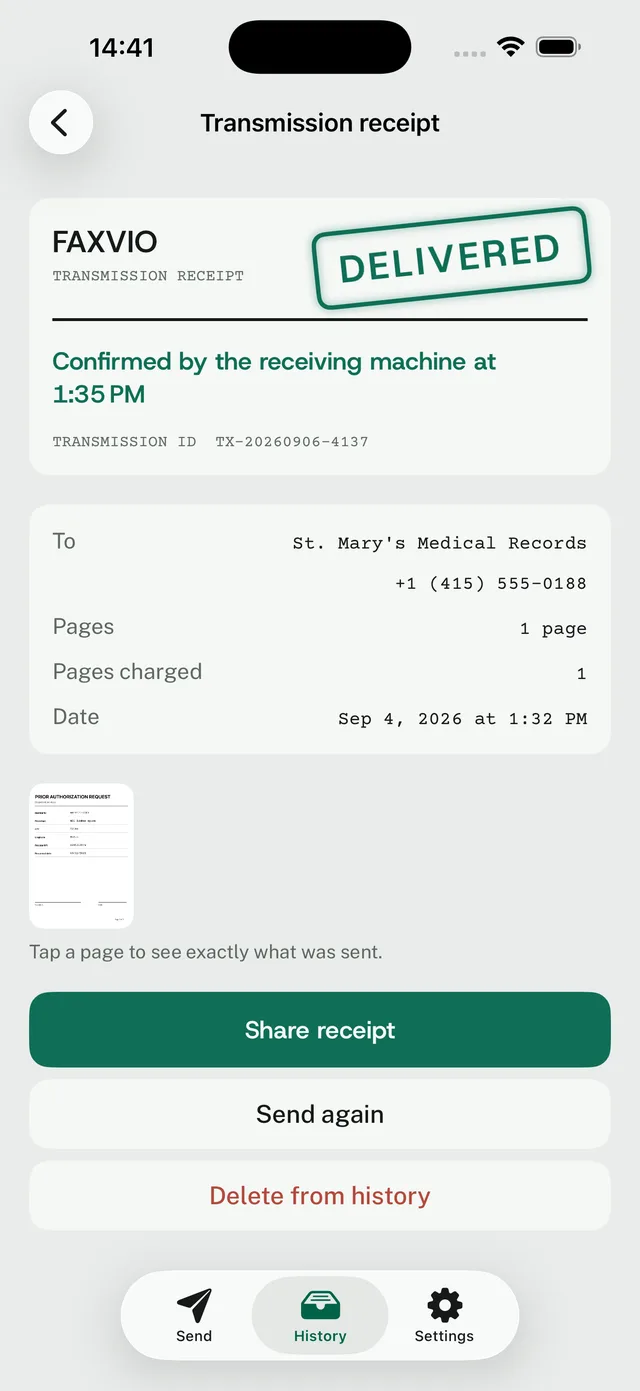
On faxvio.com the form itself shows the result: Delivered, with the number of pages the receiving machine confirmed and the time, and a Download receipt button. If you left “Email me the result” ticked, the same news arrives by email, and the receipt waits in your account for 90 days. In the Faxvio app for iPhone, iPad and Mac, a notification arrives when the receiving machine confirms, and the receipt is in History, ready to share or save to Files.
How to print or reprint a fax confirmation
On a machine, print it from the activity log if the single report is gone; the log lists each fax with its result. On Faxvio, open your account on the web and press Download receipt beside the fax: it is a Letter-size PDF that prints on one page. Because it is built fresh from the fax’s record each time, a second download is identical to the first.
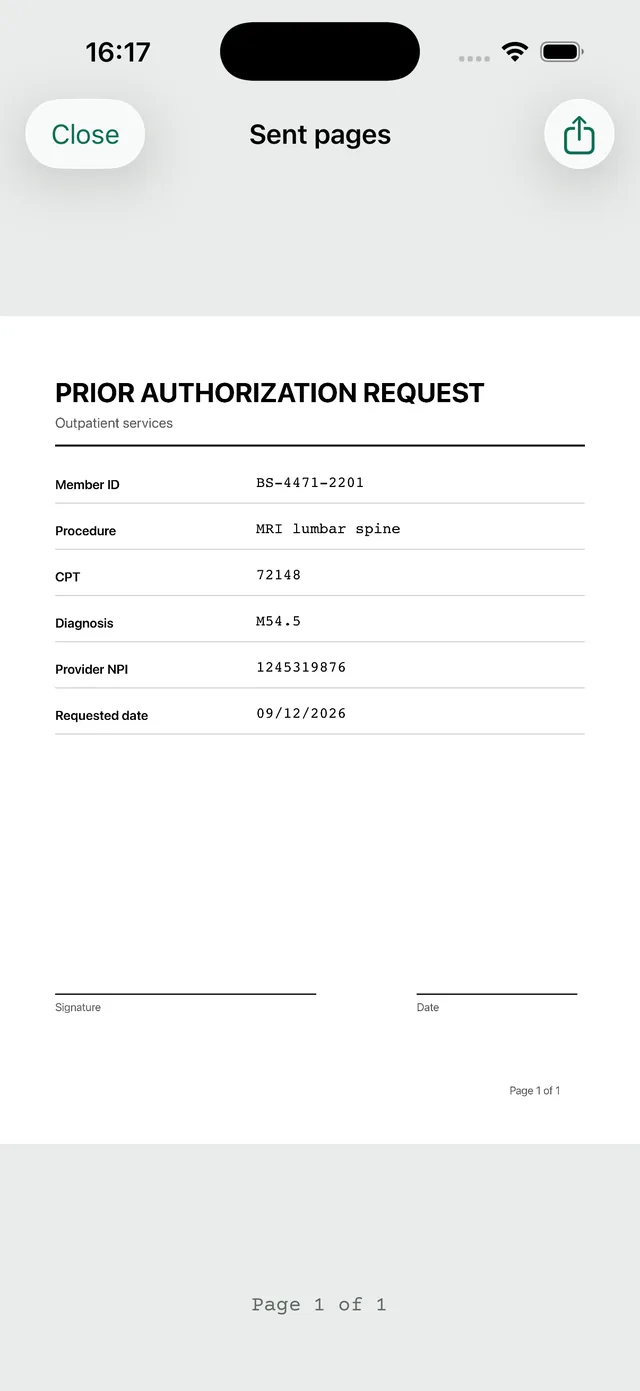
In the app, open the fax in History and tap Share receipt, then save it to Files and print it from there, or send it straight to the office. Tap a page on the receipt screen to see exactly what was sent; the pages stay on the device for as long as your Keep sent pages setting allows.
If the office wants the pages as well as the proof, send both: the receipt names the number, the time and the transmission ID, and the pages show what the machine received. To check how a page will look on their side before you send it again, see the page as the receiving machine prints it.
Reading the result: busy, no answer and the other failures
A fax that does not go through ends with a reason. The carrier reports it in its own words; Faxvio turns that into one plain sentence, the same one on the screen, in the email and on the receipt, and stamps the receipt Returned. The pages come back to your balance automatically, and the receipt says how many. Brother’s report words, such as “busy” or “no response”, map onto the same rows.
| The carrier reports | Faxvio says | What to do |
|---|---|---|
busy | “The line stayed busy.” | Send again later. A fax line shared with a phone, or an office machine busy with other faxes, is the usual cause. |
no_answer, timeout | “No answer from the fax machine.” | Check the number with the recipient; the machine may be switched off or out of paper. Try again later. |
not_a_fax, voice, human | “The number answered as a voice line — check it’s a fax number.” | A person or a voicemail picked up. Ask the office for its fax number, not its phone number. |
invalid, unallocated, rejected | “The number couldn’t be dialled.” | Check the country code and the digits. |
media, document, file | “The document couldn’t be converted — try re-scanning.” | Re-scan the page or export the PDF again, then resend. |
| any other reason | “The fax line failed part-way through.” | Send again. Long faxes are more exposed to a dropped line; an old machine may need the document in parts. |
| no reason given | “The fax could not be completed.” | Send again, and write to support if it repeats. |
Two endings come from Faxvio’s own side rather than the carrier’s: a fax the carrier could not take for 15 minutes after you pressed Send, and the hard limit that no fax stays open for more than 24 hours. The first ends as “The fax line failed part-way through.”; the second asks the carrier one last time and closes the fax as Delivered or Returned. Either way, a fax that did not arrive returns its pages. For the number format behind a “couldn’t be dialled” result, check the number’s format.
Fax confirmation, but the fax was never received?
The machine accepted the pages; the question is where they went next.
- 1Compare the number. Check the destination on the confirmation against the number the office gives you now. A digit off reaches someone else’s machine, which will confirm just as happily.
- 2Ask where incoming faxes land. Many offices receive into a fax server, an email inbox or a machine’s memory, sometimes in another department. Give them the time on the confirmation so they can search their log.
- 3Look at what was sent. On the Faxvio receipt screen, tap a page to see it exactly as transmitted. A page that is blank or nearly black was received that way.
- 4Send them the receipt. The time and the transmission ID let the office find the fax in their own records.
- 5Send it again, if they still cannot find it, and keep both receipts.
Faxvio can confirm what the carrier and the receiving machine confirmed; what happens inside the recipient’s office is something only they can check.
When does a fax confirmation count as proof?
That depends on who is asking, and the people who decide publish their own rules. Here is what three official sources say, quoted from their pages; your office may set its own. This is not legal advice: the office you are dealing with decides what it accepts.
| Context | What the source says | Source |
|---|---|---|
| IRS notice CP142 | You can fax your response “using either a fax machine or an online fax service”. On acknowledgement: “No. We don’t acknowledge receipt of information.” Your own record is the only one you will have. | irs.gov |
| IRS Form 2553 (S corporation election) | The follow-up clock runs from “the date of filing (date faxed or mailed)”; if filed by fax, “keep the original Form 2553 with the corporation’s (entity’s) permanent records.” | irs.gov |
| US federal civil cases, Rule 5(b)(2)(E) | Service by “other electronic means that the person consented to in writing” is “complete upon filing or sending but is not effective if the filer or sender learns that it did not reach the person to be served”. | Cornell LII |
| Insurers, clinics, landlords, agencies | No general rule; each sets its own instructions. Keep the confirmation and ask what they need. | — |
For the IRS in particular, the fax numbers depend on the form and sometimes on the state; faxing the IRS: numbers by form lists them with links to irs.gov.
How long until you get the confirmation?
As long as the fax takes, and not a moment more: the confirmation is the last thing the receiving machine says. Across real Faxvio faxes from 4 September to 2 November 2026, the median time from pressing Send to Delivered was 66 seconds, and 79 % were confirmed in under 2 minutes. A long document, dense scans or an old machine that only takes the slower speed all stretch it. If the machine is busy, the status waits on Sending until the call gets through, and the receipt is ready the moment it ends. To see how page count and resolution add up, read how long a fax takes, measured.
A template you fill in is not a confirmation
A confirmation comes from the call itself, or it is not one.
Search for “fax confirmation sheet” and you will find editable templates. They are useful for one thing: seeing what a report looks like. A confirmation is evidence only because the sending system produced it from the call, with the result the receiving machine gave; a sheet you type yourself records nothing, and presenting one as a transmission record could be treated as a false document. If you need proof, get a real one: from the machine’s report menu, from your online service, or from the receipt Faxvio makes for every fax. The sample on this page is marked SAMPLE for the same reason.
Keeping confirmations
Store the confirmation with the document you sent, under the same name, so the two never drift apart. A Faxvio receipt gives both: the PDF receipt, and in the app the pages it refers to. The UTC line helps when the office is in another time zone, and the transmission ID helps when they keep a log. Faxvio keeps the record of each fax for 90 days; keep your own copy for as long as the matter lasts, and expect the same receipt for a fax to any of its 37 countries. For every other way to send a fax and what record each one leaves, see every way to send a fax.
Fax confirmation: the facts
| What it is | The sender’s record Made by the sending side after the receiving machine accepts the pages. |
|---|---|
| Also called | Transmission report Confirmation page or sheet, Transmission Verification Report (Brother, Ricoh), fax receipt. |
| It proves | Acceptance by the machine That a fax machine at that number accepted those pages at that time. |
| It does not prove | That someone read it Nor that it reached the right desk, or that the number belongs to who you think. |
| Faxvio receipt | A PDF, every fax Stamp, confirmation time, destination, date, pages, pages charged, transmission ID, sender header, UTC. |
| Time to confirmation | About a minute Median 66 seconds from Send to Delivered; 79 % under 2 minutes. |
| If it fails | Stamped Returned With the reason, and the pages back on your balance. |
Questions people ask
How do I get a fax confirmation?
On a fax machine, switch on the confirmation or transmission report in its fax report settings; it then prints after each fax. An online service shows it in its fax log or sends it by email. Faxvio makes a PDF receipt for every fax, ready in your account, and emails you the result if you ticked that box.
What does a fax confirmation look like?
Usually one page: the date and time, the number dialled, the number of pages and the result, such as OK or an error. A Faxvio receipt adds a Delivered stamp, the time the receiving machine confirmed, the pages charged, a transmission ID, the header printed on each page and the same time in UTC.
Can you reprint a fax confirmation?
On machines that keep an activity log or journal, yes, from that log. With Faxvio, open your account and download the receipt again; it is built fresh each time from the fax’s record, which is kept for 90 days. In the app, open the fax in History and share the receipt again.
How long does a fax confirmation take?
It comes as soon as the last page is confirmed. On Faxvio the median time from pressing Send to Delivered was 66 seconds across real faxes, September to November 2026, and 79 % were confirmed in under 2 minutes.
How do you read a fax transmission report?
Read the result first: OK or Delivered means the receiving machine accepted the pages; a word like busy, no answer or error means it did not. Then compare the page count with your document, and check the number and the time against what the office expects.
What does a fax transmission error mean?
The call ended before the receiving machine confirmed every page: the line dropped, the machine stopped answering, or the document could not be converted. Faxvio names the reason and returns the pages to your balance; send it again once the cause is fixed.
Does a fax still go through if there is no answer?
No. If no fax machine answers, nothing is transmitted and there is nothing to confirm. Faxvio shows “No answer from the fax machine.” and returns the pages.
Can a fax be tracked?
While it is being sent, Faxvio shows Sending, then On the line, with the time of the last update; at the end it shows Delivered or Not delivered. A fax machine shows progress on its own display only. After the call, the confirmation is the record.
Is a fax confirmation proof of delivery?
It is proof that the receiving fax machine accepted the pages at that time. It does not show that a person read them or that they reached the right desk. Whether an office accepts it as proof is that office’s decision.
Bottom line
A fax confirmation is the sending side’s record that the receiving machine accepted the pages: date and time, number, page count and result. It proves acceptance by that machine, not that a person read it. Every fax sent with Faxvio gets a PDF receipt with all of this plus a transmission ID and the time in UTC, stamped Delivered only after the receiving machine has confirmed; a fax that fails is stamped Returned, and its pages go back to your balance.
Make your fax better before you send it
Free tools that run in your browser. Nothing is uploaded.
See it in black and white
Drop a photo of a page and see what a fax machine will actually print.
Preview a page →
Check the number first
See the exact number Faxvio will dial, and whether it costs extra, before you pay.
Check a number →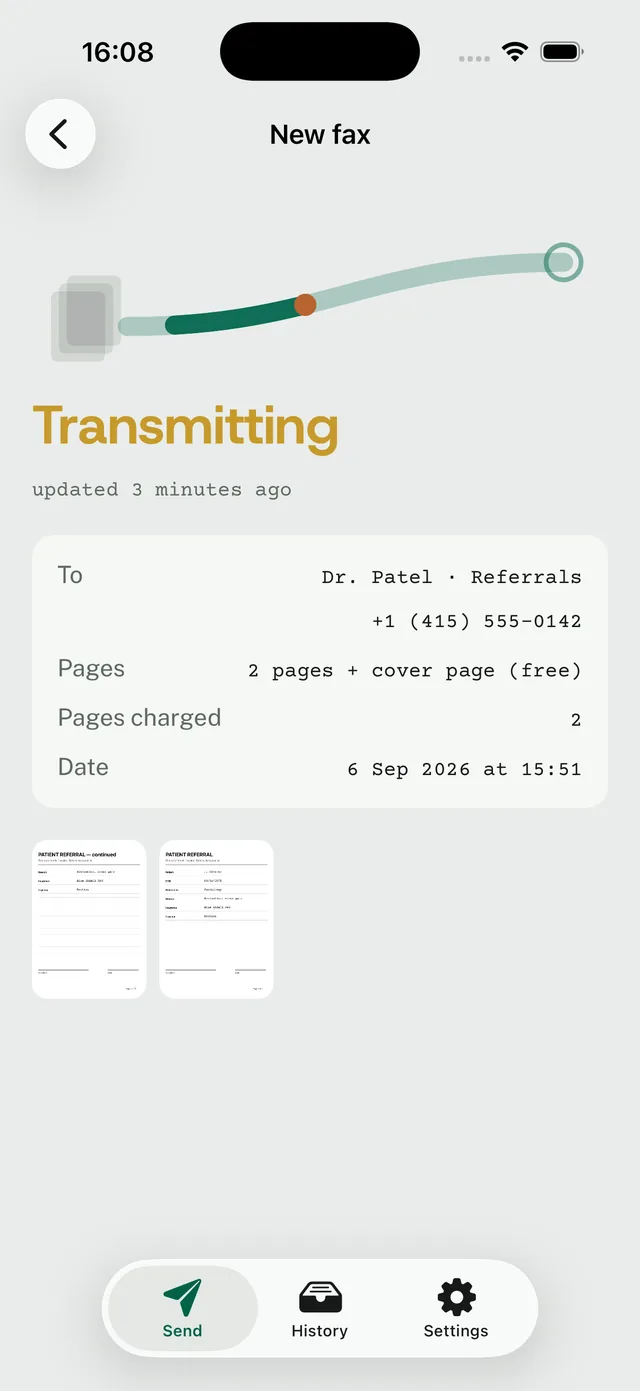
Estimate the time
How long a fax of your length takes, and why a busy or old machine is slower.
Estimate the time →