
Faxvio for iPhone:Scan, send and get a receipt in about a minute.
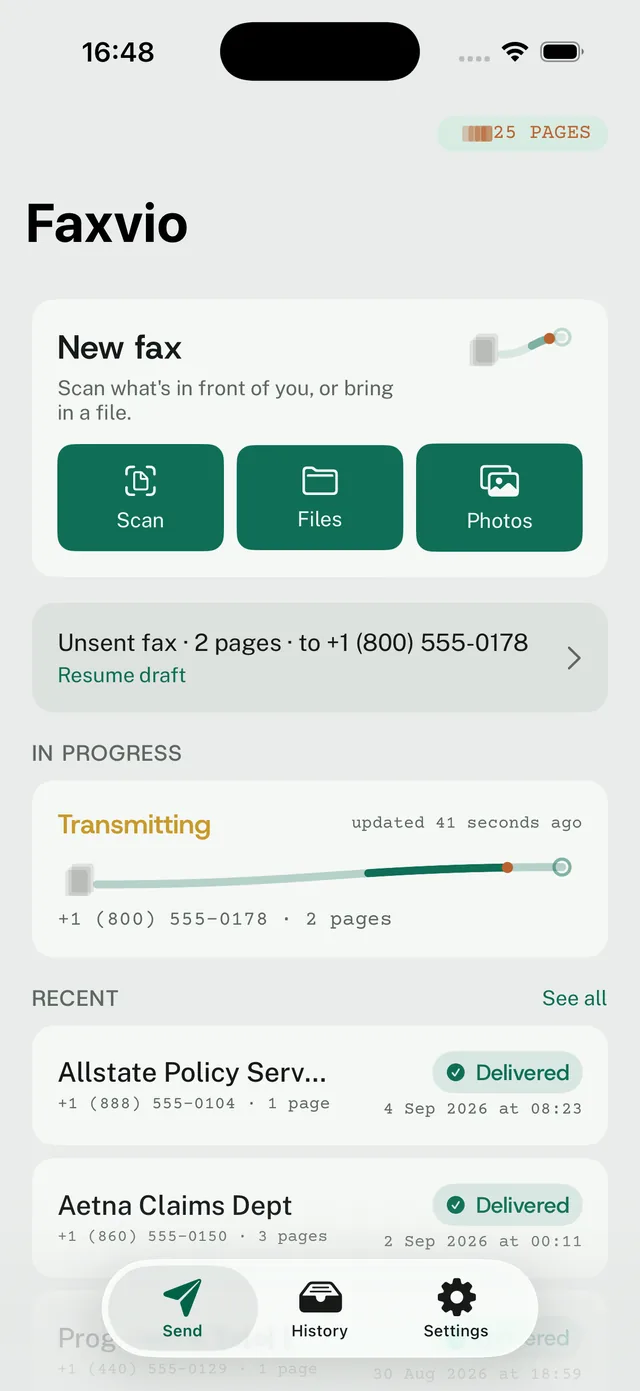
Faxvio is a fax app for iPhone and iPad that charges per page, not per week. Scan the page with the camera, type the number, send, and keep the PDF receipt the receiving machine confirmed. No account, no subscription, 37 countries.
Nothing to pay to install; from $0.18 a page
Not on your iPhone right now? Send from any browser.
The same Faxvio works in Safari, Chrome or Edge on a laptop, an Android phone or a Chromebook. Drop a PDF or a photo, type the number the way it is printed, and the price appears on the Send button before you sign in. Prices are the App Store’s; on the web, your pages live under your sign-in.
Free
your first page on the web
$1.09
for up to 3 pages
0
apps to install
Send it from here
Sign in only when you press Send.
- Pages
- Number
- Send
Ready to go.
Check your email
We sent a 6-digit code to . Type it here to go on.
By continuing you accept the Terms and Privacy policy.
Pages for this fax
One payment, nothing renews. Card, Apple Pay or Google Pay on the next screen.
The camera is the scanner.
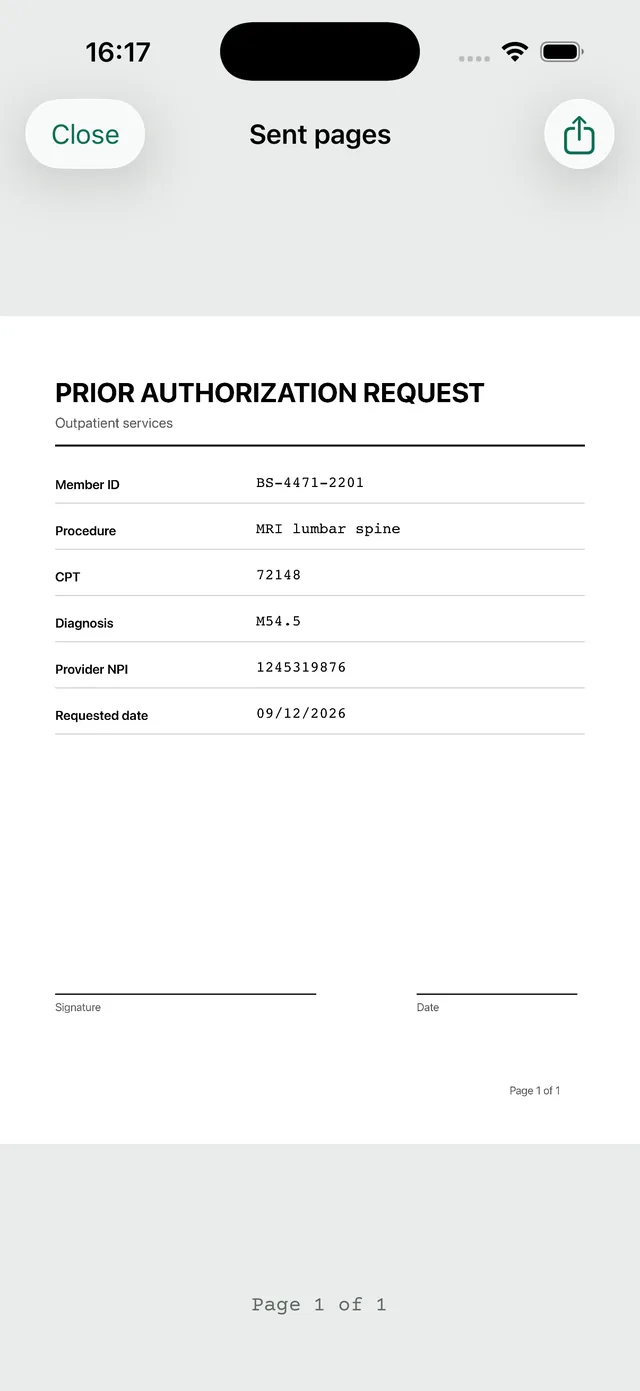
Point the iPhone at the page. Faxvio opens Apple’s document camera, which finds the edges of the sheet and straightens it, then Faxvio shows every page in black and white, the way the fax machine at the other end will print it. That preview is called “As received”, and it is where a faint pencil signature or a grey stamp shows up before it costs you anything.
Already have the file? Pick a PDF from Files or a photo from Photos instead. A fax can carry up to 50 pages, the page count is shown as you add them, and the price is counted before you pay.
Opening Faxvio…
2 pages added. Type the number and send.
Fax it from wherever the document is.
An attachment in Mail, a PDF in Files, a form you filled in Safari: tap Share, then Faxvio. The pages arrive in a new fax with the count already done, so the only thing left to type is the number. Faxvio takes up to 20 files or images in one go and tells you plainly if one is too large to fax.
The same works for a signed PDF from an e-signature app or a scan your bank sent by email. Nothing is uploaded at this point: the pages wait on the iPhone until you press Send.
Per page or per week: what a fax costs on iPhone?
Most fax apps in the App Store sell a plan that renews. The most-rated one, with 379K ratings, lists one-week plans at $3.99, $5.99, $7.99. Faxvio sells pages instead: 3 for $1.09, 7 for $1.99, 23 for $4.99, 57 for $9.99, and the pages never expire.
If you fax a few times a year, a week of “unlimited” is a week you mostly do not use. Here is one 3-page fax, priced in the apps that state a price for it, and a year of faxing either way.
| Faxes a year | Faxvio | Week at $3.99 | Week at $7.99 |
|---|---|---|---|
| 1 | $1.09 (3 pages, 0 left) | $3.99 | $7.99 |
| 4 | $3.98 (7 + 7 pages, 2 left) | $15.96 | $31.96 |
| 12 | $8.97 (23 + 7 + 7 pages, 1 left) | $47.88 | $95.88 |
| 52 | $29.96 (57 + 57 + 23 + 23 pages, 4 left) | $207.48 | $415.48 |
Delivered means the other machine said so.
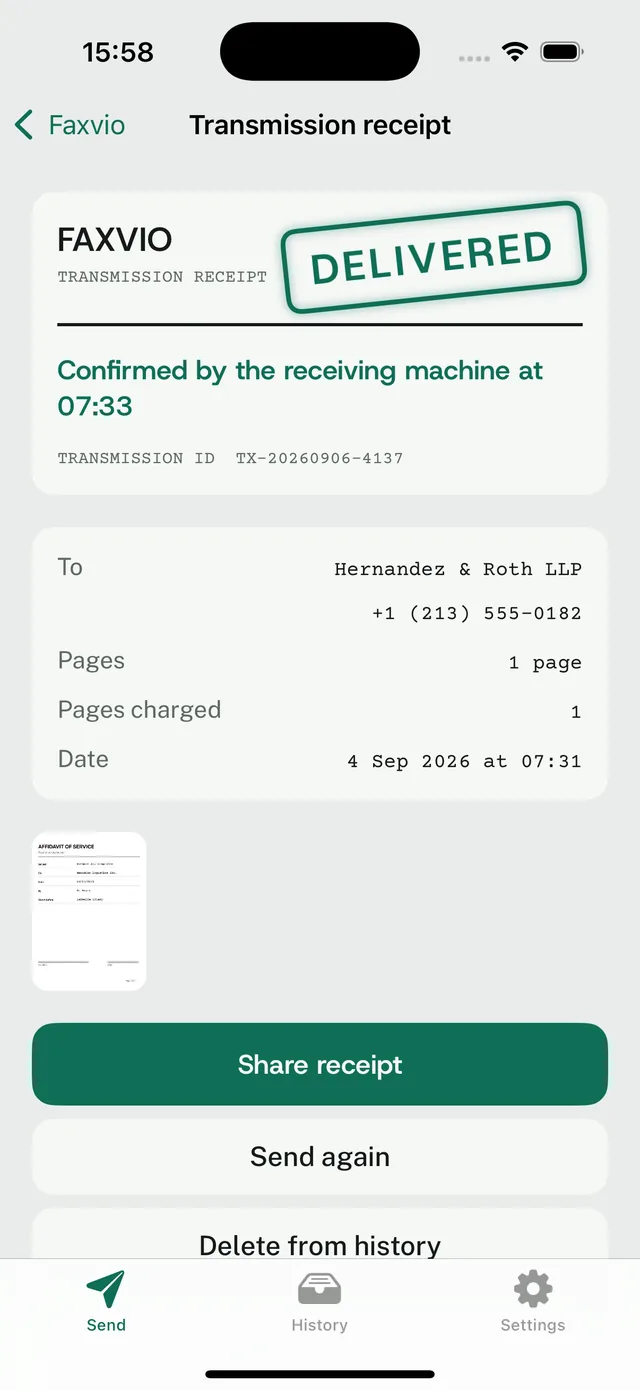
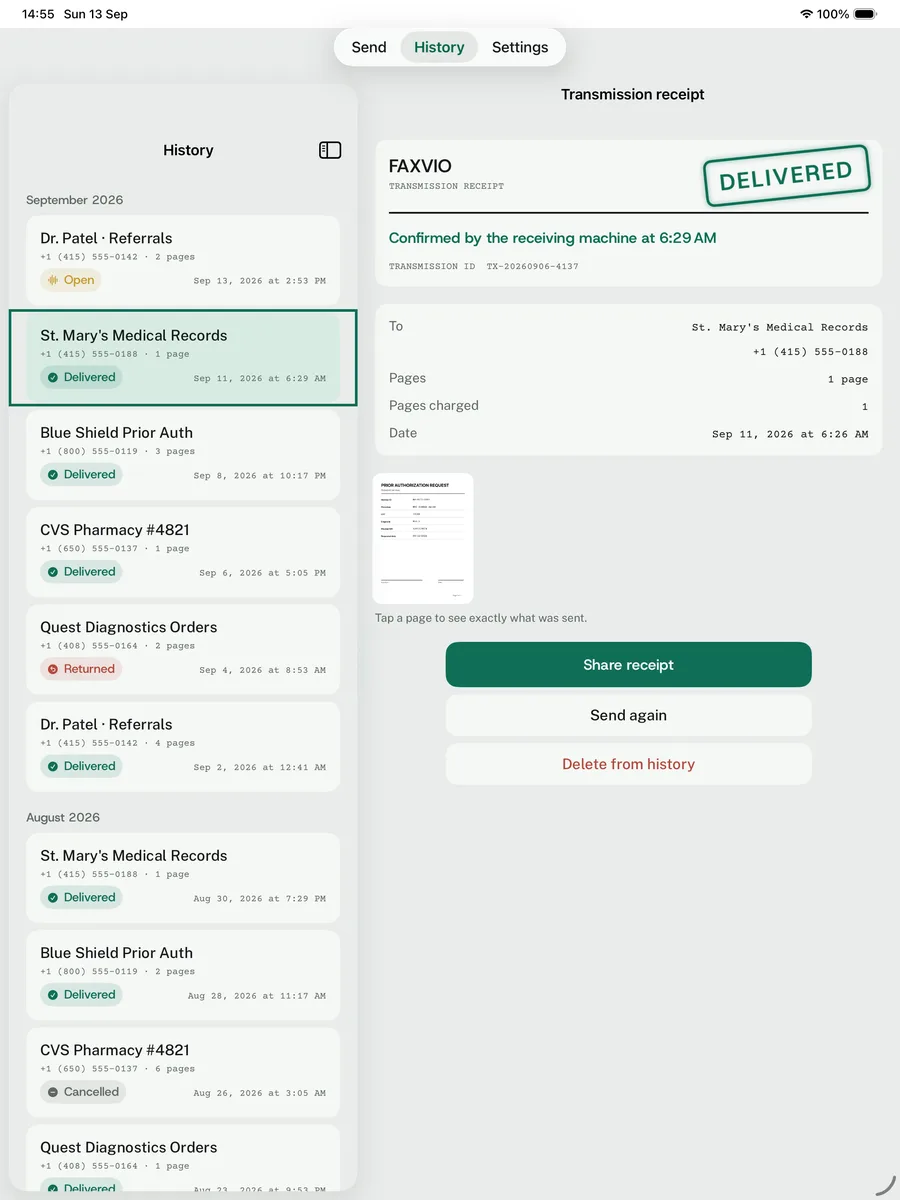
A fax ends with the receiving machine confirming the pages it took. Faxvio waits for that confirmation, then marks the fax Delivered and issues a PDF transmission receipt: the date and time, the number, the page count and a transmission ID. Share it to Mail, save it to Files or print it; it is the record a clinic, a landlord or a tax office accepts as proof that the fax went through.
If the line stays busy or no fax machine answers, the pages come back to your balance on their own and the status says why in plain words. The fax confirmation guide explains every field of the receipt.
66 s
median, from Send to Delivered
35 s
a page on average (median 29 s)
79 %
of delivered faxes in under 2 minutes
Pages you buy follow you across your Apple devices.
One App Store purchase runs on iPhone, on iPad and on a Mac with Apple silicon. Turn on iCloud Keychain and the three share one balance: buy a pack on the iPhone, send from the iPad at the desk. With it off, each device keeps the pages bought on it, and the app says so instead of guessing.
The iPad gets its own layout, not a stretched phone screen, and the Mac gets a sidebar, a drop zone for PDFs and keyboard shortcuts; Faxvio for Mac shows the window. On the web, pages live under your sign-in.
Faxvio for iPhone: the facts
| Price | $1.09 for 3 pages Packs of 3, 7, 23, 57 pages, down to $0.18 a page. No subscription; pages never expire. |
|---|---|
| First page | On us, once Once per iPhone or iPad, for a one-page fax to an ordinary number. |
| Account | None in the app On the web you sign in with email, Google or Apple when you send. |
| Countries | 37, one price per page Toll-free and premium numbers use 2 pages per page. |
| Devices | iPhone, iPad, Mac iOS 17 or later, iPadOS 17 or later; a Mac with Apple silicon and macOS 14 or later. Android has its own app, Faxvio for Android; Windows sends from the browser. |
| Receiving | Sending only No fax number of your own, so nothing to rent. |
How to send a fax with the iPhone app
- Add the pages. Tap Scan and hold the iPhone over the sheet, or tap Files or Photos. Add more pages the same way; drag a page to change the order.
- Check them As received. The preview shows each page in fax black and white. If a signature fades, scan it again with more light.
- Type the number. Choose the country and type the number as it is printed. Faxvio adds the country code, drops a leading zero where the country needs it, and flags toll-free numbers that use 2 pages per page.
- Add the cover page. To, From, subject and a note, on a page that is never charged. Turn it off if the office asked for the document alone.
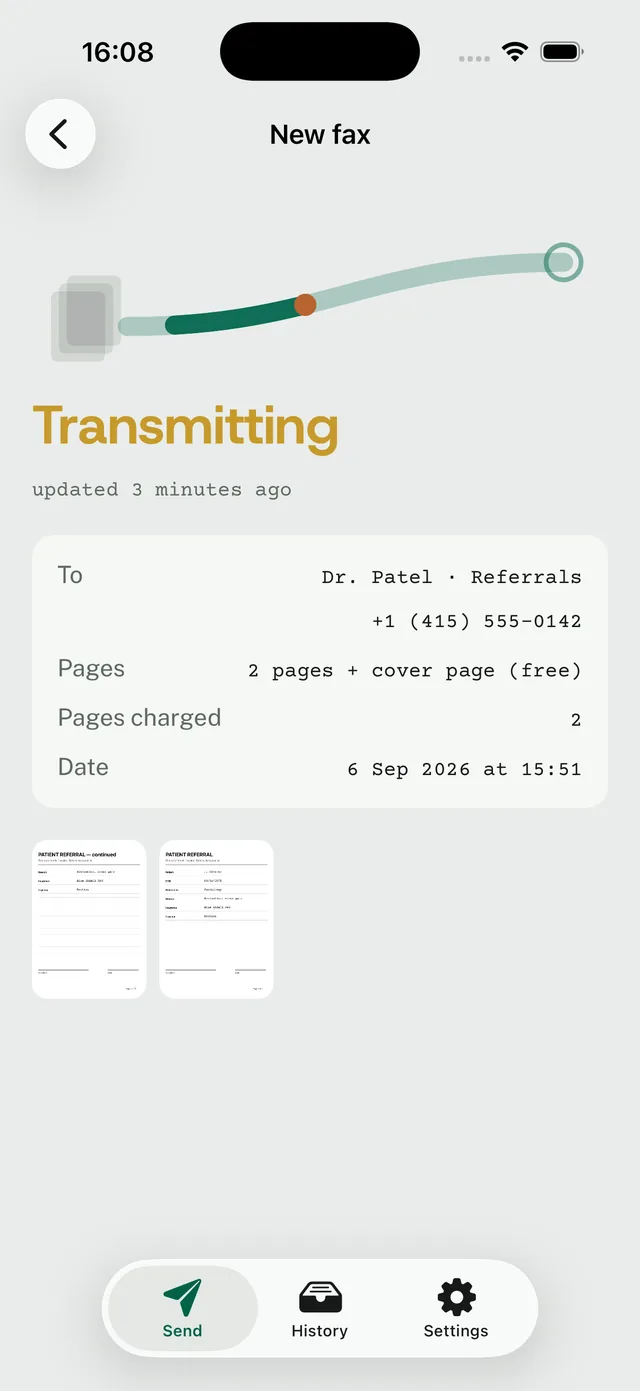
- Send. The confirm screen shows the pages, the cost from your balance and what is left after. The status changes to Transmitting, then Delivered with the receipt.
The full walkthrough, with every screen and the other ways to fax from a phone, is in how to fax from an iPhone. To check a number before you send, the fax number formatter shows the form the network dials, and the 37 countries Faxvio sends to lists how each one writes its numbers.
What Faxvio for iPhone does not do
Faxvio is built for one job, sending a fax and proving it arrived, and it leaves the rest out on purpose.
- It sends; it does not receive. There is no inbound fax number, so there is no monthly number fee and nothing waiting in an inbox you have to check.
- It sells pages, not plans. Four packs make up the entire price list, and a pack is a single payment through your Apple ID.
- It reports, it does not promise. A fax is a phone call to a machine that can be busy or out of paper. Faxvio shows Delivered only after that machine confirms, and returns the pages when it cannot.
- It does not keep your document. The pages travel encrypted to our server and the fax carrier, and are removed from our server as soon as the carrier accepts the fax. The receipt stays with you.
If you need a fax number to receive on, a service with an inbound number is the right tool; for sending a form, a letter or a signed page, Faxvio does the whole job in about a minute.
Questions about faxing from an iPhone
Is there a fax app on the iPhone?
No. iOS has no built-in way to send a fax: the iPhone can scan a document in Notes or Files, but a fax needs a fax line at the other end of a phone call. A fax app such as Faxvio takes the pages from the iPhone, places that call through a fax carrier and tells you when the receiving machine has confirmed them.
Do you have to pay per fax with Faxvio?
You pay per page, in packs: 3 pages for $1.09, 7 pages for $1.99, 23 pages for $4.99, 57 pages for $9.99. That is $0.36 to $0.18 a page. A cover page is never charged, nothing renews, and pages you do not use stay on the iPhone for the next fax.
Is there a fax app for iPhone with no subscription?
Yes. Faxvio sells page packs only: there is no weekly, monthly or yearly plan anywhere in the app, so there is nothing to cancel. Snapfax and Genius Fax also sell credits rather than plans; their prices are in the comparison on this page.
Is there a totally free fax app for iPhone?
Not one that sends without limits, because every page travels over a paid phone line. In Faxvio your first page is on us, once per iPhone or iPad, for a one-page fax to an ordinary number. After that you buy pages; the smallest pack is 3 pages for $1.09.
Can I use my iPad as a fax machine?
For sending, yes. Faxvio runs on iPad with the same App Store purchase: scan with the iPad camera or open a PDF from Files, type the number and send. It does not receive faxes, on iPad or anywhere else, and it does not give you a fax number.
How long does a fax from an iPhone take?
About a minute. On real Faxvio sends from September to November 2026, the median from Send to Delivered was 66 seconds, about 35 seconds a page on average, and 79 % of faxes were delivered in under two minutes. A slow or busy machine at the other end takes longer.
What does Delivered mean in Faxvio?
That the receiving fax machine confirmed the pages at the end of the call, the confirmation fax machines exchange under the ITU-T T.30 standard. Only then does Faxvio show Delivered and issue the PDF receipt. Until then the status says the fax is on its way.
Do I need an account to fax from my iPhone?
Not in the app. You buy pages with your Apple ID through the App Store, and they live on the device. With iCloud Keychain turned on, your iPhone, iPad and Mac share one balance. On the website you sign in when you press Send, and those pages live under that sign-in.
Can Faxvio receive faxes?
No. Faxvio sends faxes only. It has no inbound number, so there is nothing to rent each month and nothing that can receive a fax for you.
Before you send
- The best fax apps for iPhone, pricedOne 3-page fax priced in each app, free tiers decoded.
- How to fax from an iPhoneEvery way, step by step, with real costs.
- Fax cover sheet generatorFill it in, print it or save it as a PDF.
- Fax previewSee a page at fax resolution before you send it.
- PricingThe four page packs and what a typical fax costs.
- Send one fax, oncePay for those pages only, nothing to cancel later.
Bottom line
Faxvio is a fax app for iPhone and iPad that charges per page: $1.09 for 3 pages, down to $0.18 a page, with no subscription and pages that never expire. Scan with the camera or share a PDF, check the pages as the other machine will print them, type the number and send. On real sends a fax reached Delivered in a median 66 seconds, and every delivered fax comes with a PDF receipt the receiving machine confirmed. It sends to 37 countries and does not receive.