
How to send a fax from an Android phone or Samsung Galaxy
No app to install, no fax machine, no phone line. Scan the page, type the number, send from Chrome, and keep the receipt.
 Merey Tleugazin, founder of Faxvio
Updated · 13 min read
How to fax from an Android phone, in short
You can fax from an Android phone without installing an app: open a fax website in Chrome, add a PDF or a scan of the page, type the fax number and send. A carrier dials the receiving machine for you, so you need no fax machine or landline. On Faxvio a fax of up to 3 pages costs $1.09.
- 1Scan or share the page: a Drive scan, a photo or a PDF.
- 2Type the fax number the way it is printed.
- 3Send it in Chrome, signing in only at that moment.
- 4Keep the PDF receipt once every page is confirmed.
$1.09
for up to 3 pages
66 s
to Delivered, median of real sends
0
apps to install
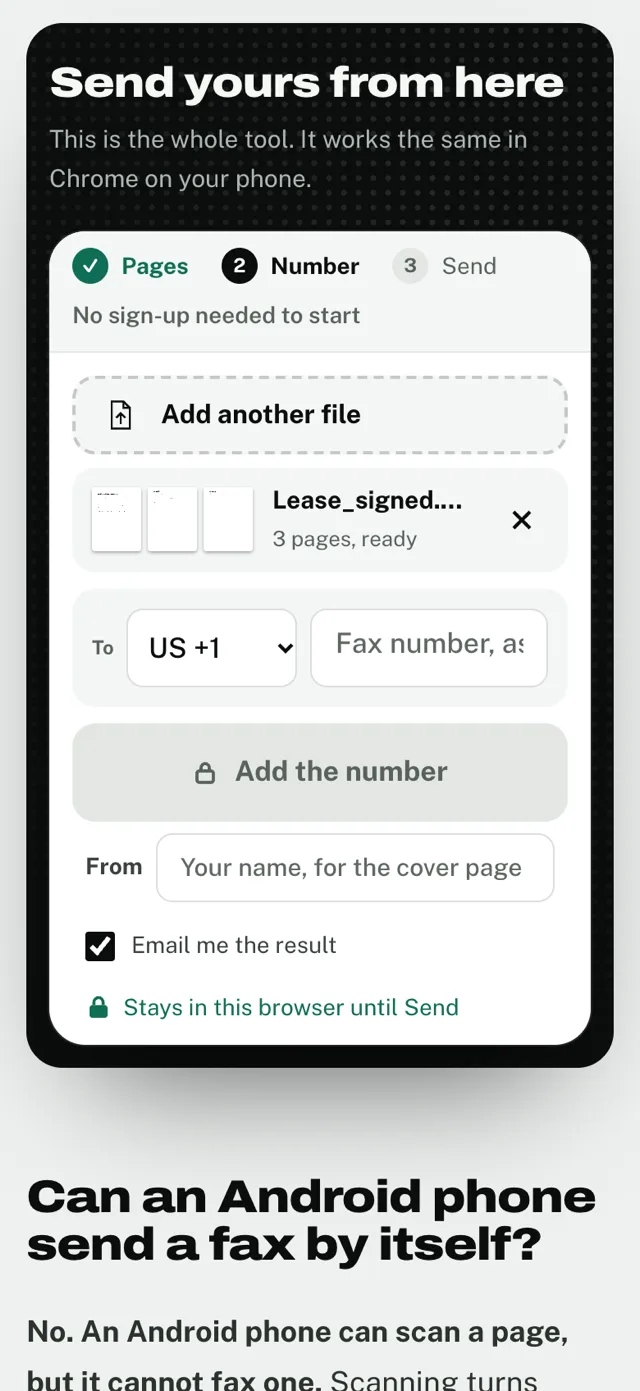
Send yours from here
This is the whole tool. It works the same in Chrome on your phone.
- Pages
- Number
- Send
Ready to go.
Check your email
We sent a 6-digit code to . Type it here to go on.
By continuing you accept the Terms and Privacy policy.
Pages for this fax
One payment, nothing renews. Card, Apple Pay or Google Pay on the next screen.
Can an Android phone send a fax by itself?
No. An Android phone can scan a page, but it cannot fax one. Scanning turns paper into a PDF, and Android does that for free: Google Drive has a document scanner, and many Galaxy phones have one in the camera. Faxing is a different job. A fax is a phone call from one fax machine to another, and the receiving machine has to answer, take the pages and confirm them.
Your phone has no fax modem and no way to make that kind of call, and Google has never built a fax service into Android, Chrome or Gmail. So the second half of the job always goes through a fax service: a website you open in the browser, or an app. The service takes your PDF over the internet and hands it to a carrier, which dials the fax number on a phone line, sends each page and reports back what the other machine said.
That is why the first search result for this question can be misleading: a tip that Android “has it built in” describes the scanner, not a way to reach a fax machine. The two halves are easy to tell apart once you see them side by side.
1. Scan the page, or share the PDF to your phone
Start with the pages as a file. If they are on paper, scan them with Google Drive: open the Drive app, tap the camera button at the bottom right, point the phone at the page and take the photo, then crop, add more pages and save it as a PDF. Those are Google’s own steps, and the result is one PDF with every page in order.
If the document arrived by email or sits in Drive, save a copy to the phone: tap the download arrow on a Gmail attachment, or choose Download from the file’s menu in Drive. Then open faxvio.com in Chrome and tap the drop area. Android’s file chooser opens with your Downloads and photos, and Drive if it is installed; pick the file. A photo of a page works too, as a JPEG or PNG.
Faxvio counts the pages before anything is sent and shows each one in black and white, the way the receiving machine will print it. One fax takes up to 50 pages and 19 MB of files. A cover page is free and never counts against your pages.
2. Type the number the way it is printed
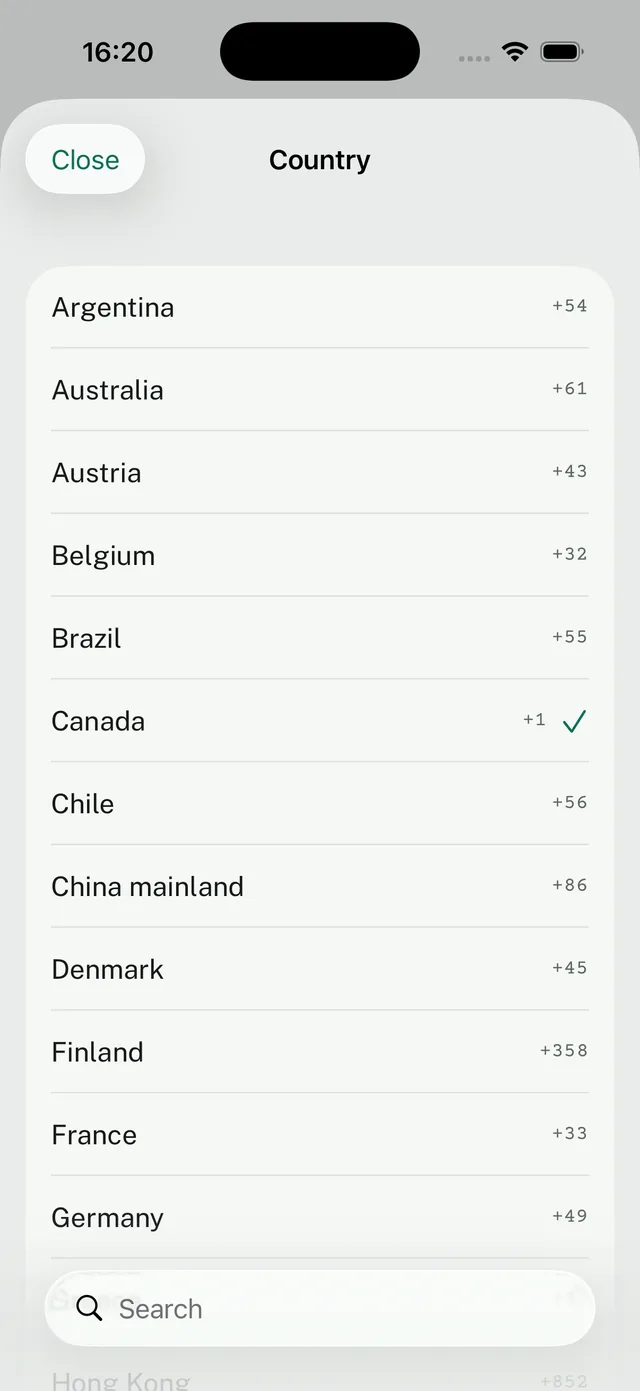
Choose the country and copy the fax number exactly as it appears on the letterhead or the form. Faxvio adds the country code, drops the leading zero where a country needs it and keeps it where it does not, and shows the full number it will dial before you pay. If you are not sure how a number should look, check how the fax number should be written first.
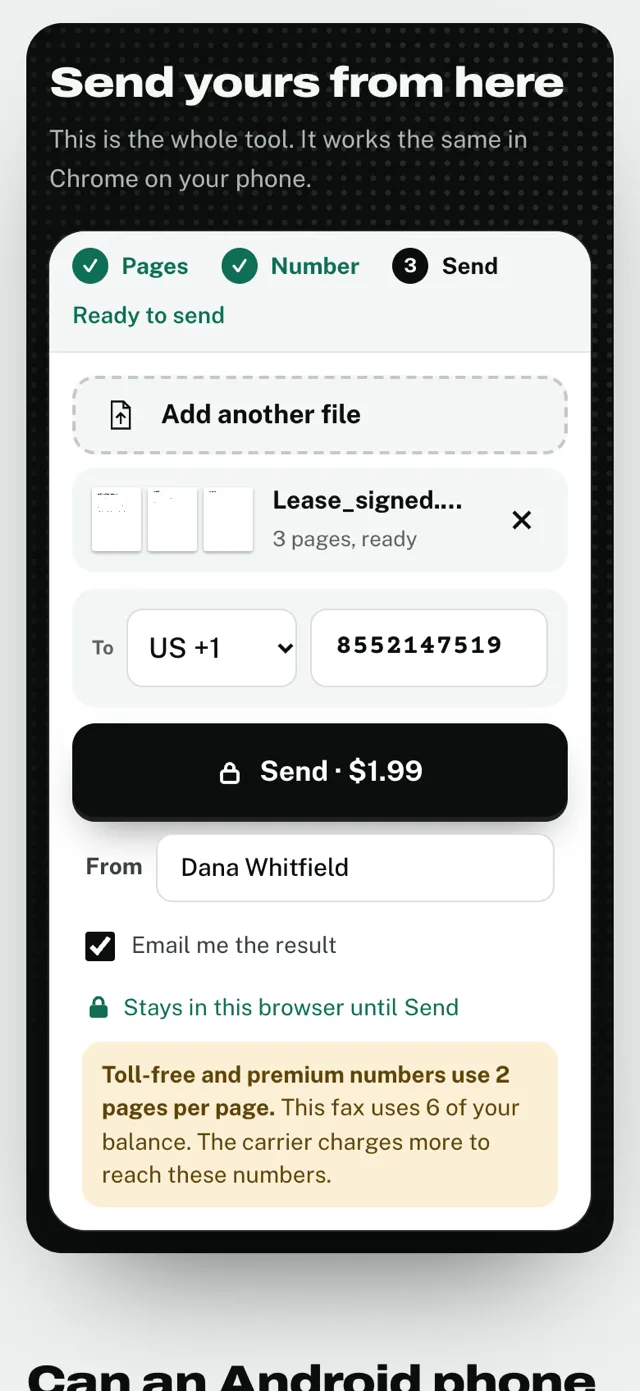
Toll-free and premium numbers use 2 pages for every page, and the form says so as soon as you type one. The screenshot shows a real example: 855-214-7519, the fax number the IRS publishes for Form 2848 at its Memphis office. Three pages to it use 6 pages of balance, so the price on the button becomes $1.99 instead of $1.09.
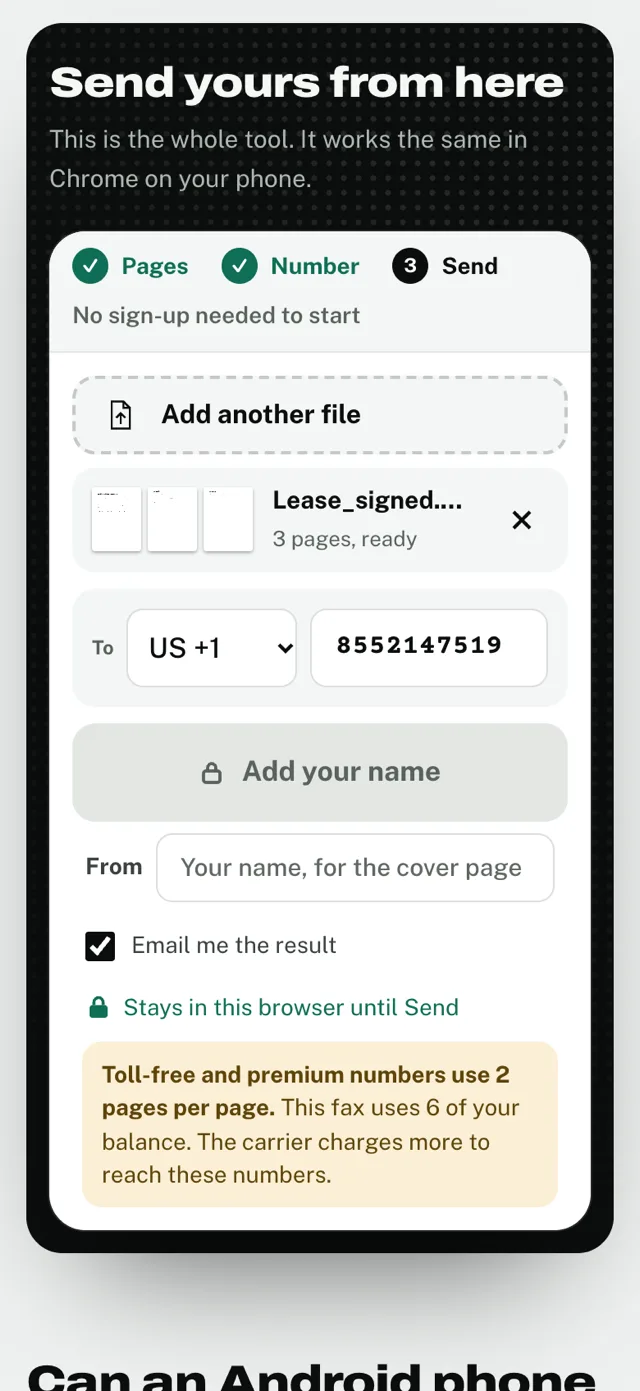
A fax to a US or Canadian number carries the sender’s name on its cover page, so the form asks for your name when the number starts with +1. That name is what the recipient sees at the top of the fax.
3. Send it in Chrome
You sign in at the moment you press Send, and not before.
When the pages, the number and, for +1 numbers, your name are in place, the button shows the price and turns black. Press it. Here is what happens next, in order:
- 1Sign in, with Google, with Apple, or with a 6-digit code sent to your email. Your fax waits in the browser while you do.
- 2Your first page is on us, once, on your first sign-in on the web: one per email address and one per browser. A one-page fax to an ordinary number then costs nothing.
- 3Buy a page pack if the balance is short. The four packs run from $0.36 down to $0.18 a page; card or Google Pay, one payment, nothing renews.
- 4The fax goes out. Faxvio hands it to the carrier, which dials the number and transmits the pages. The form shows Sending, then On the line.
You can close the tab once it is sending. If “Email me the result” stays ticked, the outcome arrives by email, and the fax with its receipt waits in your account. The document itself is removed from our server as soon as the carrier accepts the fax. The four page packs and their prices are on one page, and the pages you do not use never expire.
4. Keep the PDF receipt
Faxvio says Delivered only after the receiving machine has confirmed the pages. At that moment the form shows how many pages were confirmed and when, and a Download receipt button. On Android the PDF goes to your Downloads, where the Files app keeps it next to the scan you sent.
The receipt is your proof for a tax office, an insurer, a landlord or a court clerk. It records the number that was dialled, the date and time, the pages and the carrier’s transmission ID, which is what an office with a fax log can find your fax by. What each line means, and what it does and does not prove, is explained in what a fax confirmation proves.
Delivered means a machine accepted the pages. It does not mean a person has read them yet; if it matters, call the office and give them the time on the receipt.
Send yours now ↑| Line | What it tells you |
|---|---|
| Stamp: DELIVERED, RETURNED or CANCELLED | The final result. |
| Confirmed by the receiving machine at … | The time of that confirmation. |
| DESTINATION | The number that was dialled, written in full with its country code. |
| DATE | The date and time of the result, in your time zone.. |
| PAGES TRANSMITTED | The pages of your document, then “+ 1” when a cover page went with them.. |
| TRANSMISSION ID | The carrier’s identifier for the call. |
How long does it take to fax from an Android phone?
About a minute, measured rather than promised. Across real Faxvio faxes sent between 4 September and 2 November 2026, the median time from pressing Send to Delivered was 66 seconds, and 79 % of faxes were confirmed in under 2 minutes. Each page took 35 seconds on average, with a median of 29 seconds. The phone makes no difference: a fax from Chrome on Android goes through the same server and the same carrier as one from a laptop.
A fax takes longer when the other end slows it down: the machine is busy with another fax, it is an older model that accepts only the slower standard speed, or the document is long and full of dense scans. Until the machine confirms, the status reads Sending, then On the line. To see how a longer document adds up, estimate how long your fax will take.
How to fax from a Samsung Galaxy phone
The same four steps. What differs on a Galaxy is where the scan comes from.
A Samsung Galaxy is an Android phone, so everything above works on it unchanged, in Chrome or in Samsung Internet, the browser Galaxy phones come with. Both are built on the same Chromium engine; we describe Chrome because it is the one most Android phones share. The Galaxy-specific part is the scanner in the camera. Samsung’s own support page gives these steps:
- 1Open the Camera app and line up the viewfinder with the document.
- 2Tap Scan when it appears; the phone finds the edges of the page.
- 3Tap Save. The scan is saved in the Gallery app as an image. Tap Retake if it is crooked or blurred.
- 4For several pages in one file, attach the scans to a note in Samsung Notes and export the note as a PDF.
- 5Open faxvio.com in Chrome or Samsung Internet, tap the drop area and pick the scan from Gallery or the PDF from My Files.
If the Scan button does not appear on your model, use the Google Drive scanner from step 1 instead; it works the same on every Android phone and saves straight to PDF. A single photo of a page is also fine, as long as the light is even: the form shows it in black and white so you can see whether the signature survived. For a closer look at one page, preview it at fax resolution before you send.
What does it cost to fax from an Android phone?
In Chrome on faxvio.com, a fax of up to 3 pages costs $1.09, with nothing to install and nothing that renews. Of the Android fax apps on Google Play, only two state in their listing a price that covers one 3-page fax to a US number: OneFaxNow at $3.50 a fax, for US and Canadian numbers only, and Tiny Fax at $4.99 for a week of its unlimited plan, which renews until it is cancelled. Listings read on 3 November 2026.
The rest price by plan, credit or token, and a Play listing shows only the range of its in-app items before you install. Easy Fax, for one, states “between $0.25 and $0.50” a page, while the smallest item Google Play lists for it is $9.99.
Two web routes cost less for one short fax inside North America, each with its own condition. FaxZero is free for up to 3 pages plus a cover, 5 free faxes a day, to the US and Canada, with FaxZero branding on the cover page. Dropbox Fax gives 5 free fax pages with an account, then charges $0.99 per fax for faxes up to 10 pages, then $0.20 for every page after. Faxvio fits when the fax goes outside North America, to any of its 37 countries, when you want to see the page in black and white first, or when the office wants a receipt.
Every way to fax from Android, compared
The table puts the browser routes first, then ten fax apps on Google Play in the order of how many reviews they have. “How you pay” quotes each listing; the next column is the range of in-app items Google Play shows for the app, from the cheapest to the dearest, which is the least you can spend inside it. Where a listing does not state a price for a 3-page fax, the cell says so rather than guessing. The full ledger, with ratings and installs, is on the Faxvio for Android page.
| Way | How you pay | 3 pages to the US | In-app items on Play | Fax number to receive |
|---|---|---|---|---|
 Faxvio, in Chrome or the app | Page packs, pages never expire; first page on us once on the web | $1.09 | $1.09–$9.99 | No, sends only |
 FaxZero (website) | Free tier; paid: $3.29 per fax (PayPal), up to 25 pages | $0.00 | Website | — |
 Dropbox Fax (website) | 5 free fax pages with an account; then $0.99 per fax for faxes up to 10 pages, then $0.20 for every page after | $0.00 within the free pages | Website | — |
 Fax.Plus Alohi · updated Nov 2, 2026 | Plans; sends to “more than 180 countries” | Not stated | $8.99–$949.99 | Yes, by subscription |
 FAX App Municorn · updated Oct 15, 2026 | “A flexible range of subscriptions”, “no per-page charges” | Not stated | $5.99–$99.99 | Yes, by subscription |
 FaxFlow Mobile Flow · updated Oct 12, 2026 | “Sending and receiving require a subscription”: weekly, monthly or annual | Not stated | $9.99–$199.99 | Yes, by subscription |
 Tiny Fax TinyWork Apps · updated Aug 3, 2026 | Unlimited plan: $4.99 a week, $14.99 a month, $39.99 a year | $4.99 | $1.99–$199.99 | Yes, by subscription |
 Easy Fax Cool Mobile Solution · updated Oct 3, 2026 | Credits: 10 per US page, “between $0.25 and $0.50” a page; 15 free credits at first login | Not stated | $9.99–$349.00 | Not stated |
 eFax Consensus · updated Oct 7, 2026 | “Designed specifically for our eFax Plus, eFax Pro and eFax Protect plan subscribers” | Not stated | $2.99–$89.99 | Yes, by subscription |
 iFax Crowded Road · updated Oct 28, 2026 | “Send faxes free for 7 days”, then plans; cost “determined by the number of pages and destination” | Not stated | $0.99–$384.99 | Yes, by subscription |
 Genius Fax The Grizzly Labs · updated Oct 19, 2026 | One credit a page, cover page free; a credit “as little as $0.39” | Not stated | $0.99–$21.51 | Yes, by subscription |
 OneFaxNow Dozod · updated Oct 14, 2026 | “$3.50 flat rate (1–10 pages)”, US and Canada numbers, “no account, no subscription” | $3.50 | $0.99–$449.99 | Not stated |
 WiseFax Vanaia · updated Sep 1, 2026 | Fax tokens, “no monthly or yearly subscription” | Not stated | $1.00–$61.00 | Not stated |
Most of these apps are built around a fax number of your own, which is why they sell subscriptions: receiving faxes means renting a line every month. If you only send, a weekly plan is good value in a week with ten faxes and expensive for one, because it renews until you cancel it in Google Play under Payments and subscriptions. A page pack has nothing to cancel. To price your own page count and country, work out what your fax will cost; Faxvio charges the same per page in every one of its 37 countries.
Can you fax from Android without an app?
Yes, and for most people sending a fax now and then, the browser is the better tool.
A fax website in Chrome does the whole job: it takes the file, dials through its carrier and reports the result. Nothing is installed, nothing asks for permissions, and there is no subscription screen to dismiss. The form on this page is Faxvio’s entire product on the web; it behaves the same on a phone as on a laptop, and it keeps your fax in the browser until you press Send.
Email to fax from the Gmail app
Some fax services give you an address that turns an email into a fax: you write to the fax number at the service’s domain and attach the PDF. It works from Gmail or Samsung Email, but only with an account at that service, and usually only from the address you registered. Faxvio does not offer email to fax; the steps for every Gmail route are in how to fax from Gmail.
Google Voice and printers
Google Voice has no fax feature, and printing from Android to a home all-in-one prints the page rather than faxing it: the printer can fax only over its own phone line, from its own keypad. If the office accepts email or an upload portal, use that; if it asks for a fax, use a fax service.
Is there a Faxvio app for Android?
Yes. Faxvio for Android is on Google Play, for Android 8.0 or later: it scans the page with Google’s document scanner, takes a PDF from another app’s share sheet and notifies you when the receiving machine confirms, with the same page packs and no account. Everything on this page still works in the browser with nothing installed, to the same 37 countries and with the same receipt. If you also use an iPhone, faxing from an iPhone works the same way in Safari.
What if the fax does not go through?
A fax is a phone call between two machines, and the one at the other end can be busy, switched off, out of paper or not a fax machine at all. Faxvio reports what the carrier reports, in the sentences below, and in every case the pages come back to your balance automatically; the same fax is ready to send again from the form.
Three habits prevent most failures. Check the number with the recipient, since a voice line cannot take a fax. Split a long document if the office’s machine is old; one fax can carry up to 50 pages, but a shorter call is less exposed to a dropped line. And re-scan a very dark photo, which takes longer and fails more often. An account sends up to 10 faxes an hour and 60 a day.
| What Faxvio says | What to do |
|---|---|
| The line stayed busy. | Send again later. A fax line shared with a phone, or an office machine busy with other faxes, is the usual cause. |
| No answer from the fax machine. | Check the number with the recipient; the machine may be switched off or out of paper. Try again later. |
| The number answered as a voice line — check it’s a fax number. | A person or a voicemail picked up. Ask the office for its fax number, not its phone number. |
| The number couldn’t be dialled. | Check the country code and the digits. |
| The document couldn’t be converted — try re-scanning. | Re-scan the page or export the PDF again, then resend. |
| The fax line failed part-way through. | Send again. Long faxes are more exposed to a dropped line; an old machine may need the document in parts. |
| The fax could not be completed. | Send again, and write to support if it repeats. |
Faxing from an Android phone: the facts
| What you need | An Android phone and the pages Chrome or another browser. No fax machine, landline, app or fax number of your own. |
|---|---|
| Cost of one fax | $1.09 for up to 3 pages Down to $0.18 a page in bigger packs. No subscription; unused pages never expire. |
| Your first page | On us, once When you first sign in on the web: one per email address and one per browser. |
| Time to deliver | About a minute Median 66 seconds from Send to Delivered; 79 % under 2 minutes (Sep–Nov 2026). |
| Proof of delivery | A PDF receipt Issued once the receiving machine confirms every page; kept in your account for 90 days. |
| If it fails | Pages come back To your balance, automatically, with the reason in plain words. |
| Countries | 37 One price per page in all of them; toll-free and premium numbers use 2 pages per page. |
| Receiving faxes | Sending only Receiving needs a fax number rented from a provider. |
Questions people ask
Can you fax from an Android phone for free?
For one fax, often yes. Faxvio gives you your first page when you first sign in on the web, so a one-page fax to an ordinary number costs nothing. FaxZero sends up to 3 pages plus a cover, 5 free faxes a day, to the US and Canada, with FaxZero branding on the cover page. Dropbox Fax gives 5 free fax pages with an account. After that you pay per page, per fax or per week, depending on the service; Faxvio costs $0.36 to $0.18 a page.
Can I fax from my phone without installing an app?
Yes. Open faxvio.com in Chrome, add the PDF or a photo of the page, type the fax number and press Send. Nothing is installed, and you sign in only at that moment, with Google, Apple or a code sent to your email.
Does Android have a built-in fax feature?
No. Android can scan a page into a PDF, with Google Drive or a Galaxy’s camera, but it cannot dial a fax machine. Sending needs a fax service, either a website you open in the browser or an app.
How do I send a fax from my Samsung phone?
The same way as on any Android phone. Scan the page with the Camera app’s Scan button or with Google Drive, open faxvio.com in Chrome or Samsung Internet, add the scan, type the number and send. The Samsung steps are on this page.
Can I send a fax from Gmail on Android?
Not by itself: Gmail sends email, and a fax machine does not read email. Save the attachment to your phone and add it to a fax website, or use an email-to-fax address from a fax service you have an account with. Faxing from Gmail has its own guide.
How to fax for free with Google?
Google has no fax service. Google Drive can scan a page into a PDF on an Android phone, and Gmail can carry that PDF, but neither can dial a fax number. The fax itself needs a fax service.
Do I need a fax machine or a landline?
No. Your phone sends the pages over the internet to Faxvio, and a fax carrier dials the receiving machine on a phone line. You need only the phone, the pages and the fax number.
How do I fax internationally from an Android phone?
Choose the country in the form and type the number the way it is printed. Faxvio sends to 37 countries at one price per page, so a fax to Germany costs the same as one to Ohio. The full list of countries shows how each writes its fax numbers.
Can my Android phone receive a fax?
Not with Faxvio, which sends faxes only and gives you no fax number. Receiving needs a fax number rented from a provider; several of the Play Store apps compared on this page sell one as a subscription.
Bottom line
You can fax from an Android phone without a fax machine and without installing anything: scan the page with Google Drive or a Galaxy camera, open faxvio.com in Chrome, type the number and send. A fax of up to 3 pages costs $1.09, the median time to Delivered is 66 seconds, and every delivered fax comes with a PDF receipt confirmed by the receiving machine; if it fails, the pages come back to your balance.
Make your fax better before you send it
Free tools that run in your browser. Nothing is uploaded.
Check the number first
See the exact number Faxvio will dial, and whether it costs extra, before you pay.
Check a number →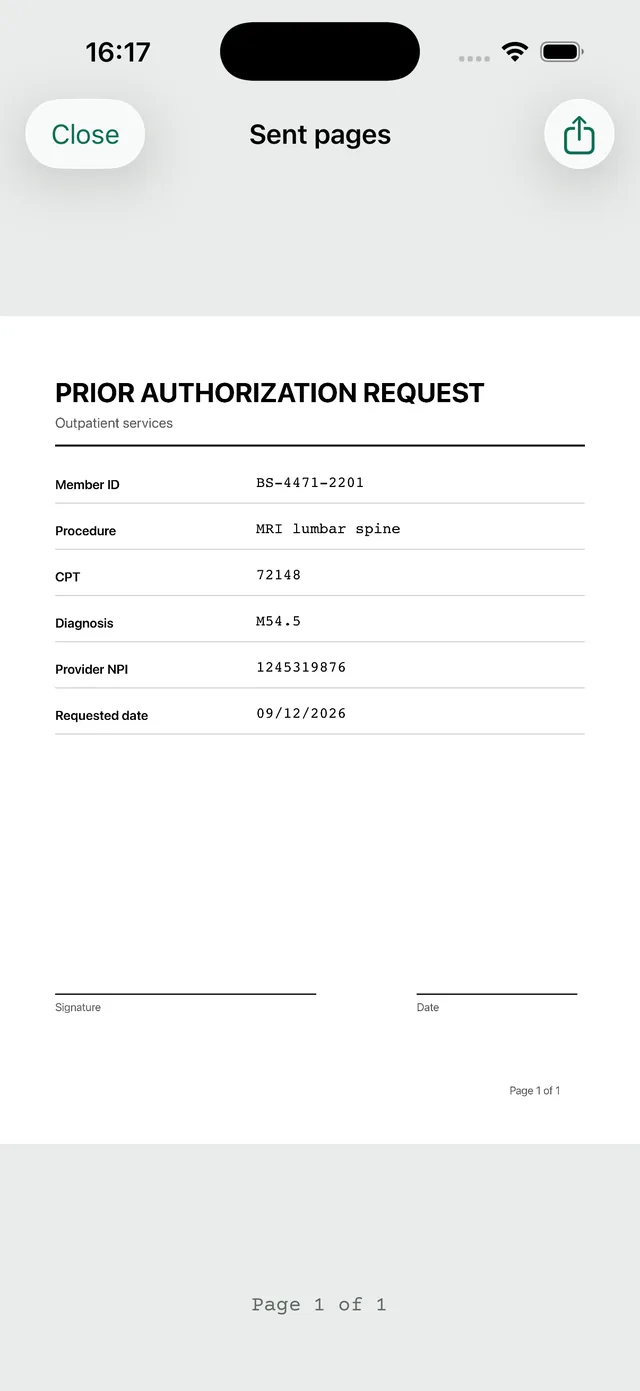
See it in black and white
Drop a photo of a page and see what a fax machine will actually print.
Preview a page →
Estimate the time
How long a fax of your length takes, and why a busy or old machine is slower.
Estimate the time →