
How to fax your unemployment paperwork to the state, from a phone or a laptop
Find the number your state agency gave you, send the pages from this browser today, and keep a receipt with the time they arrived.
 Merey Tleugazin, founder of Faxvio
Updated · 8 min read
Faxing unemployment documents, in short
To fax unemployment documents, use the fax number your state’s unemployment agency printed on the notice or form that asked for them, put your name and claim identifier on the first page, and send from a fax website. Each state runs its own program. Faxvio sends from any browser: up to 3 pages cost $1.09, with a PDF receipt.
- 1Find the number on the notice that asked for the documents.
- 2Write your name and claim ID on the first page.
- 3Add the pages and check them in black and white.
- 4Send and keep the receipt with the notice.
$1.09
for up to 3 pages
66 s
to Delivered, median of real sends
receipt with the time it arrived
Send yours from here
Type the agency’s number as the notice prints it. Faxes to US numbers carry your name on a free cover page; add your claim identifier to its Subject.
- Pages
- Number
- Send
Ready to go.
Check your email
We sent a 6-digit code to . Type it here to go on.
By continuing you accept the Terms and Privacy policy.
Pages for this fax
One payment, nothing renews. Card, Apple Pay or Google Pay on the next screen.
Where do you fax unemployment documents?
To the fax number your state agency gives you for that request, and to no other. The Department of Labor puts it plainly: “Each state administers a separate unemployment insurance program”, and you claim in the state where you worked. So there is no national unemployment fax number. If you worked in one state and live in another, the documents go to the agency of the state where you worked.
Agencies usually ask for documents in a notice: to confirm your identity, your wages, why a job ended, or that you looked for work. That notice is the best place to find the fax number, because it is the number of the unit that will read your pages. If the notice has none, go to the agency’s own website; the DOL page links to CareerOneStop’s finder of state unemployment offices, run for the Department of Labor.
| Where | What you find there | Use it? |
|---|---|---|
| The notice asking for documents | The number of the unit handling your request, often with a deadline and the identifier to write on each page | Yes, first |
| The form itself | Some forms say how to return them. North Carolina’s Power of Attorney form, for example: “a paper copy may be mailed/faxed to DES for processing and approval” | Yes |
| The agency’s own contact page | Fax lines by unit (claims, appeals, employer services); pick the one for claimants | Yes, if the notice has none |
| Your online account | Messages and an upload for the same documents, where your state offers it | Yes, as the alternative |
| A list on a third-party site | Numbers copied from somewhere, with no date and no owner | No |
What to attach, and what to write on the first page
Send exactly what the notice lists, in the order it lists it, and nothing it did not ask for. Typical requests are a photo ID and a second proof of identity, pay stubs or a W-2 for a wage dispute, a separation notice or a letter from the employer, and a record of your work search. Put the first page of the notice itself on top when you can: it tells the reader which request your pages answer.
Write your full name and the claim or reference identifier the notice gives you on the first page, and ideally at the top of every page, in dark ink. A fax arrives as loose sheets, sometimes with other people’s faxes, and the identifier is how the pages find your file. Use only the identifiers the notice asks for.
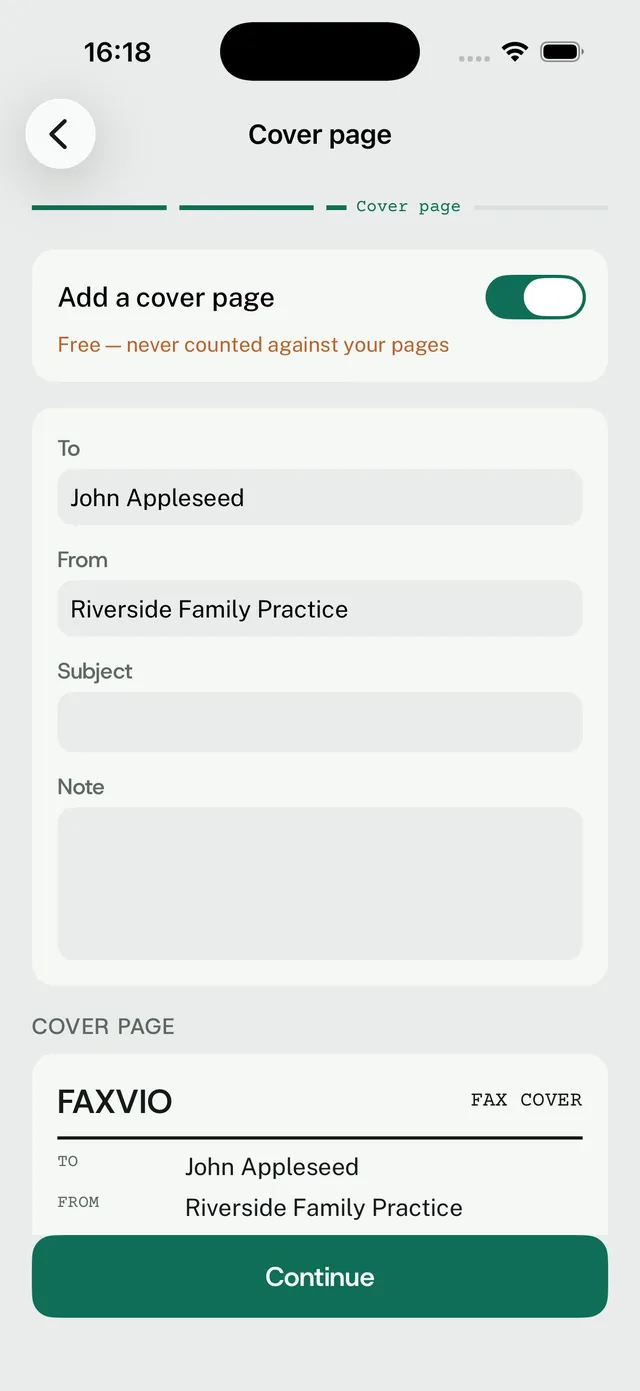
Faxes to US numbers start with a cover page that carries your name; Faxvio adds it free and never counts it. Sent from this page, that cover page carries the subject “Response to request for documents”, and you can add your claim identifier in the form’s Subject field. For a fuller cover sheet with a note and a list of what is attached, fill in the free cover sheet, download it as a PDF and add it as the first page; that page is counted like any other.
How to send it today, step by step
Ten minutes from the notice in your hand to a receipt in your downloads.
- 1Scan or photograph the pages. A PDF is best; a photo in even light, flat on a table, works. On an iPhone, Notes scans a page straight to PDF.
- 2Open the form on this page, or faxvio.com on any phone, tablet or computer, and add the files. Up to 50 pages and 19 MB per fax.
- 3Type the agency’s number exactly as the notice prints it. Faxvio adds the +1 and shows the full number before you pay.
- 4Check every page in black and white. A fax machine prints one dot black or white, so pale pencil and grey stamps can vanish. Darken them now.
- 5Press Send and sign in. With Google, Apple or a 6-digit code by email. Buy a pack if your balance is short.
- 6Wait for Delivered, then download the receipt. Keep it with the notice. Tick “Email me the result” to get the news by email too.
If you would rather work from a specific device, the same steps are written out with screenshots for an iPhone, for an Android phone and for a Windows PC or laptop.
What does it cost to fax documents to the state?
Faxvio charges per page, in packs you buy once: $1.09 covers a fax of up to 3 pages, and the bigger packs bring a page down to $0.18. Your first page on the web is on us, once, when you first sign in, so a one-page reply to a notice can cost nothing. There is no subscription and no monthly fee, and pages you do not use stay on your balance for the next notice.
A typical identity request, a photo ID and one more document, is two or three pages. A wage dispute with several pay stubs can run to ten. Whatever the size, the price is on the Send button before you pay, and the cover page is free. If the fax does not go through, because the line is busy or the agency’s machine does not answer, the pages return to your balance on their own and you can send again.
To try other sizes, work out the cost of your fax, or see the four page packs side by side.
How do you prove you faxed it before the deadline?
Notices carry deadlines, and some count from the day the agency mailed them. North Carolina’s form NCUI IB10-A, for example, says: “This form must be received within 14 days of the date it was mailed to you.” A fax reaches the agency the moment its machine accepts the last page, which is why a fax suits a close deadline better than the post.
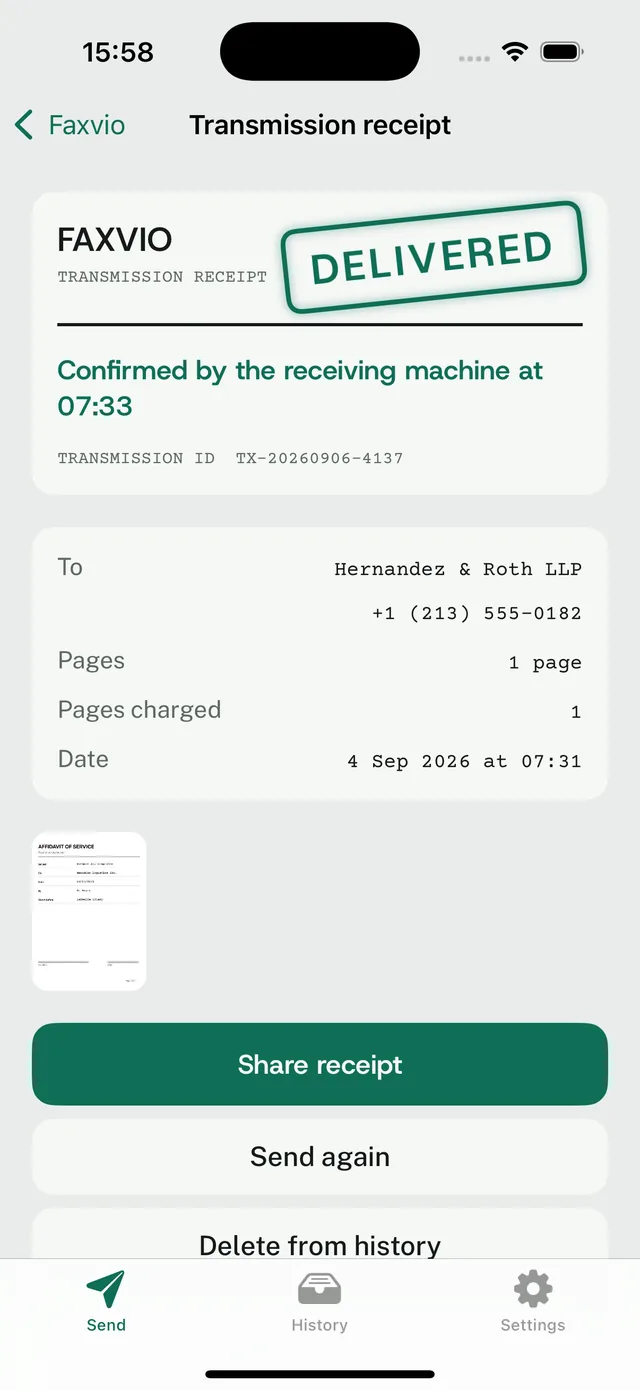
The record of that moment is the receipt. Faxvio says Delivered only after the receiving machine confirms the pages, and the PDF receipt shows the number dialled, the date and time of that confirmation, the pages sent and a transmission ID the agency can search its log for. What a fax confirmation proves, and what it does not, is explained field by field on its own page.
Save the receipt with the notice, and write the date you sent it on the notice. If the agency later says it never got the pages, the time and the transmission ID are what you give them.
Should you upload or fax unemployment documents?
Use the route your state names for the request. Many state agencies offer an upload in your online claim account, and where they do, the notice usually points to it. Fax remains one of the ways states take documents: the Department of Labor’s own guidance to states on document uploaders sets them beside “traditional verification methods like submitting documents by mail, fax, or in person”, and asks agencies to keep non-digital options open, because an uploader “may be down periodically for maintenance” and not every claimant has a scanner.
A fax is the right choice when the notice gives a fax number, when the upload refuses your file or the portal is down on the day of the deadline, or when you want a receipt with the time on it. It does not need a fax machine: the form on this page sends from the browser you are reading in, and your file stays in that browser until you press Send.
When the agency asks for originals
Some requests ask for a document to be shown in person or mailed, not faxed. Do what the notice says; a fax is a copy, and no fax service can turn it into an original. If you are unsure which route a request accepts, call the number on the notice before the deadline.
What Faxvio does with your documents
The pages travel from your browser to Faxvio’s server and on to the fax carrier, and they are removed from Faxvio’s server as soon as the carrier accepts the fax. The record of the fax, which is the number, the time and the page count, stays in your account for 90 days so you can download the receipt again.
Faxing unemployment documents: the facts
| Who receives it | Your state’s agency The state where you worked; each state runs its own program. |
|---|---|
| Which number | The one on the notice Otherwise the agency’s own website; never a third-party list. |
| Cost of one fax | $1.09 for up to 3 pages Down to $0.18 a page in bigger packs. Cover page free. |
| Your first page | On us, once When you first sign in on the web: one per email address and one per browser. |
| Time to deliver | About a minute Median 66 seconds from Send to Delivered; 79 % under 2 minutes. |
| Proof | A PDF receipt Date, time, number, pages and a transmission ID, after the agency’s machine confirms. |
| If it fails | Pages come back To your balance, automatically, with the reason in plain words. |
Questions people ask
Can I fax my unemployment documents?
Usually, yes, when the agency gives you a fax number for them. Each state administers a separate unemployment insurance program, so the number and the rules come from your state: look on the notice or form that asked for the documents, then on the agency’s own contact page. Many states also offer an upload in your online account.
Where do I find the fax number for my state unemployment office?
On the letter, notice or form that asks for the documents, first; that number belongs to the unit handling your request. Otherwise on the agency’s own website, which the U.S. Department of Labor’s page links to through CareerOneStop’s finder of state offices. Avoid numbers copied onto third-party lists.
How do I fax unemployment documents without a fax machine?
Open faxvio.com in the browser of your phone or computer, add the pages as a PDF or photos, type the agency’s fax number, check the black-and-white preview and press Send. You sign in at that moment with Google, Apple or an emailed code. A fax of up to 3 pages costs $1.09.
How long does it take to fax documents to the unemployment office?
About a minute for the fax itself: across real Faxvio faxes, September to November 2026, the median time from Send to Delivered was 66 seconds, and 79 % were confirmed in under 2 minutes. How long the agency takes to read the pages is up to the agency.
How do I prove I faxed my documents on time?
Keep the PDF receipt. It shows the number dialled, the date and time the receiving machine confirmed the pages, how many pages went, and a transmission ID. Save it with the notice you were answering, under the same name.
What should I write on a fax to the unemployment office?
Whatever the notice asks for, written the way it asks: usually your full name and the claim or reference identifier it gives you, on the first page and ideally on every page. A short cover sheet saying which notice you are answering helps the pages reach the right desk.
Is it better to upload or fax unemployment documents?
Use the route your state names for that request. Where an upload is offered and working, the notice usually points to it; a fax is the route when the notice gives a fax number, or when the portal is down: the Department of Labor itself notes that uploaders may be down periodically for maintenance.
Does Faxvio keep a copy of my documents?
No. The pages are removed from Faxvio’s server as soon as the fax carrier accepts the fax. What stays is the record of the fax (number, time, pages), from which your receipt is built, for 90 days in your account.
Can the unemployment office fax me back with Faxvio?
No. Faxvio only sends faxes; it gives you no fax number, so nothing can be faxed to you through it. Agency replies come by mail or in your online account, as your state arranges.
Bottom line
To fax unemployment documents, use the number your state agency printed on the notice that asked for them; each state runs its own program, and the Department of Labor’s page links to every state office. From faxvio.com in any browser, a fax of up to 3 pages costs $1.09, the median time to Delivered is 66 seconds, and the PDF receipt records the moment the agency’s machine accepted the pages. If it fails, the pages return to your balance.
Make your fax better before you send it
Free tools that run in your browser. Nothing is uploaded.
Add a cover sheet
Fill in To, From and a note. It becomes the first page and is never charged.
Make a cover sheet →
See it in black and white
Drop a photo of a page and see what a fax machine will actually print.
Preview a page →
Check the number first
See the exact number Faxvio will dial, and whether it costs extra, before you pay.
Check a number →