
Fax a medical records request without a fax machine
Who to send it to, what the form asks for, what the cover page should say, and how to keep proof that the office received it.
 Merey Tleugazin, founder of Faxvio
Updated · 11 min read
Faxing a medical records request, in short
To fax a medical records request, get the fax number of the provider’s medical records department and its release form, fill the form in and sign it, then send it with a cover page titled “Records request”. From this page a 2-page request costs $1.09, reaches the office in about a minute, and comes with a PDF receipt.
- 1Get the form and the fax number from the provider’s website or front desk.
- 2Fill it in and sign it, then scan it or save it as a PDF.
- 3Send it here with the cover page already titled “Records request”.
- 4Keep the PDF receipt until the records arrive.
$1.09
for a 2-page request
30 days
a provider usually has to respond, per HHS
receipt with every fax
Send yours from here
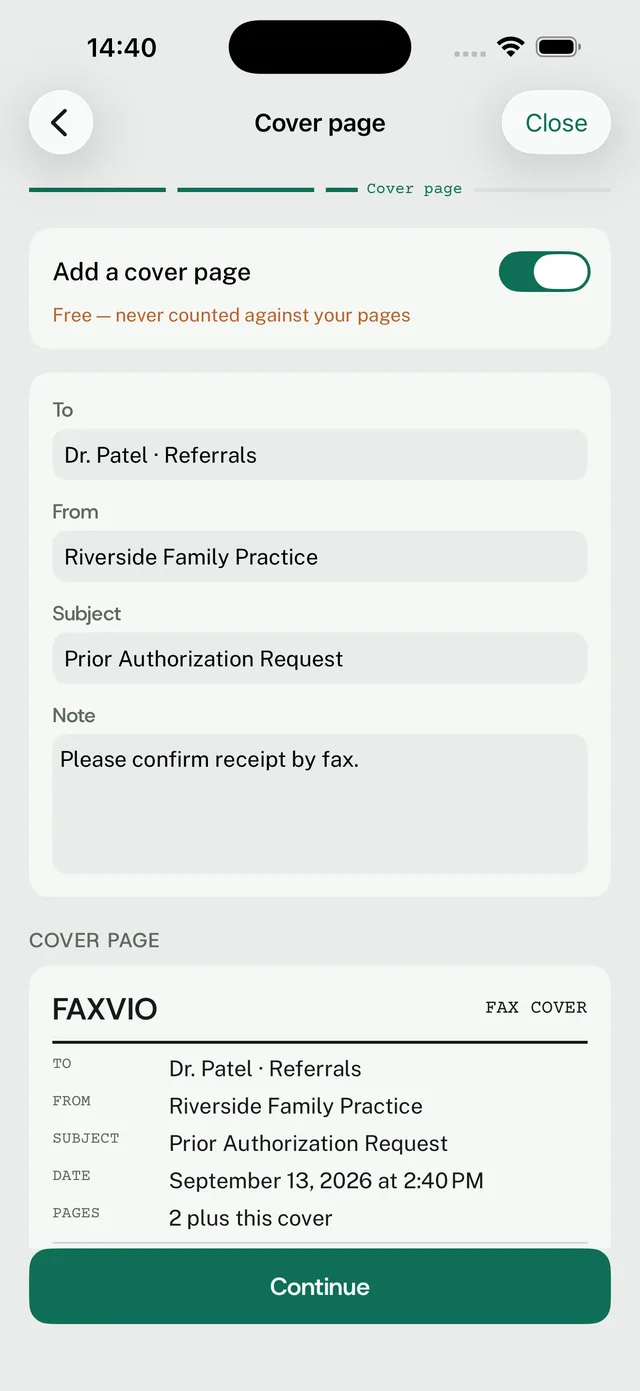
The cover page goes out titled “Records request”, a subject you can change in the form, with your name on it. Add the signed form and the records department’s fax number.
- Pages
- Number
- Send
Ready to go.
Check your email
We sent a 6-digit code to . Type it here to go on.
By continuing you accept the Terms and Privacy policy.
Pages for this fax
One payment, nothing renews. Card, Apple Pay or Google Pay on the next screen.
Who do you send a medical records request to?
To the department that releases records, at the fax number the provider gives for it.
A records request goes to the provider that holds the records: the doctor’s office, the clinic, the hospital, the lab or the health plan. Inside a large practice or a hospital it does not go to the front desk or to your doctor, but to a department called Medical Records, Health Information Management or Release of Information. That department usually has its own fax number, and a fax sent to the main number can sit in the wrong tray for days.
The quickest way to find the number is the provider’s own website. HealthIT.gov, the HHS office that publishes the guide to getting your records, says the information “may be found under the Contact Us section of a provider’s website”, and that it may point you to an online portal, a phone number, an email address or a form. If the website says nothing, call and ask for the release of information fax. Write the number down exactly as they read it, including the area code.
Check the patient portal before you fax anything. Much of a recent record, such as visit notes, test results, medications and immunizations, may already be there to download. Fax is the right tool when the provider asks for a signed form, when the records you need are older than the portal, or when you are asking one office to send records to another.
Requesting your own records, or asking them to go to a new doctor
There are two requests that look alike. In the first you ask for a copy of your own record; HHS calls this your right of access. In the second you ask the provider to send the record to someone else, usually a new doctor. Many release forms handle both, with a field for the “receiving party or destination of records”. Your new doctor’s office can often make the request for you, because providers may share information to treat you without a request from you at all.
Either way, plan where the records will land. Faxvio sends faxes only; it has no fax number, so records cannot come back to you through it. Ask for them through the portal, by mail, by email, or sent straight to the new doctor’s fax, and write that destination on the form and on the cover page.
What should you attach to a records request fax?
Attach the provider’s own form if it has one, signed and dated. HealthIT.gov calls it “a health or medical record release form, or request for access” and notes that “there is not a standard form”: every office lays it out differently. If the office has no form, a short signed letter does the same job when it answers the questions in the table below.
Add a copy of a photo ID only if the form asks for it; some offices do, to match the signature. Leave out anything else. A records request is not the place for a medical history, and a shorter fax is cheaper and quicker to process. Before you send, look at the signature at fax resolution in the fax quality preview: a light blue pen can arrive as a few grey dots.
| Field on the form | What to write |
|---|---|
| Patient information | Your full name as the provider has it, date of birth, address, phone. A former name if your records are under it. |
| Clinic, hospital, care provider | The office that holds the records, as it appears on its letterhead. |
| Date of services | The years or visits you need, such as “2023 to 2026”. A narrow range comes back sooner. |
| Information to be released | Full record, or the parts you need: visit notes, test results, imaging reports, medications. |
| Receiving party or destination of records | You, or the new doctor’s name, address and fax number. |
| Purpose of release | Often a short phrase: “personal use” or “continuing care”. |
| Expiration date or duration of consent | The date after which the permission ends, if the form asks. |
| Release instructions | How you want them: portal, PDF by email, paper by mail, CD for imaging. |
| Signature, date, relationship, legal authority | Your signature and date. A parent, guardian or other representative adds the relationship and the document that gives them authority. |
What should the cover page of a records request say?
- FAXVIO · FAX COVER
Drawn by Faxvio’s server as the first page. It is never charged and never counts toward your pages.
- TO
The department, not just the practice: Medical Records, Health Information Management or Release of Information, whichever name the office uses.
- FROM
Your name, as it appears in the provider’s records, and “patient” or your relationship to the patient. A fax to a US number needs a name here.
- SUBJECT
“Records request”, already filled in when you send from this page. It tells the person who empties the fax tray which pile it belongs on.
- DATE
Printed automatically, in your time zone. It dates your request, and the receipt carries the same moment.
- PAGES
Your pages, then “plus this cover”, counted by Faxvio. The office can see at a glance whether everything arrived.
- Note
Optional. Where the records should go and how to reach you. Faxvio sends only, so give the new doctor’s fax, your portal or your mailing address.
A cover page is the first thing anyone sees at the receiving end, and in a records department the fax tray is shared with referrals, lab results and insurance letters. The subject line sorts your fax. The page count lets the clerk check that the form arrived whole. The note answers the question the clerk would otherwise have to call you about: where the records should go. Keep it to that. A cover page is read by whoever happens to pick it up, so it is not the place for a diagnosis or a reason for the request beyond the one the form asks for.
If you would rather print your own cover sheet with a logo or more fields, make one in the cover sheet tool and put it in front of the form; it then counts as a page. To a US number, Faxvio’s own cover page still goes first, because a fax to the US must carry the sender’s name.
How to fax the request from your phone or computer
- 1Save the signed form as a PDF or a photo. A phone photo of a paper form works; lay it flat in daylight. On an iPhone, the Files app can scan a page into a PDF.
- 2Drop it into the form at the top of this page. Faxvio counts the pages and shows the price before anything is sent.
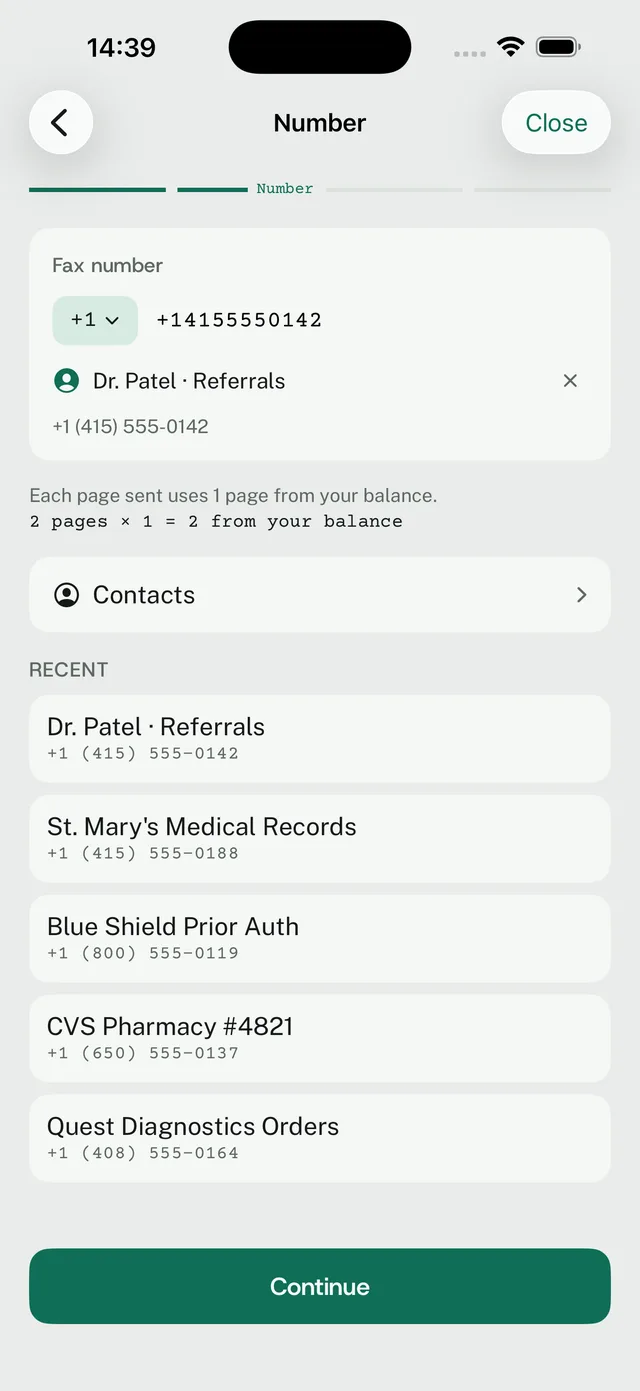
- 3Type the records department’s fax number as printed. Faxvio adds the country code and shows the full number it will dial. A number starting with 800, 833, 844, 855, 866, 877, 888, 900 is toll-free or premium and uses 2 pages per page; you see that before you pay.
- 4Type your name in From and send. Sign in with Google, Apple or an email code when asked. Your first page is on us the first time you sign in on the web.
- 5Wait for Delivered. Across real Faxvio faxes, September to November 2026, the median time from Send to Delivered was 66 seconds. Download the receipt, or find it in your account.
To check the number before you send, paste it into the fax number checker; it shows the form Faxvio dials and whether it costs extra. If you are faxing from a phone for the first time, the iPhone guide walks through each screen.
How long does a provider have to send your records?
HealthIT.gov states it plainly: “your health care provider can take up to 30 days to deliver your health record.” If the provider needs longer, it must tell you why and give you a new date, and “They can take up to 30 extra days.” It also notes that “Some state and other laws have shorter timelines that may apply to your request.” Keep the date on your fax receipt: it is your own record of when the request went in.
The fax itself is the short part. A request reaches the records office in about a minute; the weeks that follow are the office finding, checking and sending the records. If a couple of weeks pass with no word, call the department, give them the date and time on your receipt, and ask where the request stands.
One case runs on different rules. HealthIT.gov says that when you ask a provider to send paper records to another person, you fill in a separate “authorization” form, and that the guidance then “does not apply any deadlines for providers to respond”. Ask the office which form it needs before you fax.
What does it cost to fax a records request?
A release form is one or two pages, so most requests cost $1.09 from this page: the 3-page pack covers it, and the page that is left stays on your balance for the next fax. The cover page is never charged. A 7-page bundle, say a form, an ID copy and a few pages of old results for a new doctor, costs $1.99.
Your first page is on us, once, the first time you sign in on the web, so a one-page request to an ordinary fax number can cost nothing at all; a toll-free number uses 2 pages per page, and the free page covers half of one. There is no subscription and pages never expire. If the line is busy or the number turns out to be a voice line, the pages come back to your balance automatically.
The one thing that changes the price is the number itself. Some offices publish a toll-free fax number; a toll-free or premium number uses 2 pages per page, and the form shows that before you pay. The pricing page lists the four packs.
How do you prove you sent the request?
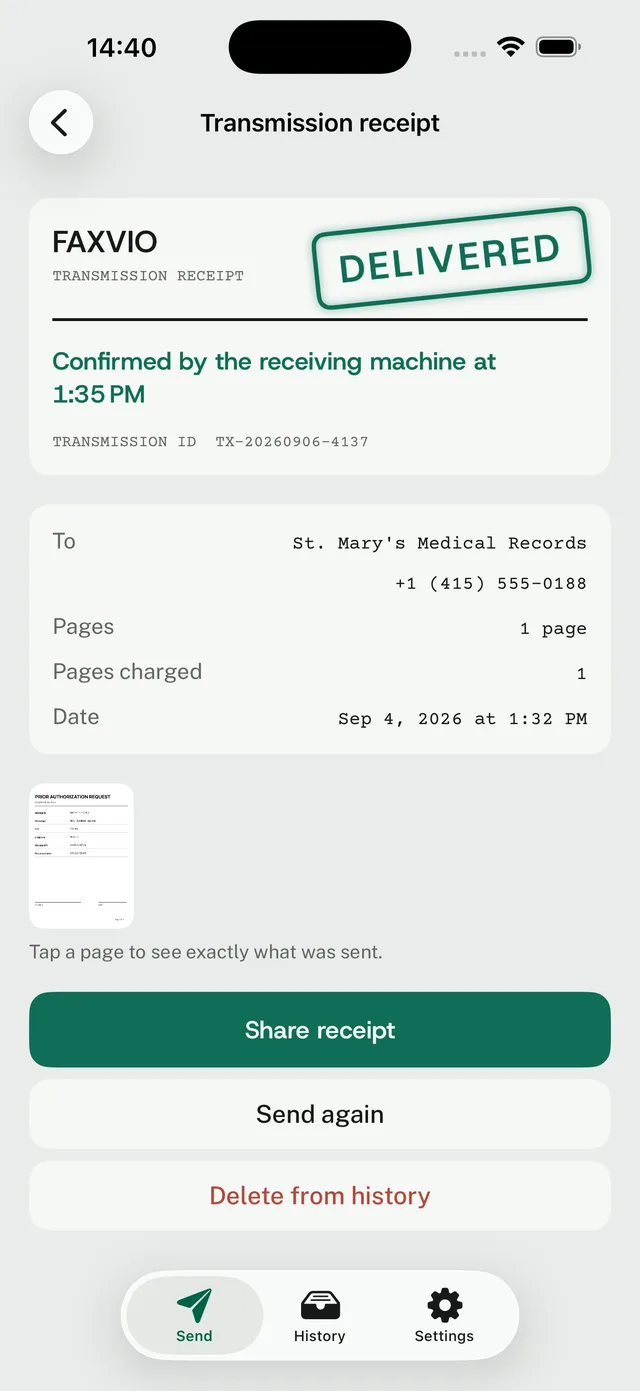
Keep three things together until the records arrive: the signed form you sent, the PDF receipt, and a note of anyone you spoke to. The receipt is the sending side’s record of the call. It shows the number dialled, the date and time, the pages transmitted and the time the receiving machine confirmed them, with the stamp Delivered. Faxvio shows Delivered only when the carrier reports the fax delivered, which happens after the receiving machine has confirmed the pages, never while it is still sending.
That is a strong record of one fact: a fax machine at that number accepted your pages at that moment. It does not show that the right person has picked them up, so if the office says it never got the request, read them the time and the number from the receipt; most departments keep a log of incoming faxes and can search it. What a fax confirmation proves, field by field, is a page of its own.
If a fax does not go through, the receipt is stamped Returned with the reason in one sentence, such as “The line stayed busy.”, and the pages go back to your balance. Send it again later, or check the number with the office.
What happens to your form after you send it?
It leaves Faxvio’s server once the carrier has accepted the fax.
When you drop the form into the page, it stays in your browser until you press Send. It is then uploaded, counted and handed to the fax carrier, and removed from Faxvio’s server as soon as the carrier has accepted the fax. What stays in your account is the record of the fax: the number, the time, the page count and the result, from which the receipt is built whenever you download it. Your account keeps that record for 90 days.
Faxvio does not keep page thumbnails of what you sent, so keep your own copy of the signed form. In the Faxvio app for iPhone and Mac, the sent pages stay on your device for as long as its setting allows. For anything about how the receiving office stores what it gets, ask the office; that is its decision, not the sender’s.
Faxvio sends to 37 countries at the same price per page, up to 50 pages per fax, so a records request to a clinic abroad works the same way. For other ways to send, including a store counter or a library, see every way to send a fax.
Faxing medical records: the facts
| Send it to | The records department Medical Records, Health Information Management or Release of Information, at its own fax number. |
|---|---|
| Attach | The signed release form The provider’s own form, or a signed letter that answers the same questions; ID only if asked. |
| Cover page | Records request Prefilled from this page; free, never charged. |
| Cost of the fax | $1.09 for 2 pages $1.09 buys the 3-page pack; toll-free numbers use 2 pages per page; your first page is on us. |
| Time to deliver | About a minute Median 66 seconds from Send to Delivered; 79 % under 2 minutes. |
| Provider’s deadline | Up to 30 days Plus up to 30 more with a reason and a new date; some state laws are shorter. |
| Proof | A PDF receipt Number, date, pages, the time the receiving machine confirmed, transmission ID. |
| Getting the records back | Not through Faxvio Faxvio sends only. Use the portal, mail, email or the new doctor’s fax. |
Questions people ask
Can medical records be faxed?
Yes. HealthIT.gov, run by the US Department of Health and Human Services, lists fax among the ways a provider may ask you to make a request and among the ways records can be delivered. Each office sets its own process, so check its website or call the records department first.
How do I request my medical records by fax?
Get the records department’s fax number and its release or access request form, fill it in, sign it, and fax it with a cover page titled “Records request”. From this page, $1.09 sends a 2-page form, and the PDF receipt shows when the receiving machine accepted it.
Can I fax my medical records to a new doctor myself?
Yes, if you have a copy: fax the pages to the new office with a cover page naming the doctor and the patient. Often it is simpler to ask the old provider to send them straight to the new doctor; the release form has a field for the receiving party.
How long does a doctor have to send medical records?
HealthIT.gov says a provider “can take up to 30 days to deliver your health record”, and if it needs more it must give you a reason and a new date: “They can take up to 30 extra days.” It adds that some state laws set shorter timelines.
Do I have to pay to get my medical records?
You may. HealthIT.gov says records sent electronically are likely to be free, and that a provider “may charge a reasonable fee to cover only the cost of making or mailing paper or electronic copies.” Ask the office for the price when you send the request. The fax itself costs $1.09 for 2 pages on Faxvio, and your first page is on us.
What should a medical records fax cover sheet say?
Who it is for (the records department), who it is from, the subject “Records request”, the date and the number of pages. Add one line on where the records should go. Leave out diagnoses and anything the form does not ask for.
Can I receive my medical records with Faxvio?
No. Faxvio sends faxes only and gives you no fax number. Ask for your records through the provider’s patient portal, by mail, or sent directly to your new doctor’s fax.
Is a fax receipt proof that I requested my records?
It is proof that the fax machine at that number accepted your pages at that time. Keep it with a copy of the form you sent, and use its date and time if you need to follow up with the office.
Bottom line
To fax a medical records request, send the provider’s signed release form to its medical records department with a cover page titled “Records request”, and keep the receipt. HHS says a provider can take up to 30 days to respond, with one extension of up to 30 more. With Faxvio a 2-page request costs $1.09, reaches the office in about a minute, and the document is removed from Faxvio’s server once the carrier has accepted the fax.
Make your fax better before you send it
Free tools that run in your browser. Nothing is uploaded.
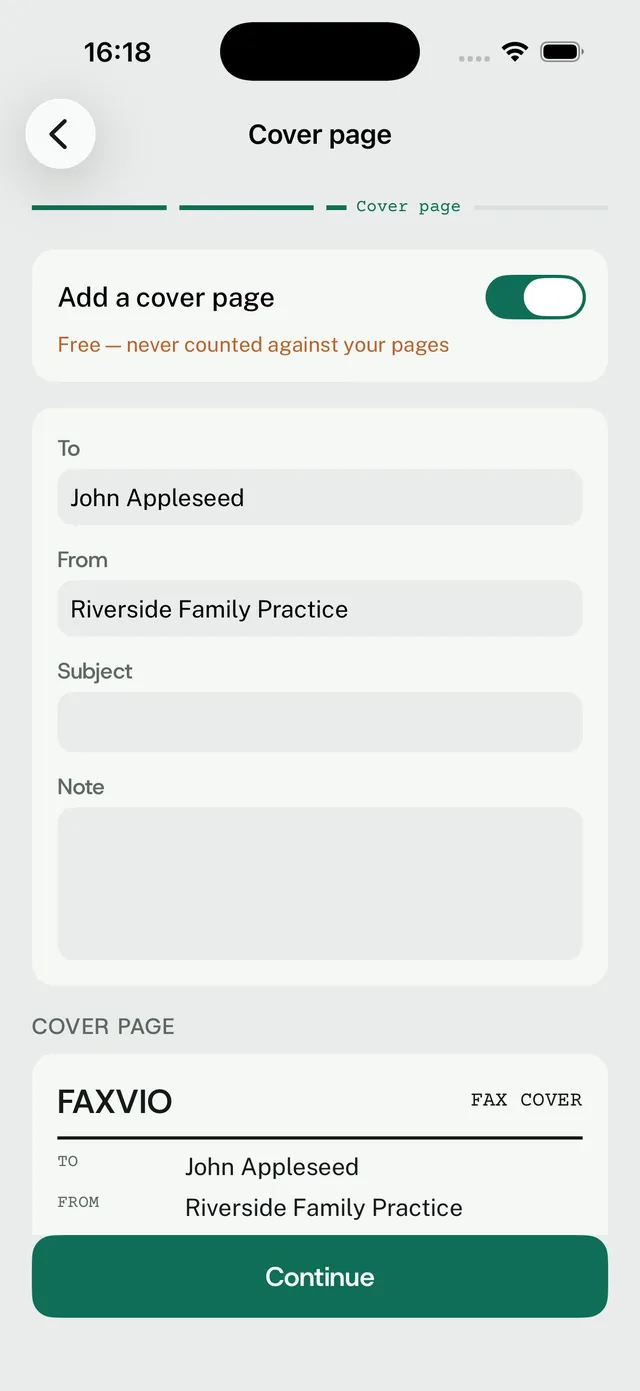
Add a cover sheet
Fill in To, From and a note. It becomes the first page and is never charged.
Make a cover sheet →
Check the number first
See the exact number Faxvio will dial, and whether it costs extra, before you pay.
Check a number →
See it in black and white
Drop a photo of a page and see what a fax machine will actually print.
Preview a page →